Introduction
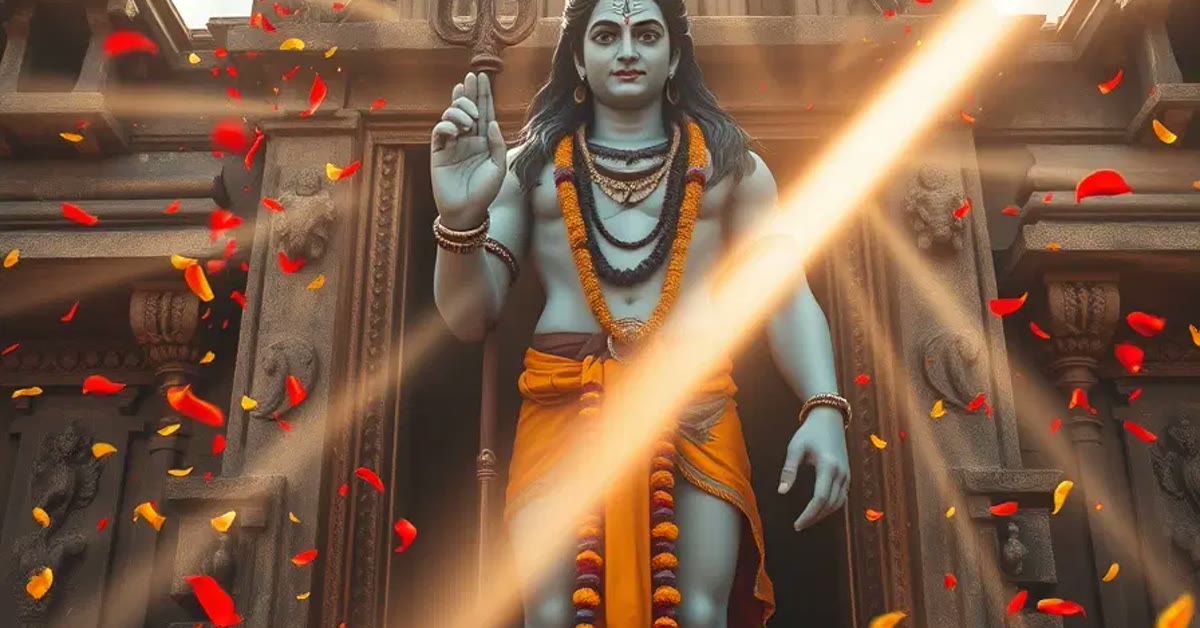
Temple portraits need stillness and reverence, and this ultra realistic Shivji temple photo prompt creates both in a single frame. Lord Shiva meditating in an ancient stone temple, soft diya light, and drifting incense smoke make an image of serene, powerful calm.
The detail is what makes this edit special. Carved pillars, gentle smoke, and warm diya glow build an atmosphere that feels sacred and real. The prompt below creates the scene, and the steps show you how to use it respectfully for devotional posts and festival wishes. When you want dependable results, this Ultra realistic shivji temple photo prompt is a safe choice to start from.
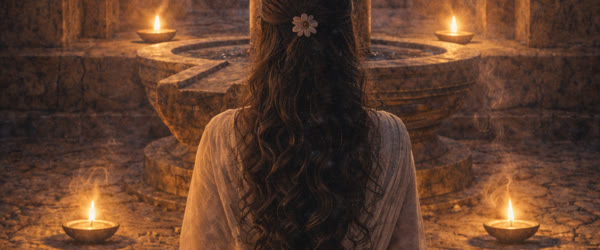
Table of Contents
How to Use This Ultra Realistic Shivji Temple Photo Prompt
- Use the prompt in your AI image tool to generate the temple portrait. Check that the meditation pose looks peaceful and that the temple carvings stay detailed and respectful.
- Review the diya light and incense smoke carefully, since soft warm light and gentle smoke are what give the image its spiritual atmosphere. Regenerate if the smoke looks heavy or the light looks harsh.
- Save the best version at full size and share it for Mahashivratri, Mondays, or daily devotional posts. Add your greeting in the caption and keep the image itself clean.
Copy-Paste Prompt
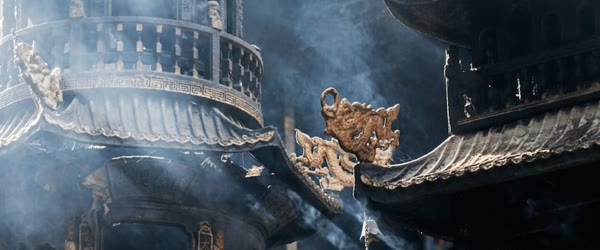
Create an ultra-realistic portrait of Lord Shiva meditating inside an ancient stone temple, soft diya light, drifting incense smoke, serene powerful presence, detailed carved pillars, spiritual calm mood, ultra-realistic, 4K, cinematic lighting.
Pro Tips
- Generate in the early morning hours of a festival day so your devotional post is ready when followers open their feeds.
- Keep the composition centred on the meditating figure, because a calm central focus suits the spiritual mood best.
- Avoid adding decorative text over the deity, since a clean respectful image is more shareable for devotional content.
More Prompts to Try
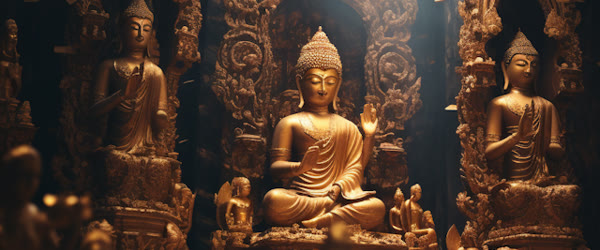
One temple scene can only show one mood of Shiva. These six original variations keep the devotional, ultra-realistic style while changing the setting, the moment, and the light. Use them to build a small series of images that feel connected but never identical.
Meditation in a Himalayan cave
Create an ultra-realistic portrait of Lord Shiva meditating deep inside a Himalayan cave, cold blue light from the entrance, snow dust on the stone floor, calm powerful stillness, detailed rock textures, spiritual silence, ultra-realistic, 4K, cinematic lighting.
The cave setting adds solitude and scale. Keep the light cold and simple so the stillness of the meditation stands out.
Ganga aarti at dawn
Create an ultra-realistic image of Lord Shiva blessing devotees during Ganga aarti at dawn, rows of oil lamps, golden mist over the river, serene divine presence, detailed temple steps, peaceful sacred mood, ultra-realistic, 4K, cinematic lighting.
A dawn river scene adds warmth and community. The lamps give the image natural points of golden light.
Shiva with Nandi in the temple courtyard
Create an ultra-realistic image of Lord Shiva standing calmly beside Nandi in an ancient temple courtyard, soft morning light, carved pillars around, gentle divine companionship, detailed stonework, serene mood, ultra-realistic, 4K, cinematic lighting.
Nandi adds a story to the frame. Place Shiva slightly forward so the composition stays clear and the bull reads as a companion, not a distraction.
Shiva in the Kedarnath snow
Create an ultra-realistic image of Lord Shiva in deep meditation before the Kedarnath temple in falling snow, white peaks behind, warm diya glow against the cold blue air, powerful serene presence, ultra-realistic, 4K, cinematic lighting.
Snow gives the image a striking warm-versus-cold contrast. The single diya flame becomes the emotional centre of the picture.
Child Shiva with a damru
Create an ultra-realistic image of young Shiva holding a small damru in a forest clearing, playful gentle smile, soft sunlight through leaves, flowers at his feet, joyful divine innocence, ultra-realistic, 4K, cinematic lighting.
A child form of Shiva brings warmth and sweetness. Keep the expression gentle and the forest light soft so the mood stays tender.
Shiva under the banyan tree at dusk
Create an ultra-realistic image of Lord Shiva seated under a vast banyan tree at dusk, hanging roots around him, last golden light through the leaves, deep peaceful meditation, detailed bark and leaves, ultra-realistic, 4K, cinematic lighting.
The banyan tree frames the figure naturally. Dusk light adds a golden rim that separates Shiva from the darkening forest.
How to Customize This Prompt
Start with the setting. A stone temple, a cave, a riverbank, and a forest clearing each create a different feeling, so name the place clearly. The setting also decides the colours: stone greys for a temple, blues for a cave, golds for a river dawn. Overall, this Ultra realistic shivji temple photo prompt turns a simple idea into a result that feels ready to post.
Choose the moment of Shiva’s story you want to show. Deep meditation reads calm and powerful, a blessing reads warm and generous, and a playful child form reads joyful. One clear moment keeps the image focused; mixing two moods makes the expression confusing. This Ultra realistic shivji temple photo prompt is worth bookmarking if you enjoy quick creative edits.
Control the light with care, because light carries the sacred mood. Diya light is warm and intimate, dawn light is hopeful, and moonlight is quiet and mysterious. Name one main light source and let the rest of the scene support it. This Ultra realistic shivji temple photo prompt is built to deliver a polished result in just a few minutes.
Adjust the details that make the image feel real: carved pillars, incense smoke, flower petals, temple bells. Pick two or three details rather than ten, because too many objects crowd the frame and the figure loses presence. You can come back to this Ultra realistic shivji temple photo prompt again and again whenever you need a fresh edit.
Finally, keep the depiction respectful and serene. Shiva should look calm, dignified, and divine. Avoid dramatic anger, distorted anatomy, or casual modern elements that break the sacred tone of the image. What makes this Ultra realistic shivji temple photo prompt so useful is how little manual work it needs.
Step-by-Step Guide
- Choose the setting and the mood before you write anything. A temple interior suits quiet meditation, while a river dawn suits a blessing scene. Write both down in one line.
- Copy the prompt that matches your chosen scene, or adapt the original by changing only the setting and the light. Keep the rest of the wording steady so the style stays consistent.
- Generate the first version and look at the face and the posture first. Shiva should look serene and the posture should be stable and balanced. If the anatomy looks wrong, regenerate rather than trying to fix it later.
- Check the temple details next. Pillars, lamps, and smoke should support the figure, not cover it. If the background is too busy, ask for a simpler background and fewer objects.
- Generate two or three versions and compare the light. The best version will have one clear light source and a calm, readable face. Pick that one even if another version has prettier details.
- Refine with one targeted change at a time. Ask for “softer smoke” or “warmer diya light” in a follow-up, and keep everything else the same so you can judge the change fairly.
- Export at full resolution and check the image at the size where people will see it. A devotional image is often shared on a phone, so make sure the face and the lamps read clearly at small size too.
Common Mistakes to Avoid
- Mixing too many sacred symbols at once. A trident, a snake, a damru, a tiger skin, and a crescent moon in one frame will crowd the image and confuse the eye. Choose the symbols that matter for your scene.
- Using harsh or garish colours. Neon colours break the sacred calm of a Shiva image. Stick to warm lamp light, stone greys, and soft golds for a believable temple mood.
- Accepting distorted hands or faces. AI tools often struggle with meditation postures and hand gestures. If the hands look wrong, simplify the pose or crop the frame to focus on the face and upper body.
- Making the background louder than the figure. When pillars and smoke fill the frame, Shiva disappears. Keep the background simpler than the subject, always.
- Adding text to the image. Devanagari or English lettering generated by image tools usually comes out misspelled. Leave text out and add any caption afterwards in your editor.
Best Tools for This Edit
ChatGPT handles devotional portraits well, because it follows detailed scene descriptions and keeps the figure dignified and calm. Paste the prompt with your chosen setting, and use follow-up messages for small changes like softer smoke or warmer light. Its conversational editing suits a careful, respectful workflow. This Ultra realistic shivji temple photo prompt keeps faces and key details natural while the style does the heavy lifting.
Gemini is a strong choice for realistic skin, stone texture, and natural light. It renders temple architecture and lamp glow convincingly, and it keeps the face serene across regenerations. If you want a photographic rather than painterly result, try the same prompt in Gemini and compare. This Ultra realistic shivji temple photo prompt works especially well when your source photo or clip is clear and well lit.
Adobe Firefly works well when you want a more artistic, painterly devotional image. Its style controls let you push toward classical painting or soft illustration while keeping the composition stable. Use Firefly when the image is meant as art or a poster rather than a photograph. Beginners often start with this Ultra realistic shivji temple photo prompt because the steps stay simple from start to finish.
Frequently Asked Questions
Is it respectful to generate images of Lord Shiva with AI? Many devotees use AI art for personal prayer, sharing, and learning, and it is generally accepted when the depiction is serene and respectful. Keep the imagery dignified, avoid jokes or parody, and do not use the images to mislead people. Sharing your version of this Ultra realistic shivji temple photo prompt is a good way to join the trend while it is still growing.
Why do the hands look wrong in meditation poses? Hands and crossed legs are among the hardest shapes for image tools. Simplify the pose, ask for hands resting calmly, or crop to the upper body. Regenerating a few times usually produces one clean version. This Ultra realistic shivji temple photo prompt holds up well even when you export at full resolution.
Can I print these images for my home temple? Yes, for personal use. Export at the highest resolution the tool offers, and check the print size before ordering. For large prints, upscale the image first so the details stay sharp. The real strength of this Ultra realistic shivji temple photo prompt is how repeatable it is from one edit to the next.
How do I keep a consistent style across a series? Reuse the same wording for light, detail level, and mood in every prompt, and change only the setting. The same phrase “ultra-realistic, 4K, cinematic lighting” in each prompt helps the series feel connected. This Ultra realistic shivji temple photo prompt is a smart pick when you want professional-looking results on a phone.
Can I add a mantra or caption to the image? Add text afterwards in an editor such as Canva, because image tools often misspell lettering. Place the caption below the image rather than over the figure to keep the depiction clean. Once you try this Ultra realistic shivji temple photo prompt, small tweaks let you create many variations from one idea.
Creative Ideas to Try
A single Shiva image can grow into a devotional series that follows the rhythms of worship and the seasons. Keeping the same serene style while changing the festival or the setting gives devotees a collection they return to again and again. If a friend asks how you made the edit, this Ultra realistic shivji temple photo prompt is the shortcut worth sharing.
Create a Mahashivratri series. One image for the night vigil with lamps, one for the morning abhishek with water and milk, and one for the evening aarti with fire and flowers. The three moments cover the full day of worship, and the consistent temple style ties them into a set that can be shared across the festival. This Ultra realistic shivji temple photo prompt keeps the original mood of your photo or clip while lifting the overall quality.
Try a twelve Jyotirlinga journey. Generate one serene image for each sacred site — Kedarnath in snow, Somnath by the sea, Kashi on the river — all with the same calm Shiva presence. A journey series is deeply meaningful for devotees, and each image teaches something about a holy place. If you post on social media often, this Ultra realistic shivji temple photo prompt can save you a lot of editing time.
Make a meditation companion set. Pair each image with a short line about stillness, breath, or inner peace, placed below the image rather than across it. A calm image with a calm caption becomes a meditation aid that people save and return to daily.
Experiment with the seasons. Shiva in monsoon rain, in autumn leaves, in winter snow, and in spring flowers shows the same divine stillness against nature’s changes. The seasonal contrast makes each image feel fresh while the meditation pose keeps the series unified.
Finally, create a print for your prayer space. Choose your favourite image, export it at the highest resolution, and have it printed and framed. A personal devotional print, made with care and respect, becomes a lasting part of a home temple.
Troubleshooting
If the generated image looks wrong, fix one thing at a time. When the face looks unlike the person, use a clearer source photo and add “keep the face natural and recognisable” to the prompt. When the temple background overwhelms the figure, ask for a simpler background with fewer pillars and softer smoke. If the diya light looks harsh, request “soft warm diya glow” instead of bright flame. This Ultra realistic shivji temple photo prompt rewards a little patience, so preview the result before you export.
When the posture looks unstable, simplify the pose to a seated meditation with hands resting calmly. If the image comes out too dark, ask for one gentle light source on the face. Small, single changes are easier to judge than rewriting the whole prompt, so change one phrase, regenerate, and compare before changing anything else.
Final Words
This ultra realistic Shivji temple photo prompt creates a temple portrait of peace and power. Keep the light soft, the smoke gentle, and the mood calm, and the image will inspire devotion in everyone who sees it. This Ultra realistic shivji temple photo prompt can be adjusted for brighter, softer, or more dramatic results in seconds.
Leave a Reply