
Introduction
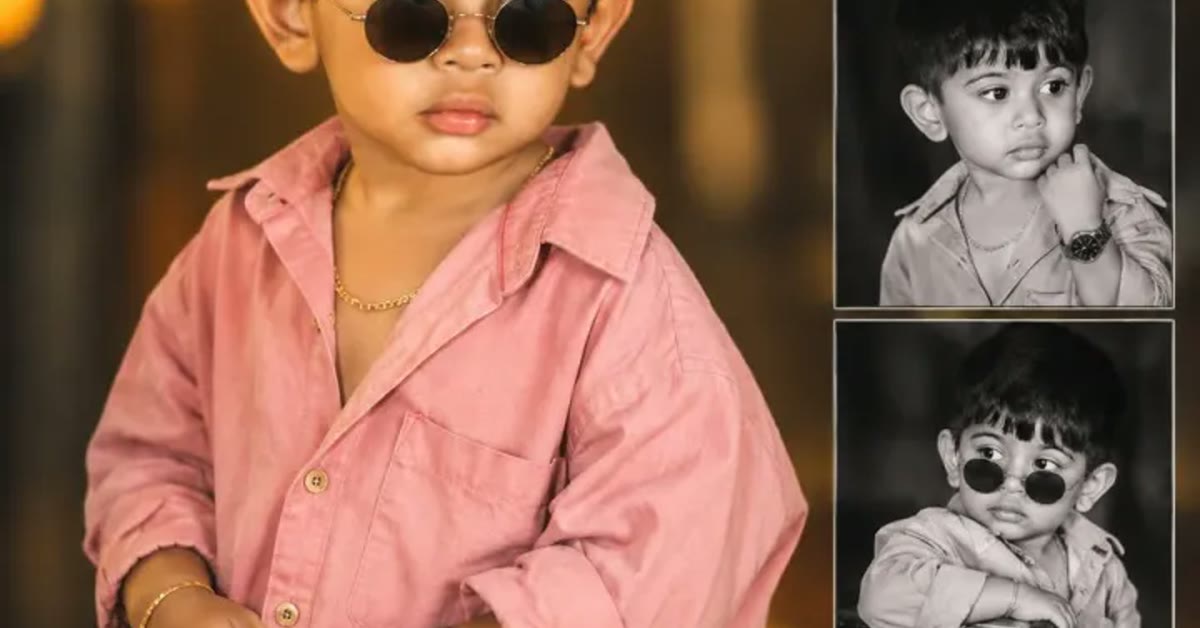
Stylish kids photo editing prompts turn everyday pictures of children into bright, cheerful portraits that look straight out of a family photoshoot. The playful park background, golden sunlight, and candid giggles keep the mood natural and joyful. Parents love this style because it makes ordinary moments look special without losing the child’s real expression. In practice, the stylish kids photo editing prompts can give you a strong starting point instead of a blank screen.
These prompts work for birthdays, school events, and family outings. The key is keeping the child comfortable and happy during the original photo. A genuine smile beats a posed one every time, and the AI edit simply adds light, color, and polish around it. It shows how far digital photography and AI editing have come for everyday family portraits. With the right tweaks, the stylish kids photo editing prompts can work for beginners and experienced editors alike.

Table of Contents
How to Use These Stylish Kids Photo Editing Prompts
- Upload a clear photo of the child to ChatGPT or Gemini and paste the prompt exactly as written.
- If the background changes too much, ask the tool to keep the child and outfit unchanged and only improve the light and colors.
- Save the best version and print it or share it with family in full resolution.
Copy-Paste Prompt
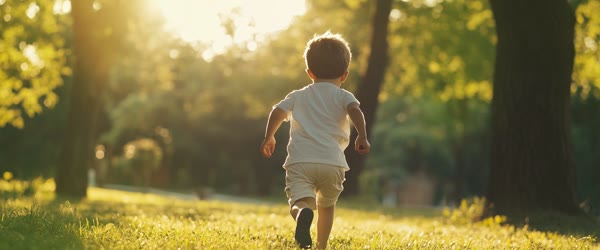
Transform this photo into a stylish kids portrait with bright cheerful colors, a playful park background, natural giggles, and soft golden sunlight. Keep the child's expression joyful and candid, add gentle sparkle, and a fun energetic mood. Ultra-realistic detail, safe and wholesome, 4K, cinematic lighting.
Pro Tips
- Use photos taken outdoors in daylight. Natural light gives the edit a warm, honest base to build on.
- Avoid heavy filters before editing. A clean original photo produces the most realistic result.
- Keep the child’s face as the focus. Ask for a closer crop if the background starts stealing attention.

A little patience with the stylish kids photo editing prompts pays off, because the small details improve with every retry.
More Prompts to Try
One park portrait is only the start. Children have endless moods — curious, brave, sleepy, silly — and each one deserves its own version of the stylish kids photo editing prompts. The variations below keep the bright cheerful core while changing the setting, the activity, or the season. Every prompt is original, written for this article, and safe and wholesome throughout. Try them on different photos to build a family album that feels both polished and real.
Rainbow Puddle Jumper
A monsoon version with puddles, rain boots, and joyful splashing for rainy-day memories.
Transform this photo into a cheerful kids portrait on a rainy day, with colorful rain boots, joyful puddle splashing, soft rain light, and a bright rainbow in the background. Keep the child's expression happy and candid, add gentle sparkle and fresh colors. Ultra-realistic detail, safe and wholesome, 4K, cinematic lighting.
Little Gardener
A garden version with flowers, a watering can, and sunshine, ideal for spring and nature posts.
Transform this photo into a bright kids portrait in a flower garden, with the child holding a small watering can, butterflies nearby, and soft golden sunlight through the leaves. Keep the expression curious and joyful, add fresh green and flower colors, and a playful mood. Ultra-realistic detail, safe and wholesome, 4K, cinematic lighting.
Birthday Star
A birthday version with balloons, confetti, and a bright celebration background for birthday posts and invitations.
Transform this photo into a joyful birthday portrait with colorful balloons, gentle falling confetti, and a bright cheerful background. Keep the child's smile natural and candid, add golden light and festive colors, and a happy celebration mood. Ultra-realistic detail, safe and wholesome, 4K, cinematic lighting.
Winter Snow Explorer
A winter version with snow, a cozy coat, and rosy cheeks for December and holiday cards.
Transform this photo into a cozy winter kids portrait with soft falling snow, a warm colorful coat and scarf, rosy cheeks, and gentle winter light. Keep the child's expression bright and happy, add soft snow sparkle, and a warm cheerful mood. Ultra-realistic detail, safe and wholesome, 4K, cinematic lighting.
Beach Little Adventurer
A seaside version with sand, shells, and waves for holiday photos and summer memories. Plenty of viral posts started with nothing more than the stylish kids photo editing prompts and a good idea.
Transform this photo into a bright beach kids portrait with soft sand, seashells, gentle waves, and golden sunlight. Keep the child joyful and curious, add fresh ocean colors and a playful adventurous mood. Ultra-realistic detail, safe and wholesome, 4K, cinematic lighting.
Storybook Reader
A quiet indoor version with a storybook, a window seat, and warm lamplight for calm, thoughtful moments. Over time, the stylish kids photo editing prompts can become faster to use as you learn which settings suit your style.
Transform this photo into a cozy storybook kids portrait with the child reading in a window seat, warm lamplight, soft rain outside the window, and a peaceful curious mood. Keep the expression calm and natural, add warm tones and gentle detail. Ultra-realistic detail, safe and wholesome, 4K, cinematic lighting.
Superhero Dreamer
A playful imagination version with a cape and a heroic pose, keeping everything wholesome and fun. If a first attempt feels off, adjust one setting in the stylish kids photo editing prompts and try again.
Transform this photo into a playful superhero kids portrait with a bright cape flowing gently, a confident happy pose, and a cheerful sky background with soft clouds. Keep the child's expression joyful and brave, add bright colors and a fun energetic mood. Ultra-realistic detail, safe and wholesome, 4K, cinematic lighting.
How to Customize This Prompt
Start with the child’s comfort, because no prompt can fix a photo where the child is upset or stiff. Choose photos taken during play, when the child forgot the camera existed. Candid laughter, mid-run joy, and curious looks all edit beautifully. If the original photo is posed and stiff, the AI version will usually stay stiff. Pick the candid frame from the burst, even if it is slightly imperfect, because genuine expression matters more than perfect composition for kids’ portraits.
Next, customize the setting to match the child’s real world. A park suits everyday joy. A garden suits curious explorers. A beach suits holidays. A cozy room suits quiet moments. The setting should feel like somewhere the child actually goes, because viewers — especially family — notice when a background feels invented. Keep the background slightly simpler than real life so the child stays the hero. A park with two trees reads better than a park with twenty.
Color customization should stay bright but natural. Kids’ portraits suit cheerful colors: fresh greens, sky blues, warm golds, and soft pinks. Avoid heavy saturation, which makes skin look orange and clothes look neon. Ask for bright cheerful colors with natural skin tones in the follow-up if the first result looks overcooked. Check the skin at full size. Children’s skin should look soft and real, never plastic or airbrushed. Sharing your version of the stylish kids photo editing prompts can also inspire other creators to try it themselves.
The outfit can be tuned gently. The prompt works best when it keeps the original outfit, because family members recognize the clothes from the day. If you do change the outfit, change it to something the child would actually wear: a bright t-shirt, a favorite dress, or a cozy sweater. Avoid formal or adult styling on children. Wholesome and age-appropriate is the rule for every variation, and it is also what makes the photos timeless. A clean, sharp source image will always get more out of the stylish kids photo editing prompts than a blurry one.
Finally, customize the use. A square crop suits profile pictures and feed posts. A vertical crop suits stories and phone wallpapers. A wide crop suits a printed frame above a desk. Decide the use before generating and name it in the prompt, so the composition leaves the right space. Keep the child’s eyes in the upper third of the frame for the most engaging composition, and leave room above the head so the crop never feels tight. That flexibility is why the stylish kids photo editing prompts keeps showing up in trending feeds this season.
Many readers bookmark the stylish kids photo editing prompts and return to it whenever a new trend appears.
Step-by-Step Guide
Follow these steps to turn a good kids’ photo into a polished portrait without losing the real moment. The real strength of the stylish kids photo editing prompts is how easily it adapts to different personal styles.
- Choose a candid daylight photo. Pick a photo taken outdoors in natural light where the child is laughing, playing, or curious. Avoid flash photos, dark rooms, and photos where the child is looking away from the camera. A sharp, bright, happy photo is worth more than any prompt trick.
- Check safety and consent. Only edit photos of your own children or photos you have clear permission to edit and share. Keep the edits wholesome and age-appropriate, and never share children’s photos in contexts you would not want your own family in. This check takes ten seconds and matters more than any other step.
- Upload at full resolution. Open ChatGPT or Gemini and upload the photo at its original size. Children’s faces are small in the frame, so resolution matters more than for adult portraits. A low-resolution upload forces the AI to invent facial details, which changes the child’s look.
- Paste the full prompt. Copy the stylish kids photo editing prompt exactly as written and paste it with the photo. Do not trim the words about candid expression and safe wholesome mood, because those words guide the AI toward a natural, appropriate result.
- Review the face first. Check the child’s expression before anything else. The smile, the eyes, and the overall likeness must match the original. If the face changed, ask the tool to restore the original face and only improve the light and background. Never accept a version where the child looks like a different person.
- Refine the background separately. If the background is too busy or too changed, ask for a simpler park background with the child and outfit unchanged. One follow-up usually settles it. Keep the background soft and slightly blurred so the child stays the clear subject.
- Try a variation. Once the base prompt works, run one variation from this article on the same photo. Seasonal and activity variations give you a set of portraits from one good photo, which is perfect for birthdays, holidays, and family albums.
- Save and share thoughtfully. Download at full resolution and share with family first. For printing, use the highest quality file and a reputable photo printer. For social posts, crop for the platform and add a short caption about the moment, not about the editing. The memory is the story; the edit is only the polish.
The stylish kids photo editing prompts can save a lot of trial and error when you want a polished result quickly.
Common Mistakes to Avoid
Over-editing the face. Heavy smoothing, enlarged eyes, and reshaped features make children look like dolls, not like themselves. Family members notice instantly, and the photo loses its value as a memory. Ask for natural detail and realistic texture explicitly, and reject any version that changes the child’s face. The goal is polish, not replacement.
Using flash or dark photos. Flash creates harsh shadows and red eyes that AI editing exaggerates. Dark photos force the AI to invent the face. Both produce unreliable results. Choose daylight photos. If the only photo is dark, brighten it gently in a basic editor first and accept that the result may still be imperfect.
Busy backgrounds that steal attention. A playground full of equipment, crowds, and signs competes with the child. The AI cannot always simplify a chaotic background cleanly. Choose photos with simple backgrounds, or ask firmly for a simpler park background with the child unchanged. The child should occupy the main third of the frame. A second pass over the stylish kids photo editing prompts usually sharpens the details that matter most.
Posting without considering privacy. Children’s photos deserve extra care. Share them in family groups and trusted spaces, and think twice before posting publicly with identifying details like school names or locations. The prompt makes beautiful images, and beautiful images travel far, so share them deliberately. Most creators refine the stylish kids photo editing prompts two or three times before posting the final version.
Forcing a pose the child never made. Asking the AI to change a sitting child into a running child, or a calm child into a laughing one, usually produces unnatural results. Work with the pose and expression the photo already has. Enhance the light, the color, and the background, and let the child’s real moment lead. In practice, the stylish kids photo editing prompts can give you a strong starting point instead of a blank screen.
Best Tools for This Edit
ChatGPT is the most reliable choice for kids’ portraits because it preserves the child’s likeness well and follows the wholesome, candid instructions closely. Its follow-up editing lets you fix the background without touching the face. Save each good version before the next follow-up, because long sessions can drift the likeness. For family photos, ChatGPT’s consistency is its greatest strength. If a first attempt feels off, adjust one setting in the stylish kids photo editing prompts and try again.
Gemini produces warm, cheerful light with beautiful golden tones that suit park and garden portraits especially well. Its colors feel fresh and natural. Its faces can sometimes be too smooth, so request natural detail explicitly. Gemini is an excellent choice for the seasonal variations, where its warm light makes snow and beach scenes glow. For best results, export at the highest quality your app allows after using the stylish kids photo editing prompts.
Canva and phone photo editors are useful for the final polish after AI generation: gentle cropping, a small brightness lift, and a clean border for printing. Do not stack heavy filters on top of the AI result. One gentle pass is enough. For printed family albums, export at the highest resolution and use a quality printer, because print reveals softness that screens hide. Saving the stylish kids photo editing prompts in your drafts means you can reuse the idea whenever inspiration strikes.
Frequently Asked Questions
Will the edited photo still look like my child? Yes, if you start with a clear daylight photo and ask the tool to keep the face unchanged. Check the result against the original side by side, focusing on the eyes, smile, and overall likeness. If anything drifted, regenerate with the face instruction emphasized. Never accept a version where family members would hesitate to recognize the child.
Can I use these prompts for school or birthday invitations? Yes. The bright, cheerful style suits invitations, thank-you cards, and school event posts beautifully. Use the birthday or seasonal variations for themed invitations. Keep the text on the invitation separate from the photo, in a clean font, so the child’s face stays clear and the details stay readable. A clean, sharp source image will always get more out of the stylish kids photo editing prompts than a blurry one.
What if my photo is old or low quality? Old photos can still work if the face is visible and reasonably sharp. The AI will clean up light and color, but it cannot invent a face it cannot see. Scan printed photos at good quality rather than photographing them at an angle. If the face is very small or blurry, accept a softer result or choose a different photo. A soft honest result beats a sharp invented face. That flexibility is why the stylish kids photo editing prompts keeps showing up in trending feeds this season.
How do I keep the edit safe and appropriate? Keep the prompt’s safe and wholesome wording intact, keep outfits age-appropriate, and keep settings familiar and innocent, such as parks, gardens, and homes. Never request adult styling, poses, or contexts for children. Review every result before sharing, and share children’s photos thoughtfully in trusted spaces. Plenty of viral posts started with nothing more than the stylish kids photo editing prompts and a good idea.
Can I print these portraits? Yes, and they print beautifully. Download the highest resolution file, crop for the frame size, and use a reputable photo printer. The warm golden tones and bright colors look especially good on matte photo paper. Keep an unedited copy of the original photo as well, because the original is the memory and the edit is the celebration of it. Over time, the stylish kids photo editing prompts can become faster to use as you learn which settings suit your style.
Beginners often get their best result from the stylish kids photo editing prompts on the second or third try.
Final Words
Kids grow fast, and photos are how we keep the small moments, so make them count. Use these prompts to make every giggle look as bright as it felt, while keeping the child’s real face, real smile, and real joy at the center. Choose candid daylight photos, protect the likeness above all else, and share the results with the people who love the child most. The years will pass quickly, but a bright, honest portrait keeps the laughter close forever. Sharing your version of the stylish kids photo editing prompts can also inspire other creators to try it themselves.
The stylish kids photo editing prompts can also be combined with your own text, music and stickers for a personal touch.