Introduction
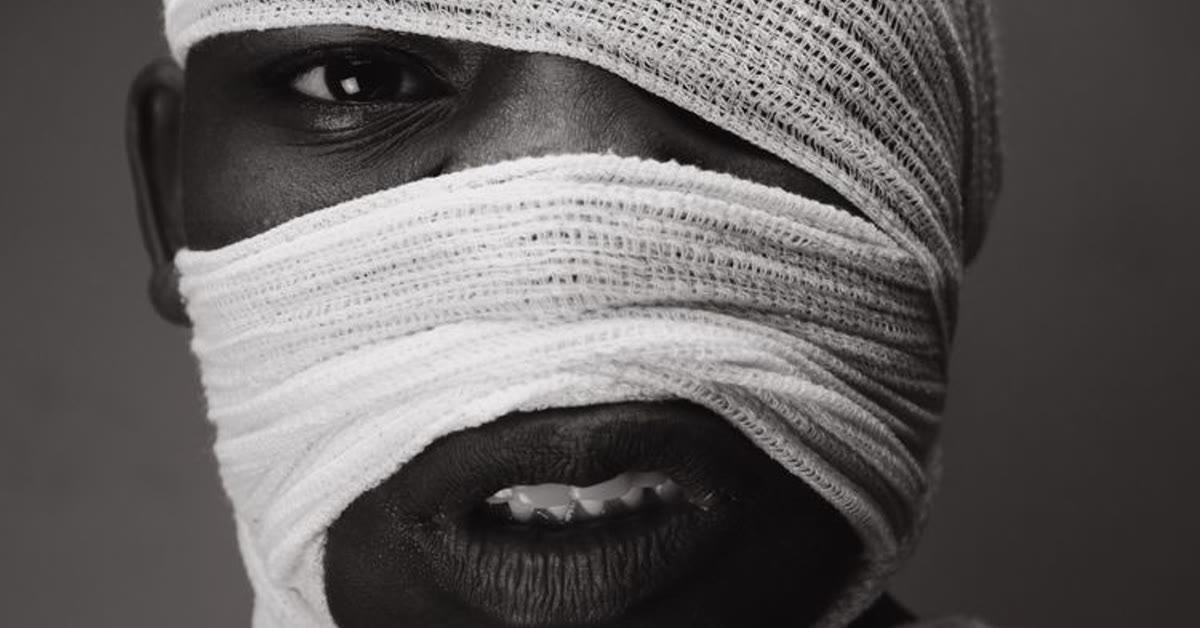
A face bandage AI photo editing prompt creates a dramatic portrait that tells a story in one frame. The small cheek bandage, moody low-key lighting, and intense calm expression combine into an image that feels emotional, cinematic, and unforgettable.
Storytelling portraits work because they leave questions in the viewer’s mind. The bandage suggests a story, the shadows add mystery, and the calm expression shows strength. This style suits artistic posts, character portraits, and dramatic profile pictures that stand out from ordinary edits. You do not need expensive software to get the most out of this Face bandage AI photo editing prompt.
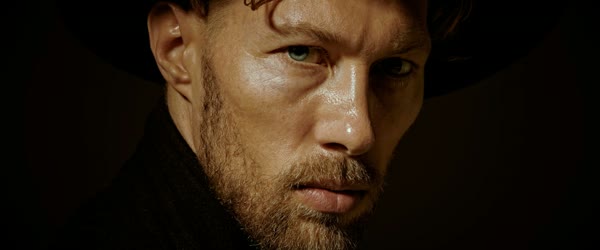
Table of Contents
- How to Use This Prompt
- Copy-Paste Prompt
- Pro Tips for Face Bandage AI Photo Editing Prompt
- More Prompts to Try
- How to Customize This Prompt
- Step-by-Step Guide
- Common Mistakes to Avoid
- Best Tools for This Edit
- Frequently Asked Questions
- Creative Ideas to Try
- Troubleshooting
- Advanced Tips for Better Results
- Final Words
How to Use This Prompt
- Upload a clear front-facing photo to your AI editor and paste the full prompt.
- Generate the first version and check the bandage placement, the shadows, and the skin texture.
- If the bandage looks too large or misplaced, generate again, then pick the most natural version.
Copy-Paste Prompt
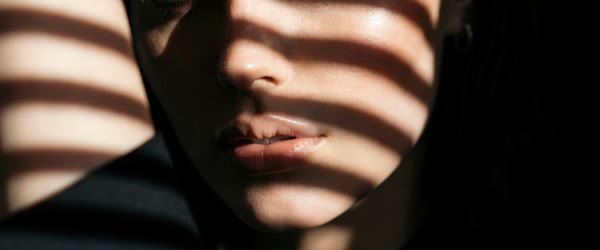
Transform this photo into a dramatic portrait of a person with a small bandage on the cheek, moody low-key lighting, intense calm expression, textured skin detail, dark blurred background, cinematic shadows, emotional storytelling mood, ultra-realistic, 4K, cinematic lighting.
Pro Tips for Face Bandage AI Photo Editing Prompt
- A calm, steady gaze sells the storytelling mood better than a dramatic expression.
- Keep the background dark and simple, since the shadows are part of the effect.
- Avoid extra filters after the edit, because the low-key lighting is already balanced.
More Prompts to Try
This face bandage AI photo editing prompt can tell many dramatic stories beyond one moody portrait. The six variations below keep the small bandage, low-key lighting, and intense calm expression of the main prompt while changing the story behind the injury, so one photo can become a whole character gallery.
Boxer’s Rest
A boxer resting after a fight, gloves off, with quiet pride and a small cut above the brow.
Transform this photo into a dramatic portrait of a boxer resting after a fight, a small bandage on the cheek, moody low-key lighting, intense calm expression, textured skin detail, dark blurred background, cinematic shadows, emotional storytelling mood, ultra-realistic, 4K, cinematic lighting.
Warrior’s Return
A warrior returning home, weathered and weary, with a bandage and a look of quiet strength.
Transform this photo into a dramatic portrait of a warrior returning home, a small bandage on the cheek, moody low-key lighting, intense calm expression, textured skin detail, dark blurred background, cinematic shadows, emotional storytelling mood, ultra-realistic, 4K, cinematic lighting.
Street Survivor
A street survivor at night, rain on the jacket, with a bandage and an unbroken stare.
Transform this photo into a dramatic portrait of a street survivor at night, a small bandage on the cheek, rain on the jacket, moody low-key lighting, intense calm expression, textured skin detail, dark blurred background, cinematic shadows, emotional storytelling mood, ultra-realistic, 4K, cinematic lighting.
Artist’s Struggle
An artist in a dim studio, paint on the hands, with a bandage and a determined, creative fire.
Transform this photo into a dramatic portrait of an artist in a dim studio, paint on the hands, a small bandage on the cheek, moody low-key lighting, intense calm expression, textured skin detail, dark blurred background, cinematic shadows, emotional storytelling mood, ultra-realistic, 4K, cinematic lighting.
Quiet Comeback
A quiet comeback after a setback, with morning light breaking through and a hopeful, steady gaze.
Transform this photo into a dramatic portrait of a quiet comeback, a small bandage on the cheek, soft morning light breaking through darkness, moody low-key lighting, intense calm expression, textured skin detail, dark blurred background, cinematic shadows, emotional storytelling mood, ultra-realistic, 4K, cinematic lighting.
Night Watch Guard
A night watch guard on duty, flashlight glow, with a bandage and a vigilant, steady presence.
Transform this photo into a dramatic portrait of a night watch guard on duty, flashlight glow, a small bandage on the cheek, moody low-key lighting, intense calm expression, textured skin detail, dark blurred background, cinematic shadows, emotional storytelling mood, ultra-realistic, 4K, cinematic lighting.
How to Customize This Prompt
The main face bandage AI photo editing prompt is built on three elements: the small bandage, the low-key light, and the calm expression. Customizing it well means choosing the story first, because the story decides the details around the bandage. A boxer wants gloves and sweat, a warrior wants weathered textures, a street survivor wants rain, and an artist wants paint. Pick one story and describe two details from it, so the portrait feels like a character rather than a costume. Once you try this Face bandage AI photo editing prompt, small tweaks let you create many variations from one idea.
Next, keep the bandage small and natural. The bandage is a storytelling detail, not the subject, and a large or misplaced bandage looks like a prop. Ask for “small bandage on the cheek” in every version, and check its placement first in every generation. If it drifts to the forehead or grows too large, regenerate with the placement emphasized before changing anything else. This Face bandage AI photo editing prompt is built to deliver a polished result in just a few minutes.
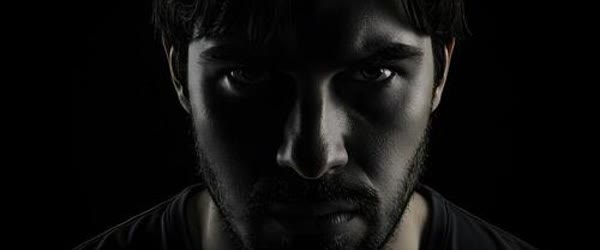
Then tune the light. Low-key lighting means most of the frame is dark, with one soft light source shaping the face. A single window, a flashlight, or a dim lamp all work, and the shadows are part of the effect, not a flaw. If the portrait looks too bright, ask for “deeper shadows” and regenerate. Finally, protect the calm expression. The storytelling power comes from contrast: a visible injury paired with a steady, unbothered gaze. A dramatic or pained expression turns the portrait into melodrama, while calm strength turns it into art. You can come back to this Face bandage AI photo editing prompt again and again whenever you need a fresh edit.
Step-by-Step Guide
- Choose a starting photo with a clear front-facing view, a calm expression, and even light. The AI rebuilds the mood around the face, so a sharp, neutral input gives the most natural result.
- Open your AI photo editor and upload the photo at full quality. Skin texture and shadow detail survive only when the input is sharp, so avoid blurry or heavily compressed photos.
- Paste the full face bandage prompt, keeping the details about the small cheek bandage, low-key lighting, and calm expression together.
- Generate the first version and check three things in order: the bandage size and placement, the shadow balance, and whether the expression stays calm and intense.
- If the bandage looks too large or misplaced, regenerate with “small bandage on the cheek” emphasized, before changing anything else.
- Generate two or three versions and compare the storytelling feeling. The best portrait makes viewers wonder what happened, without the bandage looking fake.
- Crop for your platform, keeping the face large and the background dark and simple. A vertical crop suits profile pictures, while a square crop suits character galleries.
- Export at the highest quality and post without extra filters. The low-key lighting is already balanced, and heavy post-processing flattens the shadows you worked to create.
Common Mistakes to Avoid
The most common mistake is a bandage that is too large or misplaced. A big bandage looks like a costume, while a small, naturally placed one looks like a story. Always check placement first, and regenerate until it sits naturally on the cheek. This Face bandage AI photo editing prompt keeps faces and key details natural while the style does the heavy lifting.
Another mistake is bright, flat lighting. Low-key portraits need darkness, and a bright background kills the mystery instantly. Keep the background dark and simple, and let one soft light source shape the face. What makes this Face bandage AI photo editing prompt so useful is how little manual work it needs.
People also choose dramatic expressions. A pained or exaggerated face turns storytelling into melodrama, while a calm, steady gaze shows strength and invites viewers to imagine the story. Keep the expression intense but calm, always. This Face bandage AI photo editing prompt works especially well when your source photo or clip is clear and well lit.
Ignoring skin texture is a subtler trap. The prompt asks for textured skin detail, and a smoothed, plastic face ruins the realism. If the skin looks airbrushed, regenerate and check the texture at full screen before posting.
Finally, do not add extra filters after generating. The cinematic shadows are deliberately balanced, and heavy contrast or saturation flattens them and makes the bandage look pasted on. Trust the prompt and make only tiny adjustments.
Best Tools for This Edit
ChatGPT is a flexible home for this face bandage AI photo editing prompt, because you can describe bandage placement and shadow fixes in plain words. If the bandage drifts or the light feels flat, say so and generate again. The conversational flow makes refinement easy. If a friend asks how you made the edit, this Face bandage AI photo editing prompt is the shortcut worth sharing.
Gemini is strong for dramatic realism and light. Its rendering of low-key shadows, skin texture, and small details like a bandage is natural and believable, and it holds facial expressions steady while rebuilding the mood. Generate a few versions and keep the most cinematic one.
Hypic works well as a finishing tool for dramatic portraits. After generating, use it to deepen the shadows slightly, adjust the crop, or fine-tune contrast without rebuilding the scene. Its gentle tools protect the low-key lighting while cleaning up small issues.
Frequently Asked Questions
Is the bandage meant to look real?
Yes, the goal is a small, natural-looking bandage that suggests a story. It should sit flat on the cheek with realistic edges and shading, never floating or oversized. Check placement at full screen before posting. This Face bandage AI photo editing prompt can be adjusted for brighter, softer, or more dramatic results in seconds.
What starting photo works best?
A clear front-facing photo with a calm expression and even light. The AI rebuilds the shadows and the bandage around the face, so a sharp, neutral input gives the most believable result. Sharing your version of this Face bandage AI photo editing prompt is a good way to join the trend while it is still growing.
Can I use this prompt for a character or cosplay portrait?
Yes, and it suits character work beautifully. Pair the bandage with a costume detail, such as a boxer’s gloves or a warrior’s weathered jacket, and the portrait becomes a full character study. This Face bandage AI photo editing prompt holds up well even when you export at full resolution.
How dark should the background be?
Dark and simple, with the face clearly lit by one soft source. The background should fade into shadow, so the bandage, the expression, and the light carry the whole portrait. The real strength of this Face bandage AI photo editing prompt is how repeatable it is from one edit to the next.
Will the bandage look fake in some versions?
Sometimes, yes, which is why you should generate two or three versions and check placement each time. Bandage placement varies between runs, and the most natural version is usually the second or third. This Face bandage AI photo editing prompt is a smart pick when you want professional-looking results on a phone.
Creative Ideas to Try
Build a “character gallery” by generating all six stories above from the same photo, and post them as a carousel showing one face in six dramatic lives. You can also create a before-and-after post pairing your ordinary photo with the bandage version, which earns saves from viewers who want the same transformation. For a short film or comic project, generate the boxer, warrior, and survivor versions as character posters, and use them to pitch the story visually.
If you run a portrait page, offer dramatic storytelling edits as a signature service, with each client’s own photo as the starting frame. Each idea turns one prompt into a complete gallery of character and emotion. This Face bandage AI photo editing prompt rewards a little patience, so preview the result before you export.
Troubleshooting
If the bandage looks too large, regenerate with “small bandage on the cheek” emphasized and check placement before anything else. If the lighting looks flat, the background is probably too bright, so ask for “deeper shadows” and a dark blurred background. If the expression looks dramatic instead of calm, the starting photo was probably too expressive, so try a calmer, more neutral input.
If the skin looks plastic, regenerate and check the texture at full screen, since smoothing ruins the storytelling realism. When in doubt, generate three versions and pick the one with the most natural bandage and the calmest gaze. Overall, this Face bandage AI photo editing prompt turns a simple idea into a result that feels ready to post.
Advanced Tips for Better Results
Once the basic bandage portrait feels cinematic, deepen the storytelling with prop discipline and light shaping. Prop discipline means one prop only: the bandage plus a single supporting detail, such as a glove, a paintbrush, or a flashlight, and nothing else. A second or third prop turns the portrait into a costume display, while one prop keeps the story focused and believable. Choose the prop that matches the character, place it naturally in the frame, and let the bandage and the gaze do the rest. This Face bandage AI photo editing prompt is worth bookmarking if you enjoy quick creative edits.
Light shaping is the second lever. A single soft light from one side, with a faint fill from the other, sculpts the cheek and the bandage beautifully, while flat light erases the shadows that make the portrait dramatic. Ask the prompt for “soft side light with gentle fill” and compare the result at full screen.
Third, consider a black-and-white version: low-key portraits often gain power in monochrome, where the bandage, the texture, and the gaze carry everything without color distraction. Export one color and one monochrome version, and post the one that feels more haunting. Finally, pair the portrait with a single line of story in the caption, such as “He never explained the bandage,” and let viewers invent the rest. Mystery earns more comments than explanation.
Final Words
One small bandage, one powerful story, that is a portrait that stays with people. Paste this prompt, choose your most dramatic version, and share an image full of emotion, mystery, and cinematic depth. This Face bandage AI photo editing prompt focuses on the small details that make an edit feel premium.
One small bandage, one powerful story. Paste this prompt, choose your most dramatic version, and share a portrait full of emotion, mystery, and cinematic depth. When you want dependable results, this Face bandage AI photo editing prompt is a safe choice to start from.
Leave a Reply