Introduction
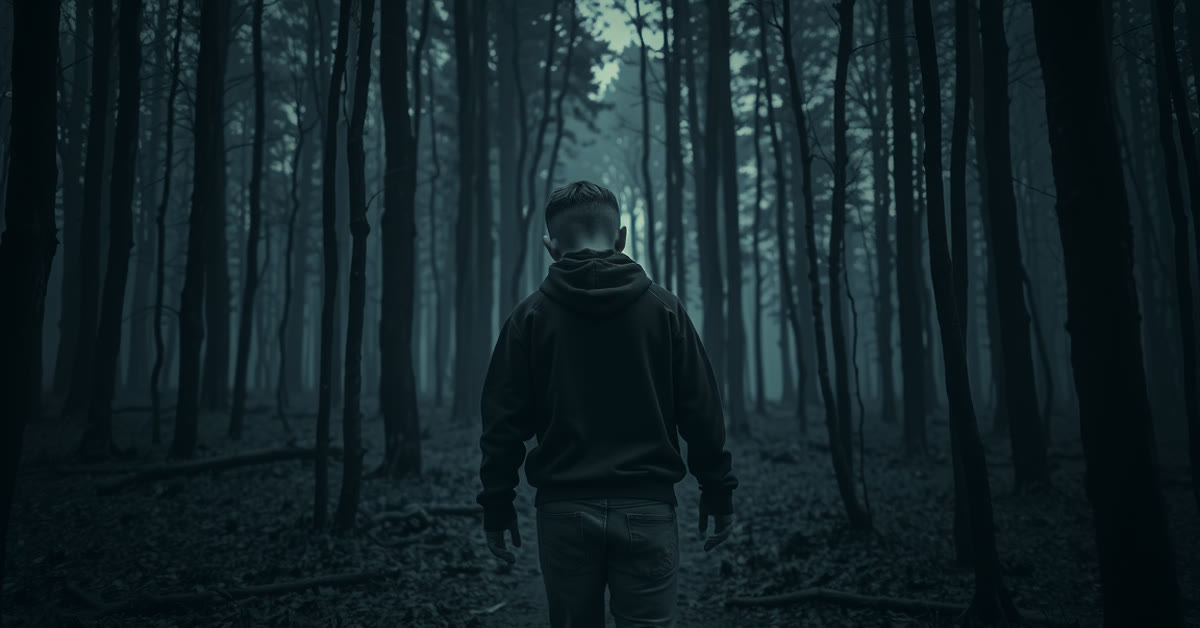
Cinematic moody forest filter chatgpt prompts wrap any photo in the quiet mystery of a foggy forest. Tall dark trees, drifting fog, and soft rays of light breaking through the canopy create a deep green atmosphere that feels like a film scene. The mood is calm, a little mysterious, and very cinematic.
This filter suits portraits, travel photos, and moody aesthetic posts. It works especially well when the original photo already has some greenery or soft light. The forest setting adds instant depth, and the fog softens everything into a dreamlike frame.
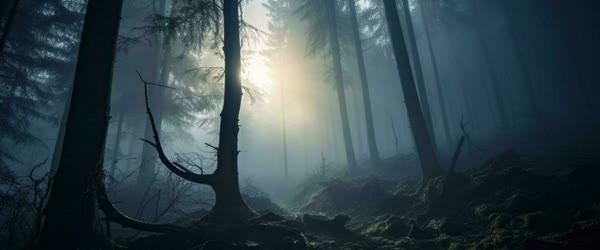
Table of Contents
How to Use These Cinematic Moody Forest Filter ChatGPT Prompts
- Upload your photo to ChatGPT and paste the prompt exactly as written.
- If the forest covers the subject, ask the tool to keep the person clear and place the trees and fog behind them.
- Download the best version and post it with a short, quiet caption that matches the mood.
Copy-Paste Prompt
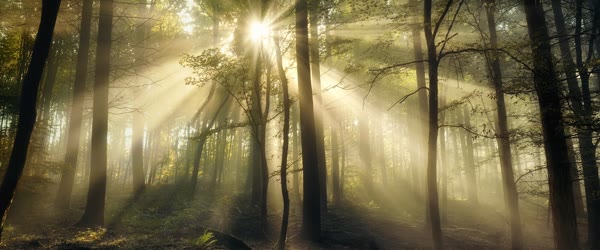
Transform this photo with a cinematic moody forest filter, with tall dark trees, drifting fog, and soft rays of light breaking through the canopy. Add deep green tones, a quiet mysterious mood, and gentle mist around the subject. Ultra-realistic forest detail, 4K, cinematic lighting.
Pro Tips
- Use a photo with soft natural light. Harsh sunlight fights the moody fog effect.
- Ask for god rays only if the first result feels flat. Light beams add drama fast.
- Keep the green tones deep but not neon. Dark forest green looks cinematic, while bright green looks artificial.
More Prompts to Try
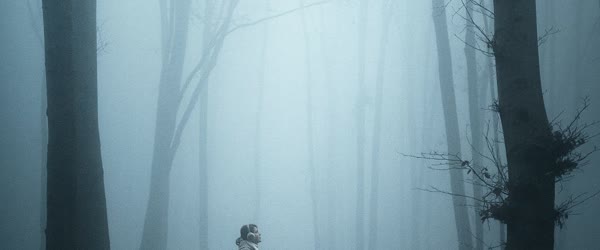
The moody forest filter is a mood, not a single image, and the cinematic moody forest filter chatgpt prompts can wrap many different photos in that quiet mystery. The variations below keep the core — tall dark trees, drifting fog, soft canopy light, deep green tones, quiet mysterious mood — but change the forest, the light, or the season. Each prompt is original and ready to copy and paste. Use them across portraits, travel photos, and aesthetic posts so the forest series stays fresh through the year.
Rainy Forest Filter
A rain version with wet leaves, drizzle, and a soft reflective glow.
Transform this photo with a cinematic moody forest filter in rain, with tall dark trees, drizzle, wet leaves glistening, drifting fog, and soft light through the canopy. Add deep green tones, a quiet mysterious mood, and gentle mist around the subject. Ultra-realistic forest detail, 4K, cinematic lighting.
Autumn Forest Filter
An autumn version with golden leaves, cool mist, and a warm-cool color contrast.
Transform this photo with a cinematic moody autumn forest filter, with tall dark trees, golden falling leaves, drifting fog, and soft light through the canopy. Add deep green and gold tones, a quiet mysterious mood, and gentle mist around the subject. Ultra-realistic forest detail, 4K, cinematic lighting.
Winter Forest Filter
A winter version with snow-dusted trees, cold fog, and a pale mysterious light.
Transform this photo with a cinematic moody winter forest filter, with tall dark snow-dusted trees, drifting cold fog, and soft pale light through the canopy. Add deep green and white tones, a quiet mysterious mood, and gentle mist around the subject. Ultra-realistic forest detail, 4K, cinematic lighting.
Sunrise Forest Filter
A dawn version with first light, golden god rays, and a hopeful quiet mood.
Transform this photo with a cinematic moody forest filter at sunrise, with tall dark trees, drifting fog, and strong soft golden rays breaking through the canopy. Add deep green tones, a quiet hopeful mood, and gentle mist around the subject. Ultra-realistic forest detail, 4K, cinematic lighting.
Night Forest Filter
A night version with moonlight, deep shadows, and a calm mysterious mood.
Transform this photo with a cinematic moody forest filter at night, with tall dark trees, moonlight through the canopy, drifting fog, and soft silver light. Add deep green tones, a quiet mysterious mood, and gentle mist around the subject. Ultra-realistic forest detail, 4K, cinematic lighting.
Mossy Ancient Forest
An ancient version with moss-covered trees, ferns, and a timeless enchanted feeling.
Transform this photo with a cinematic moody ancient forest filter, with tall moss-covered trees, ferns, drifting fog, and soft light through the dense canopy. Add deep green tones, a quiet timeless mysterious mood, and gentle mist around the subject. Ultra-realistic forest detail, 4K, cinematic lighting.
Forest Path Portrait
A path version with a winding trail leading into the fog, for a journey feeling.
Transform this photo with a cinematic moody forest filter on a winding forest path, with tall dark trees lining the trail, drifting fog ahead, and soft light through the canopy. Add deep green tones, a quiet mysterious mood, and gentle mist around the subject. Ultra-realistic forest detail, 4K, cinematic lighting.
How to Customize This Prompt
Start with the photo’s light, because the forest filter is essentially a light and atmosphere replacement. Photos with soft natural light accept the fog and canopy light gracefully. Photos with harsh direct sunlight fight the filter, because the strong shadows and bright highlights contradict the soft misty mood. If your photo is sunny, ask for the sunlight softened and diffused in the follow-up, or choose a different photo. A soft-light photo with some greenery already in it is the ideal starting point, and the filter will deepen what is already there rather than inventing a forest from nothing.
Next, customize the fog. Fog is the soul of this filter, but fog has a volume control. Light fog adds mystery while keeping the subject sharp. Medium fog creates the classic cinematic depth, with trees fading into soft layers. Heavy fog turns everything into a whiteout where the subject disappears. Start with light to medium fog, and increase it only if the result feels too clear. The subject must always stay sharp and clear, with the fog behind and around them, never across the face. If the fog covers the face, ask for the face kept clear with the fog in the background only. That single instruction fixes the most common failure of this filter.
The trees and the canopy light are the third lever. Tall dark trees create vertical lines that frame the subject and add grandeur. The canopy light should break through in soft rays, not in hard spotlights. God rays — visible beams of light through fog — add drama fast, but they should be used sparingly. One or two soft beams suit a portrait. A forest full of beams looks like a stage set. Ask for god rays only when the first result feels flat, and keep them soft. The deep green tones should be dark and rich, never neon or lime. Bright green reads as artificial; dark forest green reads as cinematic.
The season and the time of day change the filter’s personality completely. Rain adds freshness and reflection. Autumn adds gold and nostalgia. Winter adds stillness and purity. Sunrise adds hope. Night adds calm mystery. Choose the season that matches your caption and your mood, because a winter forest with a summer caption confuses viewers. Keep the wardrobe consistent with the season in the photo: a heavy coat suits winter, a light jacket suits autumn. If the outfit clashes with the season, the filter will feel pasted on. Cinematic moody forest filter chatgpt prompts results look best when the original photo has soft, even light.
Finally, customize the caption to match the mood. Moody forest photos pair with short, quiet captions: one line, a fragment, a question. Long cheerful captions fight the image’s silence. Let the image do the talking and the caption whisper. A quiet caption with the forest image creates the cinematic feeling that makes viewers pause, which is exactly what this filter is for. Once you master the cinematic moody forest filter chatgpt prompts, you can adapt the same mood to portraits, posters and covers.
Step-by-Step Guide
Follow these steps to apply the moody forest filter without losing the subject in the fog. The cinematic moody forest filter chatgpt prompts keeps working even on older photos, as long as the subject stays clear and bright.
- Choose a soft-light photo. Pick a photo taken in soft natural light, ideally with some greenery, trees, or open sky already in it. Avoid harsh midday sun, flash photos, and busy indoor backgrounds. The filter needs soft light to build on, and a photo that already has a little nature accepts the forest most believably. In practice, the cinematic moody forest filter chatgpt prompts needs only a clear photo and a few minutes from start to finish.
- Decide the forest and the mood. Choose the variation that matches your feeling: rainy for freshness, autumn for nostalgia, night for calm, sunrise for hope. Write the choice down so the prompt and follow-ups stay consistent. The forest type decides the colors, so decide it before generating. That is why the cinematic moody forest filter chatgpt prompts keeps trending among creators who post aesthetic edits every day.
- Upload and paste the prompt. Upload the photo at full resolution to ChatGPT and paste the cinematic moody forest filter chatgpt prompt exactly as written. Full resolution matters for fog and canopy detail, which turn blotchy in small uploads. Compared with random prompts, the cinematic moody forest filter chatgpt prompts gives far more predictable and polished results.
- Check the subject first. Look at the person before the forest. Is the face sharp, natural, and fully visible? Is the subject clear against the trees? If the fog covers the face or the trees crowd the subject, ask for the person kept clear with trees and fog behind them. The subject is the photo; the forest is the frame. The cinematic moody forest filter chatgpt prompts rewards patience, so generate a few versions and pick the most natural one.
- Check the fog and the light. Confirm the fog drifts naturally with layered depth, and the canopy light falls softly. If the fog is a flat white sheet, ask for layered drifting fog. If the light is harsh, ask for it softened. The atmosphere should feel like weather, not like a white overlay. If you post regularly, the cinematic moody forest filter chatgpt prompts helps you keep one consistent look across your whole feed.
- Refine the greens and the rays. Ask for deep forest green tones if the greens run bright, and add soft god rays only if the image feels flat. Keep the rays gentle and few. One follow-up for color and one for light is usually enough once the subject and fog are stable. What makes the cinematic moody forest filter chatgpt prompts reliable is the balance it keeps between mood, detail and realism.
- Try a seasonal variation. Once the base filter works, run one seasonal variation from this article on the same photo. Rainy and autumn versions from one photo give you a series that spans moods without new photography, and they keep the feed feeling cinematic across seasons. A second pass with the cinematic moody forest filter chatgpt prompts often fixes dull colors and flat lighting in one go.
- Post with a quiet caption. Crop for the platform, keeping the subject clear and the trees framing them. Post with a short quiet caption that matches the mood, ideally in the evening when the forest feeling suits scrolling. Let the image breathe; do not crowd it with hashtags in the caption’s first lines. The cinematic moody forest filter chatgpt prompts also travels well across apps, so the same steps work in most AI image tools.
Common Mistakes to Avoid
Letting fog hide the subject. The most common failure is fog so heavy that the person vanishes. Fog belongs behind and around the subject, never across the face. Always check the face at full size. If the subject is veiled, ask for the face kept clear immediately. A moody portrait with no visible person is a landscape, not a portrait. Many users save the cinematic moody forest filter chatgpt prompts as their go-to starting point for this whole edit style.
Neon green tones. Bright lime green destroys the moody cinematic feeling instantly. Forest greens are dark, deep, and muted: pine, moss, and shadow green. If the greens run bright, ask for deep dark forest green tones in the follow-up. The difference between cinematic and artificial in this filter is almost entirely the green. When the cinematic moody forest filter chatgpt prompts is used on a sharp photo, skin tones and small details stay realistic.
Harsh sunlight fighting the fog. A sunny photo with hard shadows cannot become a foggy forest without softening the light first. If the original light is harsh, the result will show contradictory light: bright sun and fog together, which looks fake. Soften the sunlight in the follow-up, or start with a softer photo. Light consistency is what makes the forest believable. Try the cinematic moody forest filter chatgpt prompts on two or three photos first and keep the version with the most natural light.
Overusing god rays. Visible light beams are dramatic, but a forest full of them looks theatrical and fake. Use one or two soft beams, or none at all. The fog and the trees already create the mood; god rays are a spice, not the meal. If the image looks like a stage, ask for the beams removed or softened. The cinematic moody forest filter chatgpt prompts is popular because it gives a premium look without any manual retouching skill.
Applying the filter to every photo. The forest filter is powerful, and power used everywhere becomes a gimmick. Save it for photos where the mood fits: portraits, travel, quiet moments, and aesthetic posts. Bright celebrations, group fun, and colorful events deserve their own light. A filter used selectively stays special; a filter used always becomes invisible. Every version of the cinematic moody forest filter chatgpt prompts keeps the main subject sharp while the mood stays soft and cinematic.
Best Tools for This Edit
ChatGPT is the primary tool for this filter, as the prompt is written for it, and it renders fog, trees, and canopy light with good layered depth. Its follow-up editing adjusts fog volume and green tones without disturbing the subject. For a single moody portrait, ChatGPT is the most reliable first choice, especially the rainy and autumn variations. For a cleaner finish, pair the cinematic moody forest filter chatgpt prompts with a high resolution upload and a steady crop.
Gemini produces soft, glowing canopy light with beautiful mist that suits the sunrise and night variations especially well. Its forest greens can occasionally run bright, so request deep dark green tones explicitly. Gemini is an excellent choice when the light matters more than exact fog control. Small changes after using the cinematic moody forest filter chatgpt prompts let you match the edit to your own feed style.
Manual editors help with the final polish: a gentle contrast lift to deepen the trees, a careful vignette to darken the edges, and a small saturation reduction if the greens run bright. Do not stack heavy filters on the AI result. One gentle pass is enough. Keep the original file so you can re-crop for different platforms without regenerating the forest. The cinematic moody forest filter chatgpt prompts works best when the subject is well lit and the background stays simple.
Frequently Asked Questions
Will the forest filter change my face? It should not, if you instruct it to keep the person clear and only change the background and atmosphere. Check the face against the original at full size. If the face drifted, ask for the original face restored with only the forest and light changed. Face preservation matters as much here as in any portrait edit. A clear base photo makes the cinematic moody forest filter chatgpt prompts work faster and keeps faces natural in the output.
Can I use this filter on a photo taken indoors? Yes, with limits. The AI will replace the indoor background with forest, which works best when the subject is well lit and the indoor background is simple. Busy indoor backgrounds with furniture and objects can leave traces that fight the forest. A simple indoor portrait edits more cleanly than a cluttered one. If traces remain, ask for the background fully replaced. Most creators share the cinematic moody forest filter chatgpt prompts result as the final post because it needs very little extra editing.
What if the trees look fake or painted? Ask for photorealistic forest detail with natural bark texture and layered depth. Generate with a simpler forest first — fewer trees, more fog — then add density in a second pass. Realism improves when the AI builds the forest in layers rather than all at once. If the trees still look painted, try the other tool, which may render foliage more photographically. If a result looks off, run the cinematic moody forest filter chatgpt prompts again with a sharper base photo before adjusting anything else.
How do I keep the mood consistent across a series? Use the same forest variation, the same fog level, and the same caption style across the series. Generate the series from photos taken in similar light, and apply the same gentle post-processing pass to all of them. Consistency comes from repetition of choices, not from one perfect generation. A series with one consistent mood beats a set of individually perfect but mismatched images. The real strength of the cinematic moody forest filter chatgpt prompts is how it turns a plain photo into a scene with a clear story.
Can this filter work for travel photos without people? Beautifully. Landscapes, paths, bridges, and buildings in foggy forests look cinematic and mysterious. The same prompt works without a subject; simply remove the subject instruction and let the forest carry the frame. Travel photos with fog and canopy light are among the most saved images on social media, because they invite viewers into a quiet place. Beginners get the best results when they follow the cinematic moody forest filter chatgpt prompts exactly before changing any detail.
Final Words
Forests keep their secrets quietly, and this filter lets your photos keep a few of their own. Let the fog roll in gently, keep the light soft through the canopy, hold the greens deep and dark, and never let the mist hide the person the forest is framing. Use it when the mood is quiet, the moment is reflective, and the photo deserves mystery more than brightness. The forest does not shout; it whispers, and the portraits it makes stay with viewers long after louder images are forgotten. Used well, the cinematic moody forest filter chatgpt prompts keeps colors, light and mood consistent across every version you generate.
Leave a Reply