
Introduction
The trending 3 layers vn code template is popular because it adds depth without adding clutter. Three layers stack on top of each other, which are the subject, a soft texture, and a light leak, and each one is revealed on the beat. The result feels modern and polished, like a professional edit made in minutes. Used carefully, the trending 3 layers vn code template keeps the pacing, visuals, and mood working toward the same feeling.
Layered edits work when each layer has a clear job. The subject stays sharp, the texture adds mood, and the light leak adds warmth at the end. If any layer fights the others, the edit looks busy, so keep the middle layer soft and let the final layer finish the story. That balance is what makes the trending 3 layers vn code template easy to adapt without losing the original idea.
Table of Contents
How to Use This Prompt
- Open VN, import the template, and place your subject clip on the bottom layer.
- Add the texture layer above it at low opacity, then the light leak layer on top, timing each reveal to a beat.
- Keep the middle layer soft, sharpen the final layer, and export in vertical 9:16.
Edit Brief
Edit brief: three stacked layers — subject, texture, and light leak — revealed one by one on the beat; keep the middle layer soft and the final layer sharp.
Pro Tips for Trending 3 Layers VN Code Template
- Choose a texture that matches your mood, like grain for vintage or haze for dreamy edits.
- Reveal each layer on a different beat so viewers feel the build instead of seeing everything at once.
- Lower the light leak opacity until faces stay clear, since a leak that hides the subject ruins the reveal.

More Edit Briefs to Try
The three-layer idea, subject, texture, light, is a flexible grammar that works far beyond the original template. The briefs below keep the same structure, three reveals on three beats, while changing the texture, the light, and the mood. Each brief tells you what goes on each layer and when it appears, so you can build the edit without guessing. The rule that never changes is the hierarchy: the subject stays sharp, the middle layer stays soft, and the final layer finishes the story. For a more personal finish, let the trending 3 layers vn code template set the rhythm and then change one detail at a time.
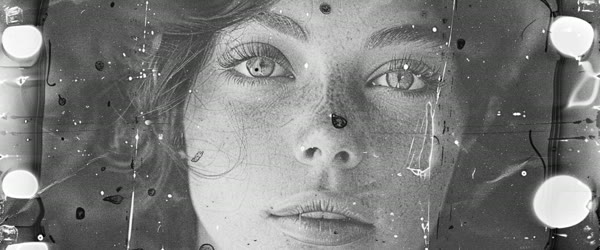
Vintage Film Layers
Edit brief: nostalgic mood with three layers revealed on the beat: a sharp portrait, a film grain texture at low opacity, and a warm sunset light leak. Keep the grain subtle, let the light leak arrive on the final beat, and finish with a faded, warm grade that feels like an old photograph remembered fondly. The trending 3 layers vn code template works best when the key moment stays easy to follow.
Dreamy Haze Layers
Edit brief: soft dreamy mood with a sharp close-up, a gentle haze texture, and a cool moonlight leak. Reveal each layer slowly across three beats, keep the haze very soft so the face never disappears, and finish with a calm, quiet grade that feels like early morning. A careful pass with the trending 3 layers vn code template can sharpen the edit without changing its emotional intent.
City Night Layers
Edit brief: urban night mood with a sharp street portrait, a rain texture layer, and a neon light leak in pink and blue. Reveal the rain on the second beat and the neon on the third, keep the subject sharp throughout, and finish with high contrast and glowing edges that feel alive and modern.
Golden Hour Layers
Edit brief: warm romantic mood with a sharp couple portrait, a soft golden dust texture, and a sun-flare light leak. Reveal the dust gently on the second beat and the flare on the third, keep faces warm and clear, and finish with a glowing, honeyed grade.
Monochrome Layers
Edit brief: dramatic black-and-white mood with a sharp portrait, a paper grain texture, and a white light leak that blooms from one corner. Reveal each layer on the beat, keep the contrast strong, and finish with a bold monochrome grade where the light leak is the only soft element in the frame.
Festival Color Layers
Edit brief: celebratory mood with a sharp festive portrait, a confetti texture layer, and a multicolor light leak. Reveal the confetti on the second beat and the light leak on the third, keep the subject sharp and joyful, and finish with saturated, celebratory color that feels like the festival itself.
How to Customize This Template
Customizing the three-layer template starts with choosing the right texture, because the texture sets the mood of the entire edit. Film grain says vintage and memory, haze says dreams and softness, rain says city and drama, and dust says warmth and romance. Pick the texture that matches the feeling you want, and keep its opacity low, because the texture’s job is to add atmosphere, not to hide the subject. If viewers notice the texture before they notice the face, the opacity is too high. When you compare versions, the trending 3 layers vn code template gives each reel the same clear creative baseline.
Next, choose the light leak to match the texture. A warm sunset leak suits grain and dust, a cool neon leak suits rain and city, and a soft white leak suits monochrome and minimalism. The light leak arrives last and should feel like a reward: the edit builds through subject and texture, and then the light blooms and finishes the story. Time it to the final beat, keep it brief, and lower its opacity until the face stays perfectly clear through the bloom. The real strength of the trending 3 layers vn code template is how it turns a familiar song moment into a polished sequence.
Then adjust the reveal rhythm to the music. Three layers on three consecutive beats create a fast, punchy build that suits energetic songs. Three layers spread across a longer phrase create a slow, dreamy build that suits soft songs. The template works at both speeds, but the rhythm must match the music, or the reveals will feel random. Finally, keep the subject layer untouched by the other layers’ effects: no texture and no leak should ever blur, darken, or cover the face. The subject is the anchor, and the layers are the weather around it.
- Pick texture for mood: grain for vintage, haze for dreams, rain for drama, dust for warmth.
- Keep texture opacity low: atmosphere, not camouflage; the face must stay sharp.
- Match the leak to the texture: sunset with grain, neon with rain, white with monochrome.
- Time the leak to the final beat: it is the reward that finishes the story.
- Match reveal rhythm to music: fast beats for energy, slow builds for dreaminess.
- Protect the subject layer: no layer may blur, darken, or cover the face.
Step-by-Step Guide
Follow these steps to build a clean three-layer edit.
- Choose a sharp subject clip. Pick a clip where the face is clear, well lit, and large in the frame, with a simple background. The subject layer carries the whole edit, so it must be the strongest clip you have. Avoid busy backgrounds, because they will fight the texture and light layers later.
- Import the template into VN. Open VN, load the template code, and confirm the three-layer stack is in place: subject on the bottom, texture in the middle, light leak on top. Replace the sample subject clip with your own, keeping the template’s timing intact for the first draft.
- Select and place the texture layer. Choose a texture that matches your mood, add it above the subject clip, and set its opacity low, starting around twenty to thirty percent. Preview the stack: the texture should add feeling without hiding any facial detail. If the face softens, lower the opacity further.
- Place the light leak on the top layer. Add the light leak above the texture, and set its starting opacity to zero so it is invisible until its reveal moment. Choose a leak whose color matches your texture and mood, and position it so it blooms from a corner or edge rather than across the face.
- Time the reveals to three beats. Reveal the subject on the first beat, fade the texture in on the second beat, and bloom the light leak on the third beat. Play the sequence back and nudge each reveal by single frames until the build feels deliberate and musical. The three beats should feel like a staircase, not a pile-up.
- Sharpen the final layer. Once all layers are visible, check that the subject still looks sharp and the overall image has a clear focal point. If the stack feels soft, increase the sharpness of the subject layer slightly or reduce the texture opacity by a few points. The final frame must read instantly on a phone screen.
- Grade the whole stack as one image. Apply a single consistent grade across all layers: set the temperature, contrast, and saturation once, and do not grade layers separately. A unified grade is what makes three stacked layers read as one intentional image instead of three images fighting.
- Export vertical and review the build. Export in 9:16 at the highest quality, then watch the edit twice: once watching only the subject, once watching only the layers. The subject watch should feel steady and clear, and the layer watch should feel like a gentle build. If either feels off, adjust the opacity or the timing before posting.
Common Mistakes to Avoid
Making the texture layer too strong. A texture at fifty or sixty percent opacity will swallow the subject’s face and turn the edit into a blurry mess. Textures are atmosphere, and atmosphere works at twenty to thirty percent. If you find yourself raising the opacity to see the texture, the texture is wrong for the mood, not too weak; choose a different one instead. Keep the trending 3 layers vn code template focused, and the final reel will usually feel more deliberate.
Revealing all layers at once. When subject, texture, and leak appear in the same frame, there is no build, no story, and no reason to keep watching. The template’s power is sequential revelation: one layer per beat, each one adding something new. Stagger the reveals, even if only by a few frames, and the edit will feel crafted rather than assembled. Small changes around the trending 3 layers vn code template can produce a fresh result while preserving the timing that works.
Letting the light leak cover the face. A light leak that blooms across the eyes or the smile destroys the focal point at the exact moment the edit should be most beautiful. Position the leak to bloom from a corner or edge, keep its opacity moderate, and check the final frame specifically for facial clarity. The light should frame the face, never hide it. For consistency across a series, the trending 3 layers vn code template helps related edits share the same mood and finish.
Mixing mismatched textures and leaks. Grain texture with a neon leak, or rain texture with a sunset leak, creates a confused mood that viewers feel but cannot name. Match the family: warm with warm, cool with cool, vintage with vintage. A coherent mood family is invisible when it works and glaring when it does not. The trending 3 layers vn code template is most effective when cuts, text, and music all support one another.
Grading layers separately. Applying different grades to different layers produces color shifts at the transitions that look like errors. Grade the finished stack as one image, with one temperature and one contrast setting. Unified grading is the invisible glue that holds layered edits together.
Best Tools for This Edit
VN Video Editor is the native home of this template, since it circulates as a VN code with the layer stack pre-built. Importing the code gives you the three layers, the timing, and the blend modes for free, and VN’s opacity and keyframe controls make the staggered reveals easy to shape precisely. Its clean layer timeline is the clearest way to see and control a stacked edit. Before you export, check that the trending 3 layers vn code template still makes the main moment clear.
CapCut is a strong alternative, with an overlay system that handles stacked layers well and a large library of texture and light-leak assets. Its blend modes and opacity sliders are simple to use, and its beat markers help time the three reveals. If you build in CapCut, create the stack as three overlays on one base clip, and animate their opacity with keyframes for the reveal sequence. A polished result from the trending 3 layers vn code template often comes from restraint rather than extra effects.
Alight Motion suits creators who want the most control over blend modes, masks, and light-leak animation. Its layer system is deeper than CapCut’s or VN’s, and it allows the light leak to be masked away from the face with precision. It has a steeper learning curve, but for creators producing layered edits regularly, the control is worth the investment. The trending 3 layers vn code template gives beginners a dependable structure while leaving room to experiment.
Frequently Asked Questions
What is a light leak, and where do I get one?
A light leak is a soft, glowing overlay that mimics light spilling across old film, usually from a corner or edge. Both VN and CapCut include light-leak assets in their effects libraries, and many creators share free packs online. Choose one whose color matches your mood, keep its opacity moderate, and position it away from the face. When the first version is close, refine the trending 3 layers vn code template instead of starting from a completely new edit.
Can I use more than three layers?
You can, but the returns diminish quickly. Four or five layers usually create muddle rather than depth, because each additional layer competes for the viewer’s attention. Three layers are the sweet spot: subject, atmosphere, and finish. If you want more complexity, add it through color grading rather than through additional layers. That is why the trending 3 layers vn code template rewards a clear reveal more than constant movement.
Does this template work for landscape videos too?
Yes, though it shines brightest in vertical format, where the stacked layers fill the tall frame naturally. For landscape, use wider textures and position the light leak at the left or right edge rather than a corner, so the composition stays balanced. The reveal rhythm and the hierarchy rules stay exactly the same. Used at full quality, the trending 3 layers vn code template can make a short clip feel ready to publish.
Why does my edit look busy instead of clean?
Busyness comes from layers that are too strong, revealed too fast, or mismatched in mood. Lower the texture opacity, stagger the reveals by full beats, and check that the texture and leak belong to the same mood family. One of those three fixes almost always restores the clean, modern feeling the template is known for. The trending 3 layers vn code template also adapts well to celebrations, couples, personal moments, and themed variations.
Can I save my layer stack as a preset?
Yes. Both VN and CapCut allow you to save a project as a template or duplicate it for reuse. Save the finished stack with placeholder clips, and the next time you want a three-layer edit, swap in new clips without rebuilding the structure. A saved preset turns a twenty-minute build into a five-minute one, and it keeps your layered edits consistent across posts. For the final check, compare the export against the trending 3 layers vn code template and remove anything that distracts from it.
Final Words
Three layers, three beats, one clean finish. Try this template when a simple clip needs depth without extra noise.
Leave a Reply