Introduction
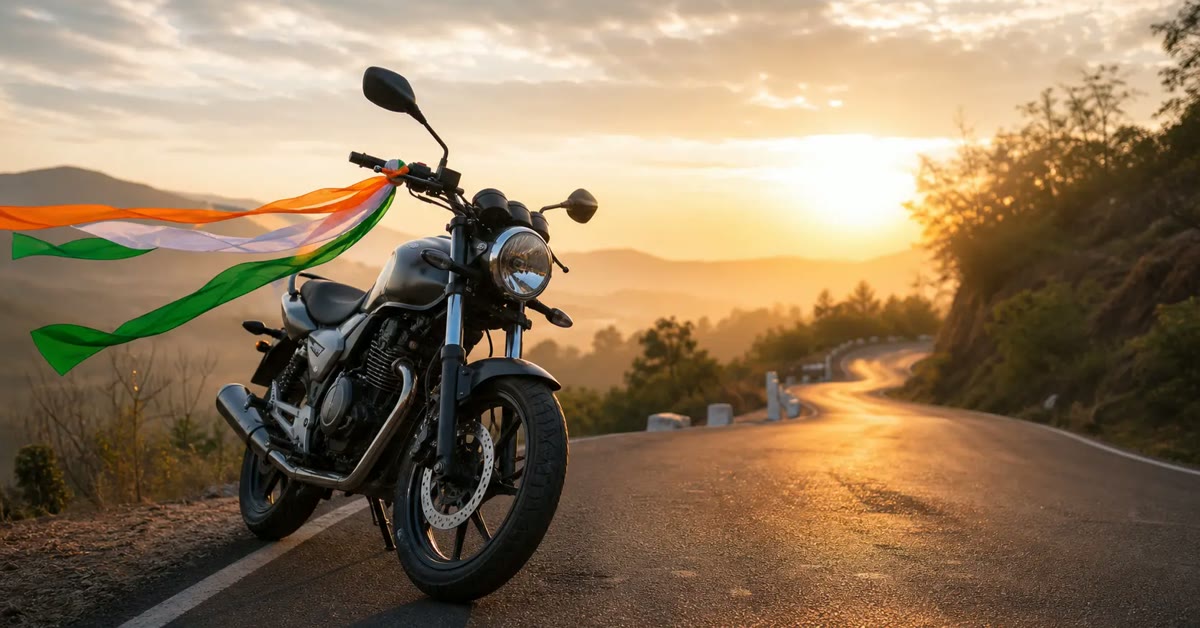
A bike ride with the national flag is a classic Independence Day reel, and this 15 August patriotic bike edit tutorial shows you how to make it look professional. A steady bike pass, tricolour smoke, and drum-beat cuts turn a simple ride into a proud celebration video.
The edit works with any bike and any phone camera. Film one clean pass, add the smoke and the cuts in the editor, and grade it warm like morning light. The steps below take you from filming to posting without any advanced skills.
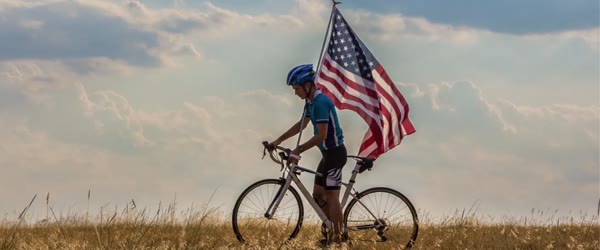
Table of Contents
- How to Use This 15 August Patriotic Bike Edit Tutorial
- Quick Tutorial
- Pro Tips
- Before You Film: Flag Mounting, Safety, and Planning
- Expanding the Filming Steps: Angles, Settings, and Takes
- Deep Dive: Tricolour Smoke, Beat Cuts, and Grading
- Variations: Group Rides, Night Edits, and Different Bikes
- Troubleshooting Common Problems
- Best Tools for This Edit
- Frequently Asked Questions
- Final Words
How to Use This 15 August Patriotic Bike Edit Tutorial
- Mount the flag securely before filming and test it at slow speed, because a flag that folds or slips will ruin the best shots.
- Film two or three passes from different angles so you have enough clean footage to cut on the beat without repeating the same shot.
- Edit with the steps above, export vertical, and share the reel early on Independence Day morning for maximum views.
Quick Tutorial
- Film a slow bike pass with the flag mounted firmly and the camera steady. Ride past the camera at a calm, even speed and keep the flag flying fully open for the whole pass.
- Import the clip into your editor and add tricolour smoke overlays behind the bike. Keep the smoke soft and behind the rider so the flag stays clearly visible.
- Cut the clip to a drum-beat pattern, placing a cut on every strong beat. Short clips of two to three seconds each keep the energy high and the reel moving.
- Grade the video with warm morning tones, add a flag-wave transition at the end, and export in vertical format. Watch it once with sound to confirm every cut lands on the beat.
- Add a short Independence Day caption and post it on the morning of 15 August, when patriotic reels get their highest reach of the year.
Pro Tips
- Film in the early morning when the light is warm and the roads are quiet, because golden light makes the flag colours glow.
- Keep the bike speed slow and steady, since fast riding makes the footage shaky and the flag hard to follow.
- Ride safely and keep the flag mount legal and secure, because no reel is worth a dangerous ride or a falling flag.
Before You Film: Flag Mounting, Safety, and Planning
The tutorial’s first step, mounting the flag firmly, deserves a full section of its own, because a bad mount ruins footage and a loose flag is dangerous. Start with the mount itself. Use a purpose-made flag holder that clamps to the bike’s rear or pillion footrest, never tape or loose string. The holder must grip the pole tightly enough that the flag cannot rotate, slide, or slip at riding speed.
Test it by hand first: pull the pole firmly in every direction, and if it moves at all, tighten or replace the mount before you ride. Used well, the 15 august patriotic bike edit tutorial can make the whole result feel more polished and professional. Used well, the 15 august patriotic bike edit tutorial can make the whole result feel more polished and professional. Used well, the 15 august patriotic bike edit tutorial can make the whole result feel more polished and professional.
Choose the flag size carefully. A flag that is too large will catch the wind, pull the bike sideways, and fold over itself, hiding the colours. A flag roughly the size of a large hand towel, mounted high enough to fly clear of the bike and the rider, is ideal for reels. The flag must fly fully open for the whole pass, so test it at slow speed on a quiet road first. Ride at the speed you plan to film, watch the flag in a mirror or ask a friend to watch, and adjust the mount angle until the flag streams cleanly behind the bike without wrapping around the pole.
Safety comes before footage, always. Ride at a calm, even speed, wear a helmet, and keep both hands on the handlebars except for the brief moments the shot requires. Never ride one-handed at speed to hold a flag, never ride on a busy road for a reel, and never mount a flag in a way that blocks your mirrors, lights, or number plate.
Check local rules about flags on vehicles, because some areas restrict flag sizes or mounting positions, and a legal, secure mount protects you as well as the footage. Film on a quiet road in the early morning, when traffic is light and the light is warm, and bring a friend to watch the road while you focus on the ride.
Plan the shoot like a small film. Decide the route: a straight, clean stretch of road with a good background, such as trees, a wall, or open fields, and no parked cars or clutter. Walk the route first and note where the light falls, because a pass filmed into the sun will silhouette the rider, while a pass filmed with the sun behind the camera will glow. Plan two or three camera positions: a front three-quarter view as the bike approaches, a side view at the closest point, and a rear view as it rides away. Each angle gives you a different cut for the drum-beat edit, and together they make the reel feel professionally shot.
Expanding the Filming Steps: Angles, Settings, and Takes
The tutorial says to film two or three passes from different angles. Here is exactly how to shoot each angle so the footage cuts together cleanly. For the front three-quarter angle, place the camera at the side of the road, about ten metres ahead of the bike’s path, angled to catch the approach. The bike should enter the frame from the distance, grow larger, and pass the camera.
This angle shows the flag flying toward the viewer, which is the most powerful opening shot. That is exactly why the 15 august patriotic bike edit tutorial has become a favourite with so many creators. That is exactly why the 15 august patriotic bike edit tutorial has become a favourite with so many creators. That is exactly why the 15 august patriotic bike edit tutorial has become a favourite with so many creators.
For the side angle, place the camera perpendicular to the road at the midpoint of the pass, at about waist height. The bike should cross the frame from one side to the other in two to three seconds. This is the shot that carries the drum-beat cuts, because the crossing motion matches the music’s energy. Keep the camera perfectly still for this angle; a moving camera will make the crossing feel seasick.
For the rear angle, place the camera behind the bike’s path, catching the rider moving away with the flag streaming behind. This angle closes the reel beautifully, because the flag recedes into the distance and the video feels like a departure into the celebration. Film all three angles at the same speed and in the same light, so the cuts match. If the light changes between passes, the grade will not save the mismatch, and viewers will feel the edit even if they cannot name why.
Camera settings matter more than camera quality. Shoot in 1080p at 60fps, which gives you smooth slow-motion options and clean vertical crops. Lock the exposure and focus before each pass, so the brightness does not pump up and down as the bike moves. If your phone offers it, lock the white balance to daylight, because auto white balance will shift the flag’s colours as the bike passes through shade. Shoot vertical 9:16 natively if your editor supports it, or shoot horizontal and crop carefully, keeping the rider and flag centred in the vertical frame.
Film more takes than you think you need. Three clean passes per angle is the minimum, because the first pass usually has a wobble, the second has a flag fold, and the third is the keeper. Between takes, check the flag, check the mount, and check the footage on the phone before riding again. Thirty seconds of checking between takes saves an hour of editing around a flaw you only notice at home.
Deep Dive: Tricolour Smoke, Beat Cuts, and Grading
The smoke overlays are the signature effect of this edit, and they need care. Add the smoke in your editor as an overlay layer above the bike clip, and set its blend mode to Screen or Lighten, so the dark parts of the smoke disappear and only the coloured glow remains. Place the smoke behind the bike in the frame, not across it, by positioning the overlay low and wide, and masking the rider if your editor allows it.
The smoke should trail behind the bike like a celebration, never cover the flag or the rider’s face. With a little practice, the 15 august patriotic bike edit tutorial becomes quick and easy to repeat. With a little practice, the 15 august patriotic bike edit tutorial becomes quick and easy to repeat. With a little practice, the 15 august patriotic bike edit tutorial becomes quick and easy to repeat.
Use three separate smoke clips, one for each colour, rather than one pre-mixed tricolour clip. Separate clips let you control the position of each colour: saffron high, white in the middle, green low, matching the flag’s order. Keep each smoke layer’s opacity between forty and sixty percent, because full-strength smoke looks like a filter pasted over the video. Soft, translucent smoke that drifts and fades reads as atmosphere; opaque smoke reads as an error.
The drum-beat cuts are the heartbeat of the reel. Import the music first, and use your editor’s beat detection or tap along to mark every strong beat. Place a cut on every strong beat, and make each clip two to three seconds long, as the tutorial says.
But do not cut mechanically: the cut must land on a moment of motion, such as the bike entering the frame, the flag snapping open, or the rider passing the camera. A cut on a beat with no motion feels empty, while a cut on a beat with motion feels electric. If a beat falls on a dull moment, shift the clip by half a second so the motion and the beat arrive together.
Grading ties the whole reel together. Apply a warm morning grade: lift the warmth, deepen the shadows slightly, and add a gentle golden tint to the highlights. The flag’s colours should glow, so increase the saturation of oranges and greens very slightly, but never so much that the skin turns orange. Grade every clip identically, and compare them side by side before exporting. If one angle looks cooler than the others, fix it now, because mismatched grades break the illusion of one continuous ride.
The flag-wave transition at the end deserves attention. Use a transition that mimics the flag’s own movement, such as a gentle wave or a soft zoom into the waving flag, and place it on the final beat. The transition should close the reel, not interrupt it, so keep it slow and let the final frame hold for a full beat before the video ends. Export in 1080 by 1920, watch the whole reel with sound on a phone, and confirm every cut lands on a beat before posting.
Variations: Group Rides, Night Edits, and Different Bikes
Once the basic solo bike edit works, these variations let you reuse the same skills for different Independence Day reels all week. The 15 august patriotic bike edit tutorial works best when you keep the setup simple and follow the steps in order. The 15 august patriotic bike edit tutorial works best when you keep the setup simple and follow the steps in order. The 15 august patriotic bike edit tutorial works best when you keep the setup simple and follow the steps in order.
Group Ride Formation
Film three or four bikes riding in formation, flags flying, on a wide road. The formation is the visual payoff, so rehearse the spacing before filming: bikes in a staggered line, each flag visible, no bike hiding another. Film from the front three-quarter angle so the formation approaches the camera together. Cut on the beat as the formation passes, and the reel will feel like a parade.
Night Flag Ride
Film at dusk with the bike’s lights on and the flag lit by a small clip-on light. The dark background makes the flag glow, and the headlight beam adds drama. Keep the ride slow and the road empty, because night filming is less forgiving of wobbles. The night version suits the evening of 15 August, when the day’s celebrations turn reflective.
Scooter and Cycle Versions
The same tutorial works for scooters and bicycles, with one change: the speed is lower, so the flag needs a smaller size to fly fully open. A small flag on a cycle, filmed from a low angle with the same drum-beat cuts, produces a charming, accessible reel that younger viewers can copy. The democratisation is the point: anyone with any ride can make a proud reel.
Vintage Bike Tribute
Film a classic or vintage bike with the flag, in warm sepia-leaning tones, for a nostalgic tribute to the freedom struggle. The vintage bike and the warm grade together evoke history, and the reel suits captions about the journey to freedom. Keep the pace slower and the cuts gentler than the standard version, because nostalgia needs room to breathe.
Troubleshooting Common Problems
The flag keeps folding. The flag is too large, the mount angle is wrong, or the speed is too low. Try a smaller flag, angle the mount slightly upward so the wind catches the flag’s top edge, and ride a touch faster on a quiet road. If the flag still folds, film the pass with the wind behind you, so the breeze holds the flag open. Many beginners start with the 15 august patriotic bike edit tutorial because the results look clean and natural. Many beginners start with the 15 august patriotic bike edit tutorial because the results look clean and natural.
The footage is shaky. The camera was handheld at the wrong height, or the bike was too fast. Use a small tripod or rest the phone on a stable surface for the side angle, and slow the bike to a calm, even pace. Stabilisation in the editor helps, but it cannot rescue violently shaky footage, so fix the filming first.
The smoke covers the flag. The overlay is positioned too high or its opacity is too strong. Lower the smoke layer, reduce its opacity below sixty percent, and mask the flag area if your editor allows it. The smoke must stay behind and below the flag, never across it.
The cuts feel off-beat. The clips were cut to the timeline, not to the music. Re-mark the beats with the editor’s beat detection, and nudge each cut until it lands exactly on a strong beat with a moment of motion. Half a second of nudging transforms a reel from amateur to professional.
The grade looks different across angles. The light changed between passes, or the white balance shifted. Re-grade the outlier clips to match the hero angle, using the flag’s colours as your reference. If the difference is severe, refilm the outlier angle in the same light rather than fighting the grade.
Best Tools for This Edit
CapCut is the best editor for this tutorial, because its overlay system handles the tricolour smoke easily, its beat detection marks the drum pattern, and its transitions include flag-wave styles. The free version covers everything, including speed controls and warm grading presets. Use the phone app for quick checks and the desktop version for precise beat cutting. A careful pass with the 15 august patriotic bike edit tutorial can lift an ordinary attempt into something special. A careful pass with the 15 august patriotic bike edit tutorial can lift an ordinary attempt into something special.
VN Video Editor is a strong alternative for editors who want manual control over the smoke masking and the grade. Its multi-layer timeline handles three separate smoke colours cleanly, and its colour curves let you build the warm morning grade precisely. VN suits the group ride and night versions, where masking and grading need more care.
Canva is useful for the caption card and the cover frame. Design a simple cover with the sharpest flag frame and one line of patriotic text, and keep it consistent if you post a series across the week. A clean cover helps the reel get opened, and the edit itself does the rest.
Frequently Asked Questions
Is it legal to mount a flag on a bike? Rules vary by location, so check local regulations before filming. In general, a small, securely mounted flag that does not block lights, mirrors, or the number plate is acceptable for a short celebratory ride. Ride safely, keep speeds low, and remove the flag after filming if you are unsure. Once you try the 15 august patriotic bike edit tutorial, you can adjust the small details to match your own style. Once you try the 15 august patriotic bike edit tutorial, you can adjust the small details to match your own style.
What if I do not have a bike? The same edit works for scooters, cycles, and even walking with a flag. The tutorial’s principles, steady movement, smoke behind the subject, drum-beat cuts, and warm grading, apply to any moving flag shot. A walking flag reel filmed with the same care will perform just as well. In short, the 15 august patriotic bike edit tutorial keeps the whole process fast, free and fun. In short, the 15 august patriotic bike edit tutorial keeps the whole process fast, free and fun.
Can I use a different song? Yes, provided it has a strong, regular drum beat. Patriotic songs, drum-heavy instrumentals, and folk beats all work. Avoid slow or lyric-heavy songs, because the cuts need a beat to land on. Test the song by tapping along: if you can tap a steady beat, the song will cut well. For a reliable finish, save the 15 august patriotic bike edit tutorial and reuse it whenever you need this look. For a reliable finish, save the 15 august patriotic bike edit tutorial and reuse it whenever you need this look.
How early on 15 August should I post? Early morning, between 6 and 9 am, when patriotic content gets its highest reach and the feed is fresh. Schedule the reel the night before if your app allows it, so it posts automatically at dawn. Morning posts also catch school and office audiences before their day begins. That simple approach is what makes the 15 august patriotic bike edit tutorial so popular right now. That simple approach is what makes the 15 august patriotic bike edit tutorial so popular right now.
Why does my reel look amateur even after following the steps? Almost always the answer is one of three things: shaky footage, off-beat cuts, or mismatched grades. Fix the filming first, then the beat timing, then the grade, in that order. Most reels become professional with those three fixes alone, and no new effects are needed. Shared widely by creators, the 15 august patriotic bike edit tutorial keeps delivering consistent results. Shared widely by creators, the 15 august patriotic bike edit tutorial keeps delivering consistent results.
Final Words
This 15 August patriotic bike edit tutorial proves a proud reel needs only a flag, a bike, and clean cuts. Film steady, cut on the beat, and let the flag fly high. Keep the finished reel saved in your camera roll as well as posted, so you can share the same proud edit again next year without filming the whole ride again. Plan the mount carefully, scout the road in the morning light, and the reel will honour the day as it deserves.
The flag has flown for decades; your edit is simply the newest way to carry it forward, and a careful edit carries it well. If you want a dependable option, the 15 august patriotic bike edit tutorial is hard to beat for this style. If you want a dependable option, the 15 august patriotic bike edit tutorial is hard to beat for this style.
Leave a Reply