
Introduction
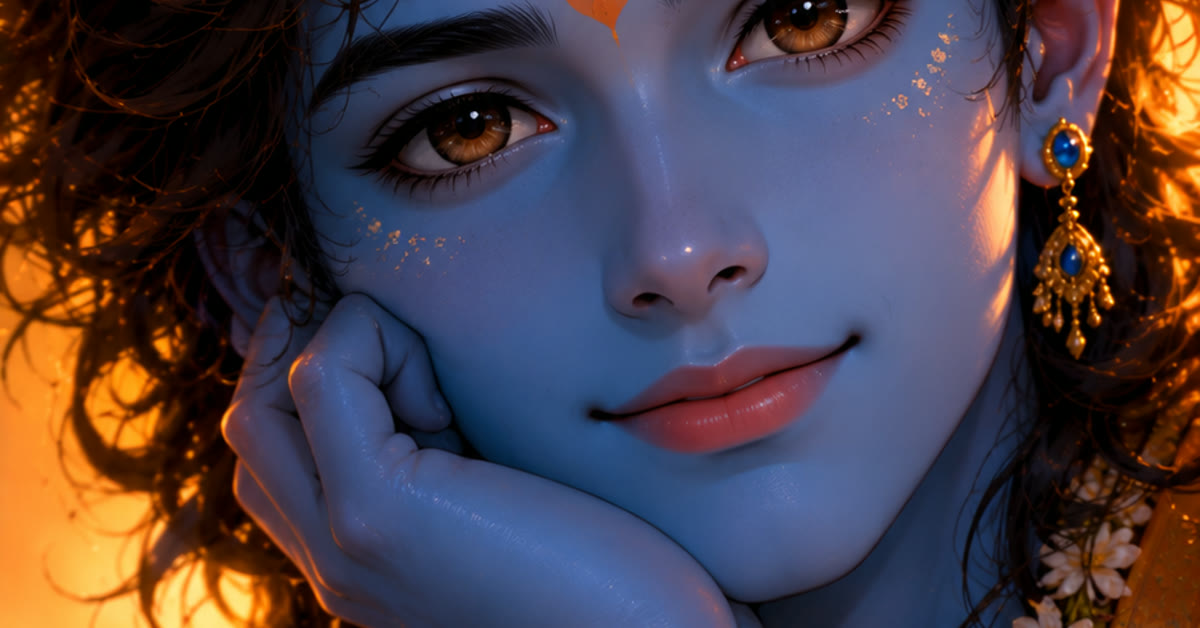
Krishna portraits should feel enchanting and peaceful, and this Lord Krishan cinematic photo portrait prompt creates that divine mood in one frame. A peacock feather crown, a gentle smile, and a flute in hand, set against a moonlit Vrindavan forest, make an image of pure devotion.
The soft divine glow is the heart of this edit. Moonlight through the trees, gentle light on the face, and a calm forest background create a portrait that feels sacred. The prompt below builds the scene, and the steps show you how to use it for Janmashtami and devotional posts. A big advantage of this Lord krishan cinematic photo portrait prompt is that it stays beginner friendly without looking basic.

Table of Contents
How to Use This Lord Krishan Cinematic Photo Portrait Prompt
- Use the prompt in your AI image tool to generate the portrait. Check that the peacock feather crown looks detailed and that the flute sits naturally in the hands.
- Review the moonlight and divine glow carefully, since soft balanced light is what makes the portrait feel enchanting rather than flat. Regenerate if the glow washes out the face.
- Save the best version at full size and share it for Janmashtami or daily devotional posts. Keep the image clean and put your wishes in the caption.
Copy-Paste Prompt
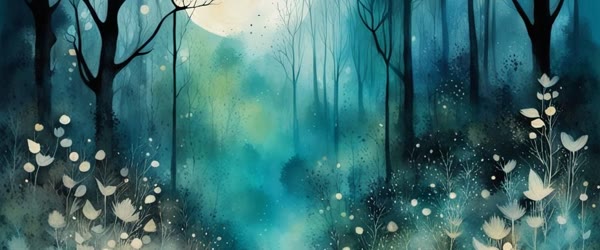
Create a cinematic portrait of Lord Krishna with a peacock feather crown, gentle smile, flute in hand, moonlit Vrindavan forest behind, soft divine glow, peaceful enchanting mood, ultra-realistic, 4K, cinematic lighting.
Pro Tips
- Generate the portrait a few days before Janmashtami so you can choose the best version without rushing on the festival day.
- Keep the forest background soft and blurred, because a gentle backdrop keeps the focus on Krishna and the divine glow.
- Use the same portrait style for a festival series so your devotional posts feel consistent and recognisable.
More Prompts to Try
One portrait of Krishna can only capture one moment of his story. These six original variations keep the cinematic, divine style while changing the scene, the mood, and the companions around him. Together they make a beautiful series for festivals, devotion, and sharing.
Little Krishna stealing butter
Create a cinematic portrait of little Krishna reaching for a butter pot with a mischievous smile, peacock feather crown slightly tilted, warm morning light in a village courtyard, clay pots and flowers around, joyful playful mood, ultra-realistic, 4K, cinematic lighting.
The butter-thief story is beloved and instantly recognisable. Keep the smile playful and the light warm so the image feels joyful rather than solemn.
Krishna playing flute by the Yamuna
Create a cinematic portrait of Lord Krishna playing the flute on the banks of the Yamuna river at dusk, soft golden reflections on the water, gentle breeze in the trees, peaceful enchanting mood, ultra-realistic, 4K, cinematic lighting.
The river adds calm and depth. Let the water reflections carry the golden light so the figure glows softly against the dusk. Try this lord krishan cinematic photo portrait prompt during festival season to make your portrait stand out.
Radha and Krishna in the garden
Create a cinematic portrait of Radha and Krishna together in a flower garden at golden hour, gentle smiles, soft divine glow around them, petals drifting in the air, romantic sacred mood, ultra-realistic, 4K, cinematic lighting.
Two figures need careful balance. Place Krishna slightly forward and keep the expressions gentle so the scene feels tender and serene.
Krishna in the peacock garden
Create a cinematic portrait of Lord Krishna standing among peacocks in a lush garden, peacock feather crown, soft morning light, vibrant green leaves, feathers fanned behind him, joyful divine mood, ultra-realistic, 4K, cinematic lighting.
Peacocks add colour and movement. Keep Krishna’s face calm and clear while the birds fill the background with life.
Krishna celebrating Holi
Create a cinematic portrait of Lord Krishna celebrating Holi with coloured powder in the air, joyful smile, flute in hand, vibrant pinks and yellows around, festive playful mood, ultra-realistic, 4K, cinematic lighting.
Holi colours photograph beautifully, but they can overwhelm the face. Ask for the powder mostly in the air and the background, with the face kept clear.
Krishna under the kadamba tree
Create a cinematic portrait of Lord Krishna resting under a kadamba tree in Vrindavan forest, soft moonlight through the leaves, flute resting beside him, deep peaceful mood, gentle divine glow, ultra-realistic, 4K, cinematic lighting.
Moonlight gives this image a quiet, dreamy quality. The resting pose contrasts nicely with the more active portraits in the series.
How to Customize This Prompt
Start with the story moment. Krishna’s life offers many moods: playful child, divine musician, gentle friend, and serene god. Pick one moment and let it decide the expression, the pose, and the setting. A single clear moment always reads better than a mixture. Once you try this Lord krishan cinematic photo portrait prompt, small tweaks let you create many variations from one idea.
Choose the setting to support that moment. A forest suits the flute, a courtyard suits the butter story, and a riverbank suits a peaceful evening scene. The setting also sets the colour palette: greens for the forest, golds for dusk, and soft blues for moonlight. This Lord krishan cinematic photo portrait prompt keeps faces and key details natural while the style does the heavy lifting.
Control the divine glow carefully. A soft glow around Krishna signals divinity, but a strong glow can wash out the face and the details. Ask for a “soft divine glow” and keep the face clearly lit by the main light source, whether that is moonlight or morning sun. If a friend asks how you made the edit, this Lord krishan cinematic photo portrait prompt is the shortcut worth sharing.
Adjust the companions and symbols with restraint. A peacock feather, a flute, and a few flowers are enough. Too many symbols crowd the frame and pull attention away from the expression, which is the heart of a Krishna portrait. This Lord krishan cinematic photo portrait prompt rewards a little patience, so preview the result before you export. Many creators prefer this lord krishan cinematic photo portrait prompt because it keeps the face natural and detailed.
Finally, set the art style in one phrase. Ultra-realistic suits a photographic portrait, while a soft painterly style suits a poster or a devotional print. Name the style once and keep it consistent across a series so the images feel like they belong together. Overall, this Lord krishan cinematic photo portrait prompt turns a simple idea into a result that feels ready to post.
Step-by-Step Guide
- Pick the story moment first. Decide whether you want playful, romantic, or serene Krishna, and write that mood in one line before you generate anything.
- Copy the matching prompt from the variations above, or adapt the original by changing only the setting and the action. Keep the phrases about light and detail steady.
- Generate the first version and check the face and the crown first. The peacock feather should sit naturally, the smile should be gentle, and the expression should match the mood you chose.
- Look at the background next. The forest, river, or garden should frame Krishna without covering him. If the background is too busy, ask for a softer, more blurred background.
- Generate two or three versions and compare the light. The best Krishna portrait has one clear light source and a softly glowing face. Choose that version even if another has more elaborate details.
- Refine with small targeted changes. Ask for “softer glow” or “more flowers in the foreground” one at a time, so you can judge each change fairly.
- Export at full resolution and preview the image at phone size. Devotional images are usually shared on phones, so the face, the feather, and the flute must all read clearly when small.
Common Mistakes to Avoid
- Mixing contradictory moods. A playful smile with a stormy, dramatic sky confuses the viewer. Match the sky and the light to the expression you asked for.
- Overloading the frame with symbols. A flute, a feather, peacocks, cows, and flowers all at once will bury the figure. Choose two or three elements that serve the story moment.
- Accepting a distorted flute or crown. Long thin objects like flutes often bend or duplicate in generated images. If the flute looks wrong, ask for it held simply or resting beside him.
- Using harsh colours for a serene scene. Neon pinks and electric blues break the divine calm. Save bright colours for Holi and festive scenes, and use soft golds and greens elsewhere.
- Adding generated text or mantras inside the image. Image tools misspell lettering often. Add any caption afterwards in an editor, below the image rather than across it.
Best Tools for This Edit
ChatGPT is an excellent starting point for Krishna portraits, because it follows long, detailed scene descriptions and keeps the figure serene and dignified. You can iterate in plain language, asking for a softer glow or a different tree, without rewriting the whole prompt each time. This Lord krishan cinematic photo portrait prompt holds up well even when you export at full resolution.
Gemini produces beautifully realistic skin, fabric, and natural light, which suits a photographic Krishna portrait. Its moonlight and golden-hour rendering is especially convincing. If you want the image to look like a photograph rather than a painting, try Gemini with the same prompt. This Lord krishan cinematic photo portrait prompt is worth bookmarking if you enjoy quick creative edits.
Adobe Firefly is ideal when you want a painterly or poster-like devotional image. Its style controls let you lean into classical Indian painting or soft illustration while holding the composition steady. Use Firefly for prints, festival posters, and framed art. This Lord krishan cinematic photo portrait prompt is built to deliver a polished result in just a few minutes.
Frequently Asked Questions
Is it acceptable to create AI images of Lord Krishna? Yes, when the depiction is respectful, serene, and dignified. AI devotional art is widely shared for prayer, festivals, and personal inspiration. Avoid parody, jokes, or casual modern elements that break the sacred tone. You do not need expensive software to get the most out of this Lord krishan cinematic photo portrait prompt.
Why does the peacock feather look wrong sometimes? Fine details like feathers and flutes are hard for image tools. Regenerate a few times, ask for a single clearly placed feather, or crop the image so the crown sits in sharp focus. This Lord krishan cinematic photo portrait prompt focuses on the small details that make an edit feel premium.
Can I use these images for Janmashtami posts? Absolutely. Generate a small series — child Krishna, flute by the river, and a festival scene — and post them across the festival days. Keep the style consistent so the series feels planned. When you want dependable results, this Lord krishan cinematic photo portrait prompt is a safe choice to start from. You can reuse the same lord krishan cinematic photo portrait prompt with different outfits, backgrounds and lighting styles.
How do I keep Krishna’s look consistent across images? Reuse the same description of the crown, the smile, and the glow in every prompt, and change only the setting and the action. The repeated phrases anchor the character. This Lord krishan cinematic photo portrait prompt can be adjusted for brighter, softer, or more dramatic results in seconds.
Can I print a Krishna portrait for my home? Yes, for personal use. Export at the highest resolution available and upscale before printing large sizes so the face and the feather stay sharp. Sharing your version of this Lord krishan cinematic photo portrait prompt is a good way to join the trend while it is still growing.
Creative Ideas to Try
A Krishna portrait series can follow the whole arc of his stories, from playful childhood to divine wisdom. Keeping the same cinematic glow while changing the episode gives you a collection that works for festivals, for devotion, and for art. The real strength of this Lord krishan cinematic photo portrait prompt is how repeatable it is from one edit to the next.
Create a Janmashtami series. One image for the midnight birth with a soft glow, one for the child Krishna with butter, and one for the flute player in the moonlight. The three images cover the festival night from birth to music, and sharing them in sequence tells the story beautifully. You can come back to this Lord krishan cinematic photo portrait prompt again and again whenever you need a fresh edit.
Try a Radha-Krishna seasons set. Spring in the flower garden, monsoon under the kadamba tree, autumn in golden fields, and winter by a quiet fire. The changing seasons show the eternal love story against nature’s cycle, and the consistent warm glow ties the set together. What makes this Lord krishan cinematic photo portrait prompt so useful is how little manual work it needs.
Make a set of Krishna’s flute melodies. Each image shows the same flute player in a different setting — riverbank, forest, garden, mountaintop — with a caption naming a mood: peace, joy, longing, devotion. The repeated flute motif makes the series instantly recognisable.
Experiment with a miniature-painting style. Ask for the same scenes in a classical Indian miniature style, with rich detail, flat perspective, and ornate borders. A miniature-style series looks stunning as prints and brings a traditional art form into a modern devotional collection.
Finally, build a storybook for children. Pair simple Krishna images — butter thief, peacock garden, flute by the river — with one-line stories in plain language. A gentle picture book introduces children to Krishna’s stories with warmth and beauty. This lord krishan cinematic photo portrait prompt works beautifully for creating a divine Janmashtami look in seconds.
Troubleshooting
If the portrait comes out wrong, change one element at a time. When the face looks unlike Krishna’s gentle expression, regenerate with “gentle smile, serene expression” emphasised and a simpler background. If the peacock feather looks distorted, ask for a single feather placed clearly on the crown, or crop the image so the crown is in sharp focus. This Lord krishan cinematic photo portrait prompt is a smart pick when you want professional-looking results on a phone.
When the divine glow washes out the face, request a softer glow and stronger moonlight on the face instead. If the flute bends or duplicates, ask for the flute held simply in both hands or resting beside him. When the background crowds the figure, ask for a softly blurred forest or river behind. One small fix per regeneration keeps the process calm and lets you judge each change fairly.
Final Words
This Lord Krishan cinematic photo portrait prompt creates a portrait of divine peace. Keep the glow soft, the smile gentle, and the forest moonlit, and the image will enchant everyone who sees it. This Lord krishan cinematic photo portrait prompt gives your edit a consistent look that viewers recognize right away.