
Introduction
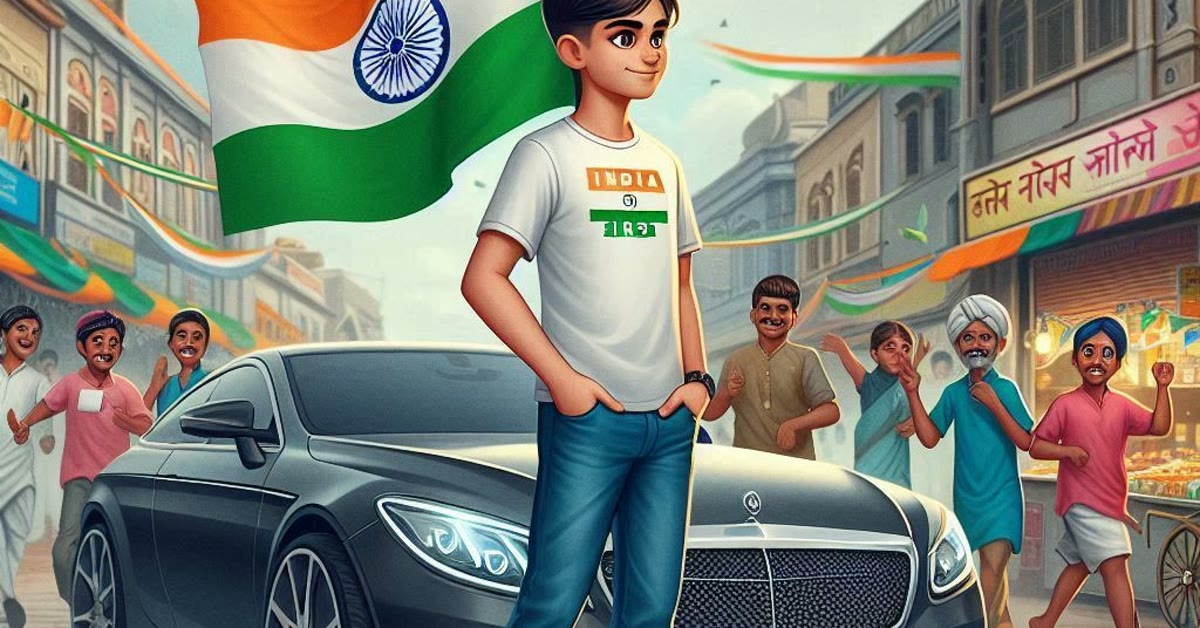
Independence day photo editing prompts help you create a proud portrait for 15 August in minutes. With one clear prompt, you can hold a small flag with tricolour smoke behind you, warm sunrise light on your face, and rich saffron, white, and green tones filling the frame. The result feels patriotic and uplifting, and it is perfect for greetings, status updates, and profile pictures. That is why so many people search for independence day photo editing prompts before they start.
The tricolour style works best when the colours stay balanced. A soft sunrise glow, a gentle breeze, and a natural expression carry the pride better than heavy filters or loud effects. When the prompt describes the flag, the smoke, and the light together, the AI builds a scene that feels both festive and respectful. A proud Independence Day portrait needs clear tricolour colours and a calm, joyful expression.
White, saffron, and green should feel bright but balanced, so no single colour takes over the whole image. A small flag, soft daylight, and a simple background will keep the focus on you and on the pride of the day. Take your time with independence day photo editing prompts and the results will speak for themselves.
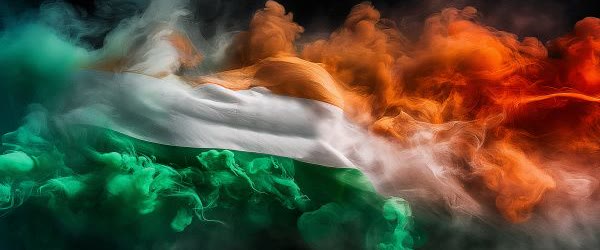
Table of Contents
How to Use This Prompt
- Upload a clear front-facing photo taken in soft daylight, ideally wearing white, saffron, or green.
- Paste the prompt exactly as written into your AI photo editor and generate two or three versions.
- Pick the version with the most natural face and the warmest sunrise light, then save it in high quality.
Copy-Paste Prompt
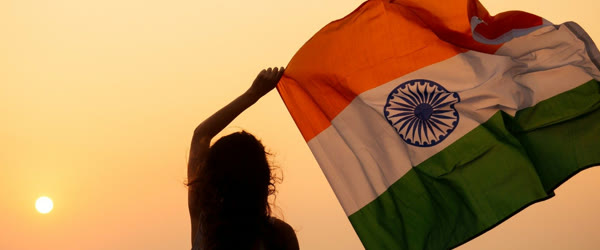
Transform this photo into a proud Independence Day portrait with the subject holding a small flag, tricolour smoke in the background, and warm sunrise light. Add patriotic energy, gentle breeze, and rich saffron-white-green tones. Keep the face natural and the mood uplifting, ultra-realistic, sharp 4K detail, cinematic lighting.
Pro Tips for Independence Day Photo Editing Prompts
- Ask for the flag on one side of the frame so your face stays the main focus.
- Keep the tricolour smoke soft and light so it frames you instead of covering you.
- Add a line about a gentle smile to keep the portrait proud but warm and friendly.
More Prompts to Try
Independence Day portraits can celebrate the flag, the freedom fighters, the tricolour, or the simple joy of being Indian. These original independence day photo editing prompts cover those angles, so you can make a set for the 15th of August that feels proud without feeling repetitive.
1. Flag March Version
Use this prompt for a portrait of marching proudly with the national flag.
Transform this photo into a proud Independence Day portrait with the subject marching forward holding the Indian flag high, tricolour smoke behind, warm sunrise light, and a joyful crowd softly blurred. Keep the face natural and proud, the mood uplifting, ultra-realistic, sharp 4K detail, cinematic lighting.
2. Tricolour Face Paint Version
Use this prompt for a festive portrait with tricolour face paint and a bright smile.
Create a cheerful Independence Day portrait with the subject smiling brightly, tricolour face paint on one cheek, a small flag in hand, and warm golden light. Keep the face natural and happy, the colours vivid and balanced, ultra-realistic, crisp 4K detail, cinematic lighting.
3. Freedom Fighter Tribute Version
Use this prompt for a respectful portrait honouring the freedom struggle, with vintage tones.
Turn this photo into a respectful Independence Day tribute portrait with the subject in simple traditional attire, a vintage sepia-and-tricolour treatment, an old flag, and soft dawn light. Keep the face natural and dignified, the mood solemn and proud, ultra-realistic, detailed 4K finish, cinematic lighting.
4. Kite Festival Version
Use this prompt for a joyful portrait with kites filling a bright August sky.
Transform this photo into a joyful Independence Day kite portrait with the subject flying a kite, colourful kites across a bright blue sky, tricolour bunting, and warm afternoon light. Keep the face natural and delighted, the mood free and festive, ultra-realistic, sharp 4K detail, cinematic lighting.
5. Children Celebration Version
Use this prompt for a portrait of children celebrating with flags and sweets.
Create a happy Independence Day portrait of children waving small flags, wearing tricolour accessories, with festive school decorations and bright morning light. Keep all faces natural and joyful, the scene lively and clean, ultra-realistic, detailed 4K finish, cinematic lighting.
6. Sunrise Pledge Version
Use this prompt for a calm, hopeful portrait at sunrise, suited to a thoughtful greeting.
Create a hopeful Independence Day sunrise portrait with the subject standing tall facing the rising sun, a small flag in hand, tricolour mist, and soft golden light. Keep the face natural and serene, the mood proud and peaceful, ultra-realistic, 4K detail, cinematic lighting.
How to Customize This Prompt
Customizing independence day photo editing prompts starts with the mood you want: proud, joyful, or reflective. A proud portrait needs the flag prominent and the subject standing tall. A joyful portrait needs smiles, kites, and bright light. A reflective portrait needs softer light, simpler composition, and a dignified expression. Pick the mood first, because it controls everything else in the prompt.
The tricolour is the signature element, and it should appear clearly but tastefully. “Tricolour smoke” gives a dramatic, cinematic background. “Tricolour bunting” gives a festive, celebratory feeling. “Tricolour face paint” gives a playful, personal touch. Use one tricolour element as the hero and keep the others subtle, because three competing tricolour effects in one image look chaotic. One strong tricolour statement beats three weak ones. In practice, independence day photo editing prompts is simpler than it first looks.
Clothing and setting complete the portrait. “White kurta with tricolour scarf” is the classic combination, clean and photogenic. “Traditional attire in saffron, white, and green” works for a fuller festive look. For the setting, “school ground”, “home balcony with flags”, or “open sky at sunrise” each give a different scale. Always keep “face natural” and the mood word in the prompt, and treat the flag with respect: it should be held high, clean, and never used as a costume or a prop to sit on. A respectful treatment of the flag is part of what makes the portrait feel genuinely patriotic. A little planning around independence day photo editing prompts goes a long way.
Step-by-Step Guide
Follow these steps to make an Independence Day portrait full of pride and joy.
- Choose a bright, confident starting photo. Use a clear front-facing photo in good light with a natural smile or a proud, composed expression. A confident expression suits the day, and a bright photo helps the AI blend sunrise and tricolour light naturally.
- Open your AI photo editor. ChatGPT, Gemini, or Bing Image Creator all accept a photo plus a prompt. Upload the photo first, then paste the prompt, so the tool edits your photo rather than inventing a new person.
- Paste the complete prompt. Include the flag, the tricolour element, and the light. The full prompt balances the patriotic scene, and trimming it usually makes the flag or the smoke disappear.
- Generate three versions. Compare them for the face first, then the flag, then the colours. The best version has a natural face, a clean and correctly rendered flag, and tricolour tones that are vivid without being harsh.
- Refine one element at a time. If the flag looks wrong, ask for a “clean Indian flag held high”. If the smoke overwhelms the face, ask for “light tricolour smoke”. One change per follow-up protects the parts that already work.
- Check the flag and the hands closely. AI tools sometimes render flags with wrong colours or merged stripes. Zoom in on the flag: saffron on top, white in the middle with the wheel, green at the bottom. If the flag is wrong, regenerate with a simpler flag description or crop tighter on the face.
- Adjust colour gently. A slight warmth lift suits sunrise portraits. Avoid heavy saturation, which can turn the tricolour harsh. Keep the edit light so the patriotic glow stays natural.
- Save in high quality and share on 15 August. Save the best version at full quality and share it on Independence Day with a proud, sincere greeting. A portrait shared on the day itself carries the most feeling.
Common Mistakes to Avoid
Rendering the flag incorrectly. The most common AI error in these portraits is a wrong flag: swapped colours, missing wheel, or extra stripes. Always zoom in and check the flag. If it is wrong, regenerate. Never share a portrait with an incorrect national flag. This is exactly where independence day photo editing prompts can help you most.
Overloading the tricolour. Smoke, bunting, face paint, and a giant flag in one image compete with each other and hide the face. One hero tricolour element per portrait is enough. Keep these basics of independence day photo editing prompts in mind and you will avoid most mistakes.
Dropping the natural-face instruction. Without it, the AI may reshape the face or add a strange expression. Keep “face natural” in every version, including follow-ups. Done carefully, independence day photo editing prompts saves both time and effort.
Using the flag disrespectfully. The flag should be held high and treated with dignity. Do not use it as clothing, seating, or a casual prop. A respectful portrait honours the day properly. The key with independence day photo editing prompts is to stay clear and specific.
Sharing without checking details. Check the flag, the hands, and the smoke before sharing. Small errors in these areas are common, and a quick zoom catches them before your friends do. Many readers find that independence day photo editing prompts works better than expected.
Best Tools for This Edit
ChatGPT image editing is a good first choice because it takes long descriptive prompts and lets you refine by chatting. Paste the full prompt, then say “fix the flag” or “soften the smoke”, and it keeps the context. Use it when you want to iterate in plain words.
Gemini handles sunrise light, tricolour tones, and natural skin tones smoothly, which suits patriotic portraits well. It keeps the flag, the smoke, and the face balanced, so one element rarely overpowers the others. Try Gemini if the first version feels harsh or the flag looks off.
Bing Image Creator is a handy free option for quick greeting portraits. It prefers shorter prompts, so use the main prompt once and refine briefly. Results vary more between tries, especially for flags, so generate several and pick the one with the correct flag and the most natural face. Use the same prompt wording when comparing tools, so you judge the tool and not the prompt. Keep these basics of independence day photo editing prompts in mind and you will avoid most mistakes. Sharing independence day photo editing prompts with friends makes group edits more fun and creative.
Creative Ideas to Try
A “freedom story” set is a lovely idea: one portrait marching with the flag, one reflective tribute portrait, and one joyful kite portrait, shared together as the story of the day. The set carries pride, memory, and joy in three images, and friends will feel the full occasion. This is exactly where independence day photo editing prompts can help you most.
Another idea is a family portrait in matching white with tricolour scarves, made for a framed print or a group profile picture. Keep the composition simple and the flag clean, and the portrait becomes a keepsake. Or make a portrait for children with kites and flags, and share it in the school group, where it will delight teachers and parents alike. The best creative edits stay respectful and joyful, so let genuine pride guide the idea rather than piling on effects. A little planning around independence day photo editing prompts goes a long way.
Frequently Asked Questions
Can I make a portrait with my children? Yes. Use the children celebration version, keep the group small, and ask for all faces to stay natural. For larger groups, make individual portraits and combine them into a collage. Once you understand independence day photo editing prompts, the rest becomes much easier.
What if the flag looks wrong? Regenerate with a simpler flag description, such as “clean Indian flag, saffron white green with wheel”, and a plain background. If it still looks wrong, crop tighter on the face and let the flag sit softly blurred behind. Never share an incorrect flag. That small extra effort with independence day photo editing prompts pays off in the final result.
Are these prompts suitable for 15 August greetings? Yes. They are made for Independence Day. Share them on the day itself with a proud, sincere greeting. Start with the basics of independence day photo editing prompts, then build from there.
Can I use these prompts for a school function? Yes. The classroom and children versions suit school celebrations, and the portraits make lovely display pieces or greeting cards. That is why so many people search for independence day photo editing prompts before they start.
Can I print the portrait? Yes. Save the highest-quality version and print at normal photo sizes. A framed Independence Day portrait makes a proud keepsake. Take your time with independence day photo editing prompts and the results will speak for themselves.
Final Words
Independence Day is a celebration of freedom and pride. Use this prompt to create a portrait that honours the day, try the flag, kite, and sunrise variations, and share it with joy. Share your portrait with joy, check the flag carefully, and let it honour the spirit of freedom. A simple, proud edit made with care will mean more than a busy one, and it will look wonderful in your feed on 15 August. In practice, independence day photo editing prompts is simpler than it first looks. These independence day photo editing prompts work well for profile pictures, posters, and status updates.