
Introduction
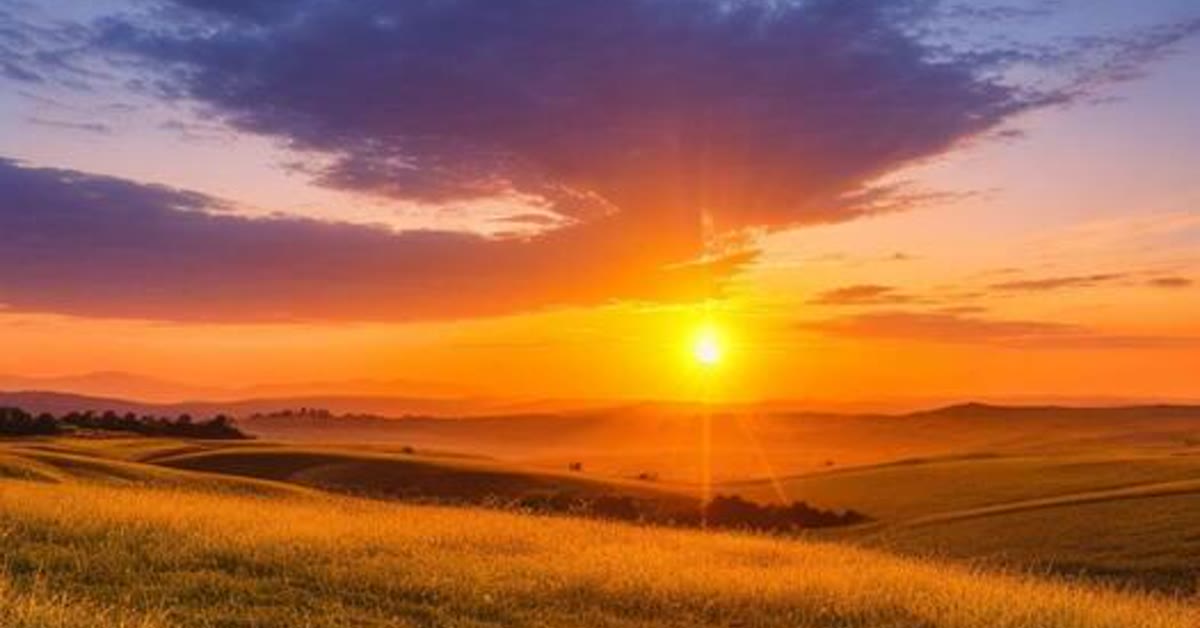
Golden hour light makes everything look cinematic, and golden hour field cinematic AI photo editing brings that light to any portrait. Tall wheat glowing in warm sunset light, soft lens flare, and gentle wind movement turn a simple photo into a peaceful rural film still.
This style suits portraits taken outdoors in open space. The AI replaces a plain background with a glowing field, warms the light on the face, and adds the rich amber tones of sunset. The result feels calm, warm, and beautifully natural.
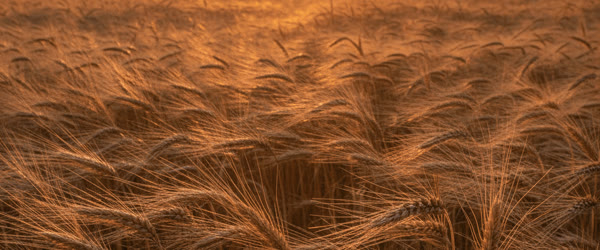
Table of Contents
- How to Use This Golden Hour Field Cinematic AI Photo Editing Prompt
- Copy-Paste Prompt
- Pro Tips
- More Prompts to Try for Golden Hour Field Portraits
- How to Customize This Golden Hour Field Prompt
- Step-by-Step Guide to Creating the Golden Hour Field Portrait
- Common Mistakes to Avoid
- Best Tools for This Edit
- Frequently Asked Questions
- Final Words
How to Use This Golden Hour Field Cinematic AI Photo Editing Prompt
- Upload a clear portrait with natural light on the face and a simple background. Photos taken outdoors give the most believable field result.
- Paste the prompt exactly as written and generate the first version. Check that the wheat sits naturally around the person and that the lens flare stays soft and off the face.
- If the amber tones look too strong, generate again and pick the version with the most balanced warmth. Save it at full size and share it as a sunset or travel post.

Copy-Paste Prompt
Transform this photo into a golden hour field portrait with tall wheat glowing in warm sunset light, soft lens flare, gentle wind movement, peaceful rural mood, rich amber tones, ultra-realistic, 4K, cinematic lighting.
Pro Tips
- Use a photo with the sun roughly behind or beside the subject, because backlight gives the most natural golden flare.
- Keep clothing simple and earthy, since natural tones blend into the wheat field far better than bright patterns.
- Crop the final image with the horizon low in the frame so the glowing field fills the photo and the sky stays clean.

More Prompts to Try for Golden Hour Field Portraits
A golden hour field is nature’s studio: warm light, flowing grain, and open sky. These original golden hour field cinematic ai photo editing prompts explore different field moods, from wheat to wildflowers, so you can build a rural portrait series that never repeats the same sunset. Keep the light low and warm, the wind gentle, and the subject calm, and every image will glow. Used well, the golden hour field cinematic ai photo editing can make the whole result feel more polished and professional. Used well, the golden hour field cinematic ai photo editing can make the whole result feel more polished and professional.
Wheat Field Glow
The classic golden hour field portrait, with tall wheat catching the last light.
Transform this photo into a golden hour field portrait with tall wheat glowing in warm sunset light, soft lens flare, gentle wind movement, peaceful rural mood, rich amber tones, ultra-realistic, 4K, cinematic lighting.
The wheat is the co-star here. It should glow amber from behind, with individual stalks catching the light, while the subject stands calm among it. The lens flare should be soft and to one side, never across the face. This is the most iconic version, ideal for the main feed post.
Wildflower Meadow Dream
A softer, romantic version with flowers and pastel evening light.
Transform this photo into a golden hour field portrait in a wildflower meadow, soft pink and gold evening light, flowers swaying gently, dreamy peaceful expression, romantic rural mood, ultra-realistic, 4K, cinematic lighting.
Wildflowers add colour and delicacy that wheat cannot. Keep the flowers in the foreground soft and blurred, framing the subject without hiding them. The pink and gold light should feel like the last ten minutes of daylight, when everything goes soft and warm. This version suits romantic and dreamy content best.
Harvest Worker Portrait
A dignified, working portrait honouring rural life and labour.
Transform this photo into a golden hour field portrait of a farmer standing proudly in a harvested field, tools resting nearby, warm evening light, dignified hardworking mood, rich earthy tones, ultra-realistic, 4K, cinematic lighting.
Dignity comes from posture and honesty here. The subject should stand tall and calm, with the tools as honest props, not decorations. The harvested field, stubble and open sky, tells the story of work done. Keep the light warm but the mood grounded, because this portrait honours labour, not fantasy.
Child in the Cornfield
A joyful, innocent version for children in tall summer crops.
Transform this photo into a golden hour field portrait of a happy child peeking through tall corn stalks, sunlight dappling through leaves, joyful curious expression, warm summer evening mood, ultra-realistic, 4K, cinematic lighting.
Children in crops need the plants to frame, not hide, the face. The peek-through composition works because the leaves create a natural window around the eyes and smile. Keep the dappled light soft, because hard spots on a child’s face will look harsh. The joy must be genuine and unposed.
Lone Tree Silhouette
A dramatic, minimal version with one tree and a vast field.
Transform this photo into a golden hour field portrait of a lone figure standing beneath a single large tree in an open field, huge amber sky, long shadows, epic peaceful mood, ultra-realistic, 4K, cinematic lighting.
The lone tree is the composition’s anchor. It gives the vast field a centre and the figure a companion, so the emptiness feels intentional rather than barren. The long shadows should stretch toward the camera, drawing the eye to the figure. This is the most artistic version, ideal for covers and prints.
Evening Hay Bales
A warm, rustic version with hay bales and the last light of day.
Transform this photo into a golden hour field portrait with round hay bales glowing in warm sunset light, a subject sitting relaxed on one bale, peaceful rural evening mood, rich honey tones, ultra-realistic, 4K, cinematic lighting.
Hay bales give the subject a natural seat and the composition a rhythm: round shapes repeating into the distance. The sitting pose keeps the mood relaxed and unposed, which suits the end-of-day feeling. The honey tones should be rich but natural, never oversaturated into orange.
How to Customize This Golden Hour Field Prompt
Customisation starts with the crop. Wheat, wildflowers, corn, harvested stubble, and hay each create a different field character, and the crop decides the texture, colour, and height of the whole image. Name the crop explicitly, because a generic “field” prompt will produce generic grass. The crop is the setting, and the setting is half the portrait. That is exactly why the golden hour field cinematic ai photo editing has become a favourite with so many creators. That is exactly why the golden hour field cinematic ai photo editing has become a favourite with so many creators.
Next, control the sun’s position. Low sun behind the subject creates rim light and flare; low sun to the side creates modelling and shadow; low sun in front creates a glowing face but risks squinting. Choose the position that matches the mood: behind for drama, side for modelling, front for warmth. State the position explicitly, such as “sun low behind the subject”, and the AI will light the scene consistently.
The wind is the third lever. Still air suits calm, reflective portraits; gentle wind suits dreamy, flowing portraits; strong wind suits dramatic, epic portraits. Name the wind level, because wind moves hair, clothing, and crops, and those movements are what make a still image feel alive. A field portrait with no wind feels like a studio shot; a field portrait with wind feels like a moment.
Finally, adjust the subject’s relationship to the field. Standing among the crop says immersion; sitting on a bale says rest; walking a path says journey; gazing at the horizon says contemplation. The action must match the mood, or the portrait will feel posed. One natural action, held calmly, beats a dramatic pose every time in field photography.
Step-by-Step Guide to Creating the Golden Hour Field Portrait
Follow these steps in order. Field portraits fail on light more than on anything else, so the timing steps matter most. With a little practice, the golden hour field cinematic ai photo editing becomes quick and easy to repeat. With a little practice, the golden hour field cinematic ai photo editing becomes quick and easy to repeat.
- Choose the crop, sun position, and mood before generating. Write down all three, and pick the matching prompt from this article. The three choices together define the image, and deciding them first prevents the generic results that make field portraits forgettable.
- Decide whether you are transforming a photo or generating a scene. If transforming your own photo, upload a full-body or half-body shot with a simple background, so the AI has room to build the field around you. A tight headshot cannot become a wide field portrait.
- Open your AI photo editor and upload the full-size photo. Use ChatGPT, Gemini, or any editor that accepts text prompts. Upload the original file, because field portraits are viewed large and the grain, hair, and fabric details need their full resolution.
- Paste the prompt exactly and generate the first version. Keep the crop, light, and wind words intact. They are doing structural work, and trimming them produces a portrait with a yellow background rather than a golden hour field.
- Check the light first, then the crop, then the face. The light must be low, warm, and directional. The crop must read clearly as wheat, flowers, or corn. The face must be warmly lit and natural. If any of the three fails, name it in your correction prompt before regenerating.
- Refine with one lighting or composition correction. If the flare covers the face, ask for “lens flare to one side, face clear”. If the field looks generic, ask for the specific crop named more strongly. One fix preserves the parts that already work.
- Save at full size and test the crop. Save a wide version for the feed and a vertical version for stories, keeping the subject and the horizon in frame in both. Check on your phone, because golden tones that look rich on a laptop can look oversaturated on a small screen.
Common Mistakes to Avoid
Shooting the light too high. Golden hour means the sun is low. If the light looks like midday, the prompt’s time-of-day words were too weak. Strengthen them with “sun very low on the horizon, long shadows” and regenerate. Low light is the entire genre. The golden hour field cinematic ai photo editing works best when you keep the setup simple and follow the steps in order. The golden hour field cinematic ai photo editing works best when you keep the setup simple and follow the steps in order.
Making the field generic. A vague green-yellow background with no identifiable crop will read as a filter, not a field. Name the crop explicitly and check that it appears: wheat stalks, flower heads, corn leaves, or hay bales must be visible and specific.
Letting flare cover the face. Lens flare is beautiful at the edge of the frame and ruinous across the eyes. If flare covers the face, regenerate with the flare positioned explicitly to one side. The face must stay clear in every version.
Oversaturating the gold. Rich amber is beautiful; neon orange is not. If the field looks orange, ask for “rich but natural amber tones, no oversaturation” and regenerate. Golden hour is warm, not radioactive.
Forgetting the wind. A perfectly still field looks like a backdrop. Gentle wind movement in hair, clothing, and crops is what makes the image breathe. If the image feels static, add wind words and regenerate. Movement, even implied, is life.
Best Tools for This Edit
Gemini is excellent for golden hour field portraits, because it renders warm directional light, glowing crops, and natural skin tones very accurately. Its field scenes look photographed, with believable haze and flare. For light-driven portraits, Gemini’s accuracy gives it the edge. Many beginners start with the golden hour field cinematic ai photo editing because the results look clean and natural. Many beginners start with the golden hour field cinematic ai photo editing because the results look clean and natural.
ChatGPT is the easiest option for transforming your own photo into a field scene. Upload a full-body shot, paste the prompt, and it will place you in the field while keeping your identity recognisable. Its follow-up corrections are useful for light adjustments: “lower sun, warmer light” usually works in one step.
Canva is the best finishing tool for field portraits. Use it to crop for different formats, add a subtle warm vignette that deepens the sky, and design a clean caption layout. Keep any text small and away from the face and horizon, so the field stays the hero.
Frequently Asked Questions
Can I use a photo taken indoors as the starting point? Yes, provided it is a full-body or half-body shot with a simple background. The AI will replace the background with the field. A tight headshot will struggle, because the AI must invent the body and the field relationship. Use the largest, simplest starting photo you have. A careful pass with the golden hour field cinematic ai photo editing can lift an ordinary attempt into something special. A careful pass with the golden hour field cinematic ai photo editing can lift an ordinary attempt into something special.
What time of day should the original photo be taken? Any time works, because the AI rebuilds the light. But a photo taken in soft, even light converts best, because harsh shadows in the original will fight the new golden light. Avoid starting photos with strong midday shadows across the face. Once you try the golden hour field cinematic ai photo editing, you can adjust the small details to match your own style. Once you try the golden hour field cinematic ai photo editing, you can adjust the small details to match your own style.
Will the field look real, or like a fantasy backdrop? Real, when the crop, light, and wind are described specifically and the palette stays natural. Fantasy creeps in when the prompt uses words like “magical” or “enchanted”, or when the colours are pushed too far. Keep the words realistic and the tones natural. In short, the golden hour field cinematic ai photo editing keeps the whole process fast, free and fun. In short, the golden hour field cinematic ai photo editing keeps the whole process fast, free and fun.
Can I use these prompts for couple or family photos? Yes, and field settings suit groups beautifully, because the open space gives everyone room. Keep the group formation simple, the light consistent, and the background clean. Check every face before sharing, as with all group edits. For a reliable finish, save the golden hour field cinematic ai photo editing and reuse it whenever you need this look. For a reliable finish, save the golden hour field cinematic ai photo editing and reuse it whenever you need this look.
How do I keep a field series consistent? Use the same light direction, the same warmth level, and the same crop family across all portraits. Change only the subject’s action. The shared light and field will tie the series together, and the profile will read as one golden journey. That simple approach is what makes the golden hour field cinematic ai photo editing so popular right now. That simple approach is what makes the golden hour field cinematic ai photo editing so popular right now.
Final Words
A golden hour field cinematic ai photo editing prompt turns an ordinary portrait into a warm, glowing moment at the edge of day. Keep the sun low, the crop specific, and the wind gentle, and the field will feel real enough to walk into. Try the different crops across the season, from wheat to wildflowers to hay, and let the series follow the farming year. Shared widely by creators, the golden hour field cinematic ai photo editing keeps delivering consistent results.
The best field portrait is the one where the light looks so warm you can almost feel it, and the subject looks like they never want the evening to end. Golden hour field cinematic AI photo editing turns any portrait into a warm sunset moment. Keep the light golden, the wheat glowing, and the mood peaceful, and the photo will feel like evening in the countryside. If you want a dependable option, the golden hour field cinematic ai photo editing is hard to beat for this style.