
Introduction
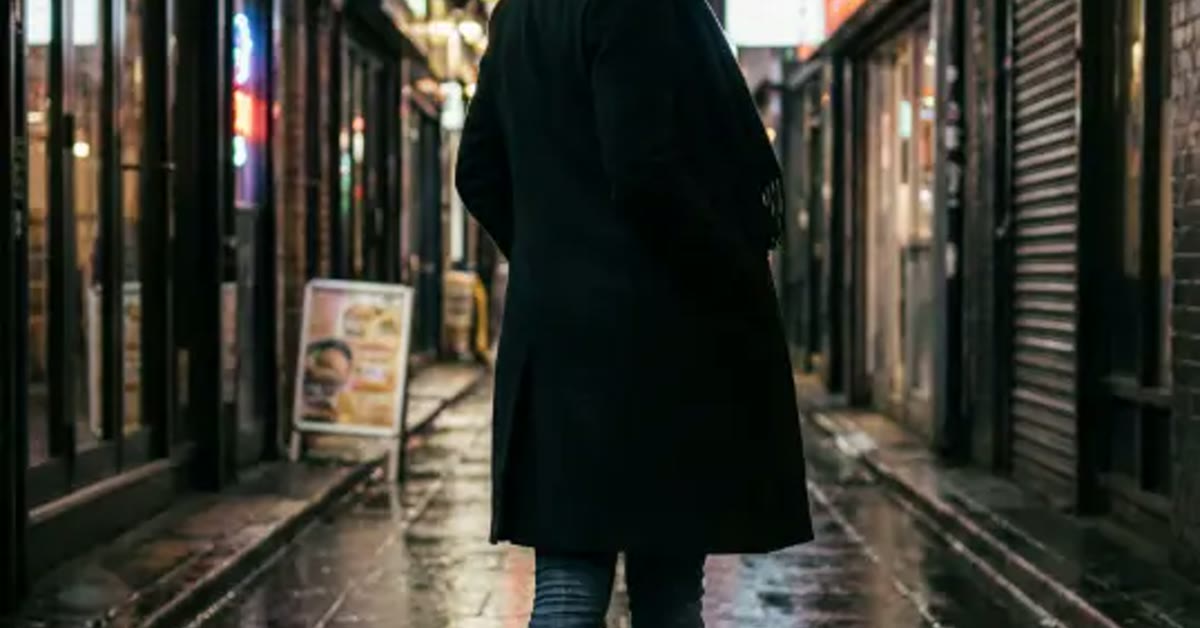
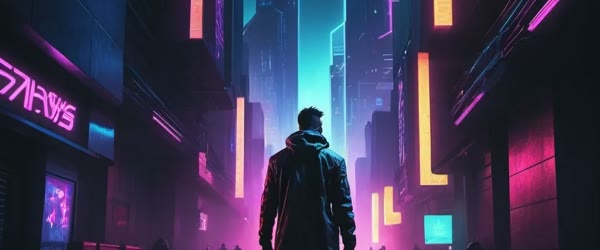
Night streets have a mood no daylight photo can match, and this aesthetic night street photo prompt captures it perfectly. Neon signs reflecting on wet pavement, moody blue and pink tones, and a lone figure walking away create a cinematic urban portrait.
The atmosphere does the storytelling here. Rain-wet streets, glowing signs, and deep shadows make the subject look like a character in a city film. The prompt below rebuilds any photo into that world, and the steps show you how to get the most cinematic result. If a friend asks how you made the edit, this Aesthetic night street photo prompt is the shortcut worth sharing.
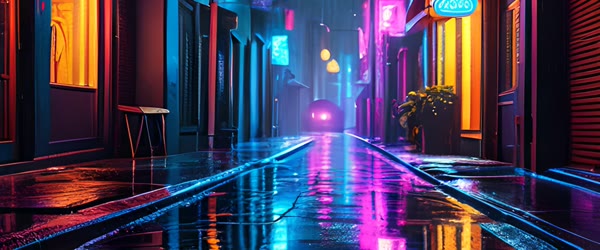
Table of Contents
How to Use This Aesthetic Night Street Photo Prompt
- Upload a clear photo with a full or half-body pose and a simple background. Photos taken in the evening or at night give the most believable neon rebuild.
- Paste the prompt exactly as written and generate the first version. Check that the neon reflections sit naturally on the wet pavement and that the figure stays sharp.
- If the colours look too strong, generate again and pick the version with the most balanced blue and pink tones. Save it at full size and share it as a night or city post.
Copy-Paste Prompt
Transform this photo into an aesthetic night street portrait with neon signs reflecting on wet pavement, moody blue and pink tones, a lone figure walking away, cinematic urban atmosphere, ultra-realistic, 4K, cinematic lighting.
Pro Tips
- Use a photo with the person walking away or in profile, because that pose suits the lone-figure mood better than a front-facing smile.
- Wear dark clothing in the source photo so the neon colours reflect cleanly without clashing with bright outfits.
- Add a slight glow to the neon signs after generation if they look flat, since glowing signs sell the wet-street reflection.
More Prompts to Try
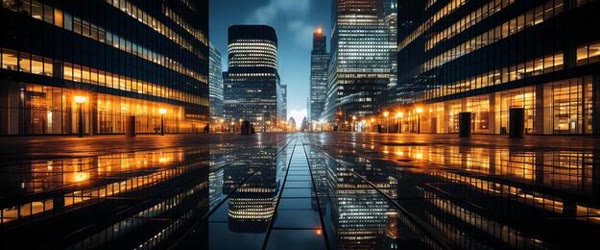
One night street can hold many moods. These six original variations keep the aesthetic neon-and-rain style while changing the time, the figure, and the colour story. Each one works as a standalone transformation prompt for a portrait, and together they make a striking series.
Rainy neon alley
Transform this photo into an aesthetic rainy neon alley portrait with glowing signs reflecting on wet cobblestones, a lone figure with an umbrella walking away, deep blue and violet tones, cinematic urban atmosphere, ultra-realistic, 4K, cinematic lighting.
The umbrella adds a classic silhouette. Keep the figure small against the glowing signs so the street feels vast and moody.
Golden street lamp portrait
Transform this photo into an aesthetic golden street lamp portrait at dusk, warm pools of lamplight on wet pavement, a calm figure standing under one lamp, soft amber and teal tones, cinematic urban atmosphere, ultra-realistic, 4K, cinematic lighting.
One lamp creates a natural spotlight. The contrast between the warm pool of light and the cool dusk makes the figure glow.
Pink and purple city crossing
Transform this photo into an aesthetic city crossing portrait with pink and purple neon reflections, blurred traffic lights behind, a confident figure mid-stride, dreamy urban glow, ultra-realistic, 4K, cinematic lighting.
Motion in the background adds energy. A mid-stride pose keeps the portrait feeling alive rather than posed. An aesthetic night street photo prompt like this one makes neon lights and shadows look cinematic.
Empty midnight street
Transform this photo into an aesthetic empty midnight street portrait with a single distant streetlight, long shadows, quiet fog, and a lone figure standing still, muted blue-grey tones, cinematic urban atmosphere, ultra-realistic, 4K, cinematic lighting.
Emptiness is powerful in a night portrait. The still figure against the fog creates a calm, thoughtful mood that suits a serious profile.
Neon cafe window
Transform this photo into an aesthetic neon cafe window portrait with warm interior light and cool neon signs outside, a thoughtful figure gazing out, reflections layered on the glass, cinematic urban atmosphere, ultra-realistic, 4K, cinematic lighting.
Layered reflections add depth and story. The contrast between warm inside and cool outside makes the portrait feel cinematic.
After-rain rooftop skyline
Transform this photo into an aesthetic rooftop portrait after rain, city skyline glowing behind, wet surfaces reflecting neon, a relaxed figure leaning on a railing, moody blue and gold tones, ultra-realistic, 4K, cinematic lighting.
A rooftop gives the portrait scale and sky. The skyline glow keeps the background interesting without stealing focus from the figure.
How to Customize This Prompt
Start with the colour story. Night street portraits live or die by their palette: blue and pink for dreamy, amber and teal for cinematic, violet and blue for moody. Name two colours and stick to them, because a third colour often makes the image look messy. If you post on social media often, this Aesthetic night street photo prompt can save you a lot of editing time.
Choose the figure’s role in the scene. A lone figure walking away feels mysterious, a figure facing the camera feels confident, and a figure gazing out a window feels thoughtful. The pose decides the story, so pick it deliberately. This Aesthetic night street photo prompt is easy to adapt, so small changes still keep the same overall style.
Control the wetness and reflections. Wet pavement doubles the neon and makes the street glow, while a dry street looks flatter and calmer. If you want maximum atmosphere, ask for rain, puddles, and reflections together. Many creators keep this Aesthetic night street photo prompt saved for quick, reliable edits on busy days.
Set the depth with background blur. A blurred background keeps the figure sharp and the city dreamy, while a sharp background turns the image into a cityscape with a person in it. For a portrait, always ask for a soft blurred background. This Aesthetic night street photo prompt pairs well with a short caption and trending audio when you share the result.
Finally, balance the light on the face. Neon light is beautiful but it can paint the face pink or blue. Ask for soft light on the face alongside the neon, so the expression stays natural and readable. A big advantage of this Aesthetic night street photo prompt is that it stays beginner friendly without looking basic.
Step-by-Step Guide
- Choose a clear source photo with a visible face and a simple background. A half-body or full-body portrait works best, because the street scene needs room around the figure.
- Pick the colour story and the mood before you generate. Write down two colours and one mood word, such as “blue and pink, dreamy,” and use them in the prompt.
- Paste the prompt with your photo into ChatGPT or Gemini. Keep the wording intact for the first version so you can judge the base style fairly.
- Generate the first version and check the face first. The expression should stay natural and the face should stay clear, even with neon light around it.
- Check the reflections next. The wet pavement should mirror the signs without becoming brighter than the figure. If the street glows too much, ask for softer reflections.
- Generate two or three versions and compare them at the size where people will see them. A night portrait often becomes a phone wallpaper or a profile photo, so it must read clearly when small.
- Save the best version at full resolution. If you plan to use it as a wallpaper, crop it to your phone’s ratio and check that the figure is not cut off at the edges.
Common Mistakes to Avoid
- Mixing too many neon colours. Three or more neon colours turn the street into a circus. Two colours, used consistently, create a far stronger mood.
- Letting the neon paint the whole face. A face lit entirely pink or blue looks unnatural. Ask for soft neutral light on the face alongside the coloured background.
- Using a busy source photo. If the original photo already has a crowded background, the tool will mix the two scenes into a mess. Start with a plain background.
- Forgetting the reflections. A night street without reflections looks flat and fake. Wet pavement and puddles are what sell the after-rain atmosphere.
- Over-sharpening the background. A sharp background competes with the figure. Keep the city soft and blurred so the portrait stays the subject.
Best Tools for This Edit
ChatGPT is a reliable starting point for night street transformations, because it follows detailed atmosphere descriptions and keeps the figure natural. Paste the prompt with your photo, and use follow-ups like “soften the neon on the face” to refine the result without starting over. This Aesthetic night street photo prompt works especially well when your source photo or clip is clear and well lit.
Gemini excels at realistic wet surfaces, reflections, and natural skin under coloured light. Its night scenes look photographic rather than illustrated, which suits a moody urban portrait. If ChatGPT’s version looks too painterly, try the same prompt in Gemini. This Aesthetic night street photo prompt gives your edit a consistent look that viewers recognize right away. You can adjust the aesthetic night street photo prompt to match any street location or outfit.
Adobe Firefly is a good choice when you want a more stylised, poster-like night portrait. Its atmosphere controls let you push the fog, the glow, and the colour grading further than a realistic tool allows. Use Firefly for wallpapers and art prints rather than realistic profile photos. You do not need expensive software to get the most out of this Aesthetic night street photo prompt.
Frequently Asked Questions
Can I turn any photo into a night street portrait? Almost any clear portrait works, but daylight photos with a plain background give the cleanest results. Dark or blurry photos produce muddy night scenes. Overall, this Aesthetic night street photo prompt turns a simple idea into a result that feels ready to post.
Why does my face look blue or pink? The neon light is spilling onto the face. Regenerate with “soft neutral light on the face” added to the prompt, and keep the neon in the background. This Aesthetic night street photo prompt is worth bookmarking if you enjoy quick creative edits.
What size should a night street wallpaper be? Use your phone’s screen ratio, usually 9:19.5 for modern phones. Generate at the highest resolution, then crop carefully so the figure stays centred. This Aesthetic night street photo prompt is built to deliver a polished result in just a few minutes.
Can I use this prompt for a couple portrait? Yes. Describe both figures and keep them close together in the frame so the neon frames them as one subject. The reflections will tie them into the scene. You can come back to this Aesthetic night street photo prompt again and again whenever you need a fresh edit.
How do I keep the style consistent across a series? Reuse the same two colours, the same lighting phrase, and the same detail phrase in every prompt. Change only the setting and the pose, and the series will feel connected. What makes this Aesthetic night street photo prompt so useful is how little manual work it needs.
Creative Ideas to Try
A night street portrait can become a whole visual world. Once the neon-and-rain style works, extend it into a series, a wallpaper set, or a story, and the moody city becomes your signature look. Beginners often start with this Aesthetic night street photo prompt because the steps stay simple from start to finish.
Build a “city at night” series. One portrait in each part of the city: the neon alley, the empty crossing, the cafe window, the rooftop skyline, and the midnight bus stop. Five portraits with the same two-colour palette feel like a photo essay, and sharing them as a set earns far more attention than a single image. This Aesthetic night street photo prompt focuses on the small details that make an edit feel premium.
Try a matching wallpaper and profile set. Generate the portrait in a vertical wallpaper ratio and a square profile crop from the same prompt, with the same colours and mood. A matched set looks intentional and polished across your phone and your social profiles. When you want dependable results, this Aesthetic night street photo prompt is a safe choice to start from.
Create a before-and-after pair. Show the original daylight photo beside the transformed night portrait in a single post. Before-and-after pairs are highly shareable, because viewers love seeing the transformation, and the pair proves the prompt’s power better than any description. This aesthetic night street photo prompt is ideal for moody city portraits after dark.
Experiment with a cinematic story sequence. Three images in order — arriving in the neon street, pausing under a lamp, walking away into the fog — tell a tiny story without any words. A sequence feels like a film still series and invites viewers to imagine the plot.
Finally, use the style for event posters. A night street portrait with the event details added afterwards in an editor makes a striking poster for a music night, a poetry reading, or a city festival. The moody neon look suits evening events perfectly.
Troubleshooting
If the night portrait looks wrong, adjust one thing at a time. When the face turns blue or pink from the neon, add “soft neutral light on the face” and keep the neon in the background only. If the street looks flat and fake, add wet pavement, puddles, and reflections to sell the after-rain atmosphere. When the background competes with the figure, ask for a softly blurred background so the portrait stays the subject. This Aesthetic night street photo prompt keeps the original mood of your photo or clip while lifting the overall quality.
If the neon colours clash, reduce the palette to two colours and regenerate. When the figure looks pasted onto the street, ask for matching light direction and soft shadows under the feet. When the image looks too dark overall, raise the lamplight and add one gentle light source near the face. Fix one issue per regeneration and compare the versions side by side. Keep a small set of your best versions so you can compare the final choice against the earlier attempts.
Final Words
This aesthetic night street photo prompt turns any portrait into a cinematic city night. Keep the neon glowing, the pavement wet, and the mood moody, and the photo will feel like a film still. This Aesthetic night street photo prompt rewards a little patience, so preview the result before you export.