
Introduction
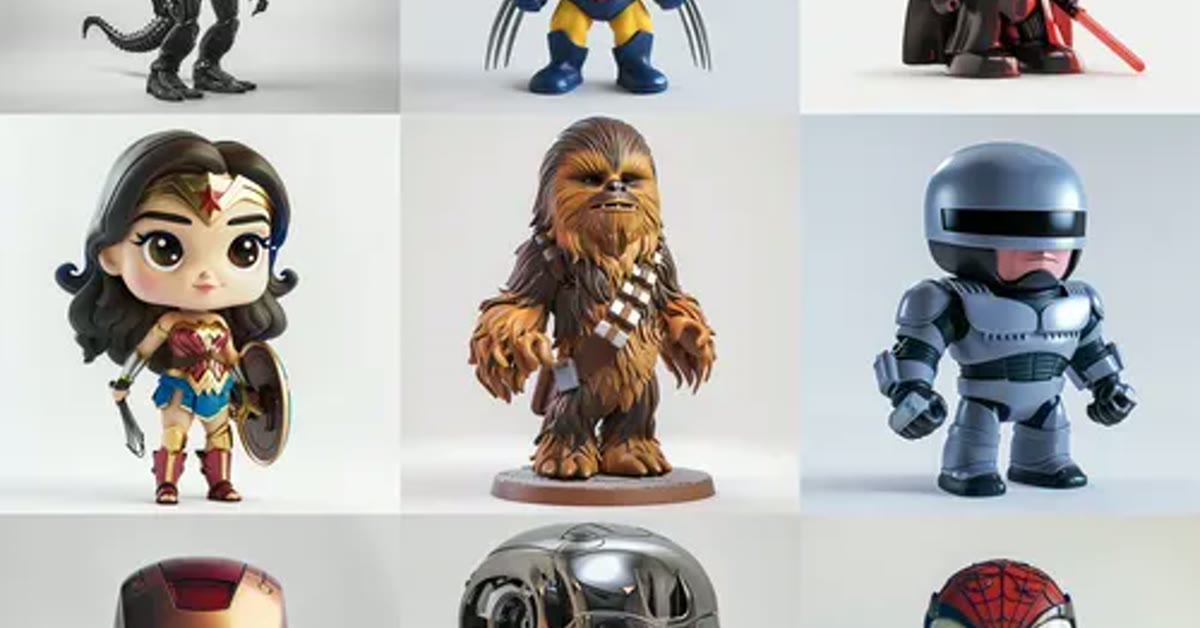
The action figure ai prompt in this post turns you into a realistic collectible toy. A toy-style display box with bold packaging graphics, accessories, and a clean studio backdrop makes the portrait look like a real product on a shelf. Glossy plastic texture and sharp detail finish the collector’s-item illusion.
Toy-box edits are pure fun, and they work because the format is so familiar. Everyone recognises a display box instantly, so the joke lands in under a second. The prompt below keeps the face recognisable while the figure, box, and accessories build around it. Start with a clear, full upper-body photo for the best toy proportions. A confident pose suits a toy figure, since standing tall reads best inside the display box. A big advantage of this Action figure AI prompt is that it stays beginner friendly without looking basic.
Keep the background plain in the starting photo, so the studio backdrop stays clean. The portrait makes a fun birthday post, especially when friends guess the accessories. It also suits a collection post, where each friend gets their own figure in matching boxes. If the box text looks garbled, generate once more, since the packaging graphics usually sharpen on the second run. This Action figure AI prompt gives your edit a consistent look that viewers recognize right away.
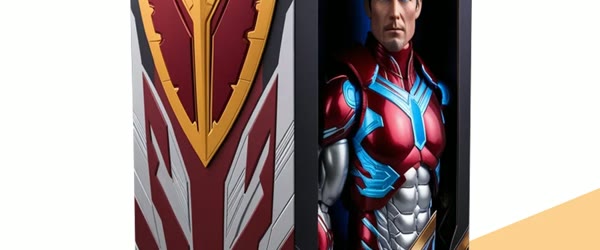
Table of Contents
- How to Use This Action Figure Prompt
- Copy-Paste Prompt
- Pro Tips for Action Figure AI Prompt
- More Prompts to Try
- How to Customize This Prompt
- Step-by-Step Guide
- Common Mistakes to Avoid
- Best Tools for This Edit
- Frequently Asked Questions
- Troubleshooting Your Action Figure
- Creative Ideas to Try
- Final Words
How to Use This Action Figure Prompt
- Open Gemini or your AI image editor and upload a clear upper-body photo.
- Paste the full prompt above and generate the action figure version.
- If the box text looks garbled, generate again. Packaging graphics usually sharpen on the second run.
Copy-Paste Prompt
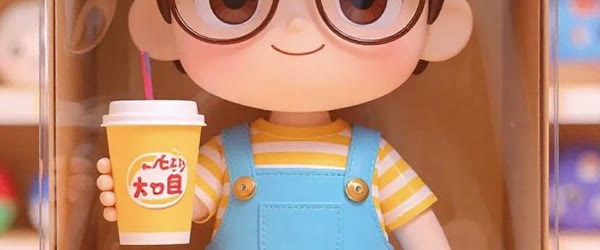
Transform this photo into a realistic collectible action figure of the person, standing in a toy-style display box with bold packaging graphics, accessories, and a clean studio backdrop. Keep the face recognizable, add glossy plastic texture, sharp detail, and a fun, playful collector's-item mood. Ultra-realistic, detailed, 4K, bright studio lighting.
Pro Tips for Action Figure AI Prompt
- A confident pose suits a toy figure. Standing tall reads best inside the box.
- Keep the background plain in the base photo so the studio backdrop stays clean.
- Share it with friends and ask what accessories your figure should include next.
More Prompts to Try
Superhero Figure in a Comic Box
Use this when you want a bold, heroic version of the figure with dramatic colours. This Action figure AI prompt is built to deliver a polished result in just a few minutes.
Transform this photo into a realistic superhero collectible action figure standing in a comic-book style display box, with a bold cape, heroic pose, and bright action graphics. Keep the face recognizable, add glossy plastic texture, sharp detail, and a fun heroic mood. Ultra-realistic, detailed, 4K, bright studio lighting.
Vintage Retro Toy Figure You can come back to this Action figure AI prompt again and again whenever you need a fresh edit.
Use this for a nostalgic, old-school toy look with warm colours and classic packaging. What makes this Action figure AI prompt so useful is how little manual work it needs.
Transform this photo into a realistic vintage-style action figure in a retro display box with faded 1980s toy packaging graphics, a simple accessory, and a warm studio backdrop. Keep the face recognizable, add slightly worn plastic texture, soft detail, and a nostalgic collector's mood. Ultra-realistic, detailed, 4K, warm studio lighting.
Sci-Fi Space Explorer Figure This Action figure AI prompt works especially well when your source photo or clip is clear and well lit.
Use this when you want a futuristic figure with a helmet and a glowing space backdrop. Beginners often start with this Action figure AI prompt because the steps stay simple from start to finish.
Transform this photo into a realistic sci-fi space explorer action figure in a toy-style display box with a clear helmet, a space suit, and futuristic packaging graphics. Keep the face recognizable, add glossy plastic texture, sharp detail, and a playful space-adventure mood. Ultra-realistic, detailed, 4K, bright studio lighting.
Sports Star Figure This Action figure AI prompt keeps the original mood of your photo or clip while lifting the overall quality.
Use this for a dynamic figure in a sports kit, posed mid-action inside the box.
Transform this photo into a realistic sports star action figure in a toy-style display box, wearing a team kit, holding a ball, with energetic packaging graphics and a clean studio backdrop. Keep the face recognizable, add glossy plastic texture, sharp detail, and a fun athletic mood. Ultra-realistic, detailed, 4K, bright studio lighting.
Musician Figure With Instruments
Use this when the person plays an instrument and the figure should show it.
Transform this photo into a realistic musician action figure in a toy-style display box, holding a guitar, with stage-light packaging graphics, a microphone accessory, and a clean studio backdrop. Keep the face recognizable, add glossy plastic texture, sharp detail, and a fun rock-star mood. Ultra-realistic, detailed, 4K, bright studio lighting.
Limited Edition Gold Figure
Use this for a premium, gift-worthy version with gold accents and elegant packaging.
Transform this photo into a realistic limited-edition gold action figure in a premium display box with elegant gold packaging graphics, a small display stand, and a dark studio backdrop. Keep the face recognizable, add glossy gold plastic texture, sharp detail, and a luxurious collector's mood. Ultra-realistic, detailed, 4K, dramatic studio lighting.
Chibi Cute Figure
Use this for a fun, cartoonish version with a big head and a tiny body.
Transform this photo into a cute chibi-style collectible figure with a large head and small body, standing in a colourful toy display box with playful packaging graphics and a bright studio backdrop. Keep the face recognizable, add smooth vinyl texture, sharp detail, and a cheerful playful mood. Ultra-realistic, detailed, 4K, bright studio lighting.
How to Customize This Prompt
The prompt is a template, and the fun grows when you change one element at a time. Start with the subject: swap the default standing pose for a seated, waving, or action pose, and the figure’s character changes completely. Then change the box: ask for a different packaging style, such as vintage, comic-book, or premium gold, and the whole mood follows. Accessories are the easiest personal touch — name one or two real objects the person loves, like a camera, a book, or a football, and the figure suddenly tells their story. Once you try this Action figure AI prompt, small tweaks let you create many variations from one idea.
Background matters too: a clean white studio backdrop reads like a product photo, while a dark backdrop makes gold and neon packaging glow. Lighting is the last lever; bright studio light suits playful figures, while dramatic side light suits premium editions. Change only one element per generation, because changing three at once makes it hard to know which change caused a good or bad result. Save each favourite variation as its own prompt, and you will quickly build a personal collection of figure styles. This Action figure AI prompt keeps faces and key details natural while the style does the heavy lifting.
- Pose: standing tall, waving, seated, mid-action, or hands-on-hips.
- Packaging: comic-book, vintage, premium gold, sci-fi, or minimal white.
- Accessories: one or two real objects that define the person’s hobbies.
- Backdrop: white studio, dark studio, or a soft coloured gradient.
- Finish: glossy plastic, matte vinyl, metallic gold, or weathered vintage.
Step-by-Step Guide
- Pick the right starting photo. Choose a clear upper-body photo with the face well lit and the shoulders fully visible. A confident, relaxed pose translates best into a toy figure, and a plain background keeps the box clean.
- Open your AI image editor. Gemini works well for this edit, and ChatGPT image editing handles it too. Upload the photo and wait for it to load fully before pasting anything.
- Paste the full prompt. Copy the prompt exactly, including the texture and lighting lines. Do not shorten it on the first try, because every detail supports the toy illusion.
- Generate the first version. Wait for the full render, then zoom in and check three things: the face still looks like the person, the box reads as packaging, and the plastic texture is visible.
- Fix the box text if needed. If packaging text looks garbled, generate again without changing the prompt. The second run usually sharpens the graphics, and the face normally stays consistent.
- Customise one element. Once the base figure works, change one thing — the accessories, the box style, or the pose — and generate again. One change at a time keeps the figure recognisable.
- Try a second figure for a friend. Use the same prompt and box style with a friend’s photo, and the matching pair makes a great collection post. Keep the packaging consistent so the set looks like a real toy line.
- Save and share. Download the full-resolution version, post it with a caption asking friends what accessories their figures should have, and keep the prompt saved for birthdays and celebrations.
Common Mistakes to Avoid
- Starting with a cropped or blurry photo. Toy figures need a clear face and full shoulders. A cropped or blurry original produces a figure that looks melted, and no prompt wording fixes a bad input.
- Asking for too many accessories. Three or more accessories crowd the box and shrink the figure. One or two well-chosen objects tell the story and leave room for the packaging to breathe.
- Changing everything at once. Rewriting the pose, box, accessories, and lighting in one generation makes the result unpredictable. Change one element, judge the result, and then change the next.
- Ignoring the box text. Garbled packaging text breaks the illusion faster than anything else. Always zoom in on the box, and re-run once before accepting a figure with unreadable graphics.
- Using a busy background photo. A cluttered original background fights the clean studio backdrop and leaves stray objects inside the box. Start plain, and let the prompt build the scene.
Best Tools for This Edit
Gemini is the easiest starting point for this edit, because it handles photo-to-figure transformations with strong face preservation and clean studio backgrounds. The real strength of this Action figure AI prompt is how repeatable it is from one edit to the next.
Upload the photo, paste the prompt, and the first result usually needs only a second run for the box text. ChatGPT image editing is the best alternative, especially if you want to iterate by conversation — ask it to keep the figure and change only the accessories, and it follows the instruction well. CapCut finishes the job for sharing: add a short unboxing-style zoom, a playful caption, and a sound effect, and the still figure becomes a reel that friends share. Use the AI tool for the figure itself, and the video editor only for presentation, so the toy illusion stays clean. If a friend asks how you made the edit, this Action figure AI prompt is the shortcut worth sharing.
Frequently Asked Questions
Will the figure still look like me? Yes, when the starting photo is clear and front-facing. The prompt explicitly keeps the face recognisable, and a sharp original protects the likeness through the transformation. This Action figure AI prompt focuses on the small details that make an edit feel premium.
Why does the box text look garbled? Packaging text is the hardest detail for image models. Generate once more with the same prompt; the graphics usually sharpen on the second run, and the face normally stays consistent. When you want dependable results, this Action figure AI prompt is a safe choice to start from.
Can I make a figure for a friend? Yes. Use the same prompt and box style with their photo, and the matching pair looks like a real toy line. Always use a photo you have permission to edit. This Action figure AI prompt can be adjusted for brighter, softer, or more dramatic results in seconds.
Which photo works best? A clear upper-body photo with even light, a relaxed confident pose, and a plain background. Full shoulders matter, because the figure’s proportions depend on them. Sharing your version of this Action figure AI prompt is a good way to join the trend while it is still growing.
Can I sell these figures? The image is a digital edit, not a physical toy, and the likeness belongs to the person in the photo. Share it for fun, and get permission before using anyone’s face commercially. This Action figure AI prompt holds up well even when you export at full resolution.
Troubleshooting Your Action Figure
When the figure looks melted, the starting photo was too soft or too cropped; switch to a sharper, wider photo with full shoulders and even light. If the face drifts from the original, the pose was probably turned or shadowed; a front-facing, evenly lit photo is the fix. When the box text stays garbled after three runs, shorten the packaging description to one short phrase and generate again — simpler text renders cleaner. This Action figure AI prompt rewards a little patience, so preview the result before you export.
If accessories crowd the figure, drop to one accessory and re-run; the box needs empty space to read as packaging. When the plastic texture looks flat, the lighting line was probably lost in an edit; return to the full prompt as written, since the glossy texture wording does the work. Finally, if the whole image feels more like a doll than a toy, add the words “toy-style display box” back in — that phrase anchors the product-packaging illusion. Overall, this Action figure AI prompt turns a simple idea into a result that feels ready to post.
Creative Ideas to Try
Turn the single figure into a whole collection. Make one figure per friend with matching boxes, and post the set as a toy line with a shared series name — the matching packaging is what sells the collection. Try a seasonal edition: a winter figure with a scarf and snow-dusted box, or a birthday edition with a tiny cake accessory and confetti graphics. This Action figure AI prompt is a smart pick when you want professional-looking results on a phone.
Build a shelf photo by placing the figure image beside real toys in a photo editor, so the digital figure sits among physical ones. Print the figure as a poster for a bedroom wall, where the bold packaging graphics look like real toy art. Finally, run a poll and let friends vote on the next accessory — the audience chooses, you generate, and the series keeps growing with almost no extra work. This Action figure AI prompt is worth bookmarking if you enjoy quick creative edits.
Final Words
Everyone deserves a toy version of themselves. Copy the prompt and unbox your figure. Share your toy figure with friends and ask them what fun accessories yours should include next time today. You do not need expensive software to get the most out of this Action figure AI prompt.