Introduction to Free Code Tools
Writing clean, working code is hard enough without wasting hours on tedious formatting, tracking down layout glitches, or hand-typing repetitive markup. That is exactly why free code tools have become an essential part of the modern developer workflow. Whether you are a student writing your very first HTML page, a freelancer shipping client projects on tight deadlines, or an experienced developer who simply wants to skip the boring parts of the job, the right collection of online code tools can save you serious time and frustration every single day. Instead of memorizing every CSS property or manually indenting hundreds of lines, you can let a purpose-built tool handle the repetitive work in seconds.
This guide brings together 20 of the best free code tools you can use today, all available instantly in your browser with nothing to install. The list covers every stage of a typical coding session. You will find formatters that turn messy, inconsistent scripts into clean readable code, beautifiers dedicated to HTML, CSS, and JavaScript, and visual generators that let you design flexbox layouts, grid systems, shadows, buttons, and animations without memorizing a single line of syntax. There are also practical utilities like a code diff checker for comparing versions, a meta tag and schema markup generator for SEO, an htaccess rule builder for server configuration, and even a code to image converter for sharing beautiful snippets on social media.
Everything on this list is completely free, with no sign-ups, no trials, and no feature locks. Each tool loads instantly and focuses on doing one job well, which means you spend less time wrestling with bloated software and more time actually building. Beginners will appreciate how approachable these coding tools are, since most of them work by simply pasting text or adjusting visual controls. Professionals will appreciate how fast they are, turning tasks that used to take twenty minutes into tasks that take twenty seconds. Bookmark this page, explore the code tools that match your workflow, and let them take care of the repetitive parts so you can focus on the creative parts of coding.
The Complete List of Free Code Tools
Below you will find twenty hand-picked code tools that cover formatting, beautifying, generating, and comparing code. These free code tools all run in your browser with no installation, and each one includes a short description so you can quickly find the coding tools that fit your workflow.
Code Formatter
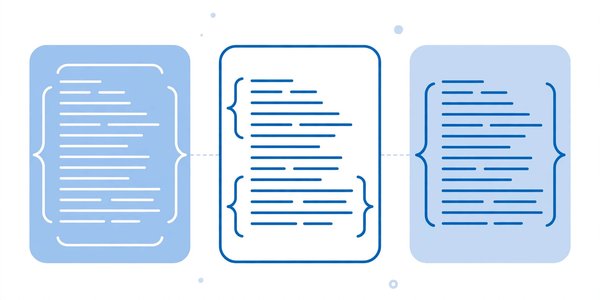
Pasted code from tutorials, forums, and AI assistants almost always arrives with broken indentation and inconsistent spacing, and the Code Formatter fixes that in a single click. It takes any messy snippet and instantly applies clean indentation, uniform spacing, and logical line breaks so the result looks professionally written. Students use it to polish homework before submitting, freelancers rely on it to standardize client codebases, and teams use it to keep shared projects readable during code reviews. Key features include support for multiple programming languages, one-click formatting, and instant browser-based results with no sign-up required. Formatted code is easier to debug, easier to review, and easier to learn from. Try the free Code Formatter here: Try Code Formatter free
Code Minifier
When your website loads slowly, oversized code files are often the culprit, and the Code Minifier solves that problem by shrinking your files for production. It strips out unnecessary whitespace, comments, and line breaks, compressing HTML, CSS, or JavaScript into the smallest possible size without changing how the code works. Freelancers use it to speed up client websites before launch, and developers rely on it to reduce bandwidth costs and improve page speed scores. Key features include instant minification, safe handling of code syntax, and a simple copy-paste interface that needs no setup. Smaller files mean faster load times, happier visitors, and better search rankings. Minify your code for production here: Try Code Minifier free
HTML Beautifier
Raw HTML copied from page sources or generated by other programs usually arrives as one long unreadable wall of text, which is where the HTML Beautifier becomes invaluable. It restructures tangled markup into properly nested, indented code that reveals the document hierarchy at a glance. Students learning web development use it to study how real pages are built, and developers use it to clean up legacy templates before editing them. Key features include automatic tag indentation, smart handling of inline elements, and instant results without any installation. Readable HTML is dramatically easier to debug when something breaks on the page. Beautify your HTML here: Try HTML Beautifier free
CSS Beautifier
Stylesheets have a way of growing into chaotic messes after months of quick edits, and the CSS Beautifier restores order in seconds. It takes compressed or sloppy stylesheets and reformats them with consistent indentation, spacing, and line breaks so every rule and selector is easy to find. Front-end developers use it to clean up inherited projects, while students use it to make their practice stylesheets easier to read and learn from. Key features include multi-line formatting options, preservation of every style rule, and fast browser-based processing. A tidy stylesheet saves real time whenever you need to track down a styling bug. Beautify your CSS here: Try CSS Beautifier free
JavaScript Beautifier
Minified JavaScript is nearly impossible for humans to read, and the JavaScript Beautifier expands it back into clean, understandable code. It restores indentation, spacing, and line breaks so you can follow the logic of scripts you did not write yourself. Developers use it when debugging third-party code, auditing libraries, or learning techniques from scripts found in the wild. Key features include configurable indentation styles, flexible brace formatting options, and safe processing that never changes the underlying code logic. The expanded code keeps every function and variable intact, so nothing about the behavior changes. Understanding what a script actually does is the first step to fixing or improving it. Beautify your JavaScript here: Try JavaScript Beautifier free
Python Formatter
Python developers know that indentation is not just cosmetic, it is syntax, which makes the Python Formatter especially valuable. It standardizes indentation levels, spacing around operators, and line lengths so your scripts follow clean, consistent conventions. Students use it to make their assignments look professional, while data analysts and backend developers rely on it to keep shared scripts readable across teams. Key features include PEP 8 style alignment, instant one-click formatting, and a distraction-free paste-and-format workflow. Clean, consistent Python also makes collaboration smoother when multiple people edit the same files. Consistently formatted Python is easier to review and far less likely to throw indentation errors. Format your Python code here: Try Python Formatter free
PHP Formatter
Legacy PHP projects are notorious for mixed indentation styles and cramped code, and the PHP Formatter brings them back to a readable state. It reorganizes messy PHP into cleanly indented, consistently spaced code that makes control structures and function boundaries obvious at a glance. Freelancers maintaining older client sites use it before making changes, and students use it to present cleaner coursework to their instructors. Key features include support for HTML embedded in PHP files, one-click reformatting, and instant results with no setup needed. Readable PHP means faster debugging and safer edits on live projects. Format your PHP here: Try PHP Formatter free
Code to Image Converter
Sharing code as plain text in presentations and social posts usually looks dull, but the Code to Image Converter turns any snippet into a beautiful, shareable image. It renders your code with syntax highlighting, polished backgrounds, and professional styling that looks great on blogs, slides, and social media feeds. Content creators use it for tutorials, developers use it to showcase solutions elegantly, and students use it to make their portfolios stand out from the crowd. Key features include multiple color themes, adjustable padding and fonts, and high-resolution image export. Beautiful code images earn far more attention than raw text blocks. Convert your code to an image here: Try Code to Image Converter free
HTML Table Generator
Hand-coding tables with rows, columns, headers, and merged cells is tedious and error-prone, which is why the HTML Table Generator exists. You simply set the number of rows and columns, fill in your content through a visual interface, and it produces clean, valid table markup instantly. Bloggers use it for comparison tables, freelancers use it for client data displays, and students use it for class projects that need structured data. Key features include header row options, border and styling controls, and copy-ready output that drops straight into any page. Accurate tables without the syntax headaches save real development time. Generate your HTML table here: Try HTML Table Generator free
CSS Box Shadow Generator
Realistic depth and dimension make interfaces feel polished, and the CSS Box Shadow Generator lets you create perfect shadows visually. Instead of guessing pixel values, you drag sliders for horizontal offset, vertical offset, blur, spread, and color while watching a live preview update in real time. UI designers use it to prototype card designs, and front-end developers use it to match design mockups precisely. Key features include live preview, inset shadow support, and ready-to-paste CSS output. Fine-tuning shadows by hand usually means guessing numbers and refreshing the page repeatedly, which wastes time on every project. The generated code works in all modern browsers with no extra effort. Generate your box shadow here: Try CSS Box Shadow Generator free
CSS Border Radius Generator
Rounded corners soften interfaces and give designs a modern feel, and the CSS Border Radius Generator makes them effortless to create. You adjust each corner independently with visual controls and get the exact CSS values instantly, including support for elliptical corners that are tricky to write by hand. Web designers use it for buttons and cards, while developers use it to quickly prototype components during layout work. Key features include per-corner control, live visual preview, and clean copy-paste output. The tool handles the shorthand syntax for you, so you never have to look up the property order again. No more trial and error with pixel values in your stylesheet. Generate your border radius CSS here: Try CSS Border Radius Generator free
Flexbox Layout Generator
Flexbox is powerful but its properties can be confusing to memorize, so the Flexbox Layout Generator lets you build layouts visually instead of writing code blind. You arrange items, set direction, alignment, wrapping, and spacing through an intuitive interface while the tool writes the correct CSS for you. Students learning responsive design use it to understand how flex properties interact, and professionals use it to prototype layouts in seconds rather than minutes. Key features include live visual editing, gap and alignment controls, and production-ready code output. It turns one of CSS trickiest layout systems into a point-and-click experience. Build your flexbox layout here: Try Flexbox Layout Generator free
CSS Grid Generator
Complex grid layouts require keeping track of rows, columns, and gaps all at once, and the CSS Grid Generator handles that complexity visually. You draw your grid structure on screen, adjust track sizes and gaps with simple controls, and receive clean grid CSS you can drop straight into your project. Front-end developers use it to build page layouts quickly, while learners use it to see exactly how grid properties connect to visual results. Key features include visual grid drawing, responsive track controls, and instant code generation. You can experiment with different column ratios and watch the layout respond before committing to any code. CSS Grid becomes approachable instead of intimidating. Build your CSS grid here: Try CSS Grid Generator free
Button Generator
Every website needs buttons that look clickable and match the brand, and the Button Generator creates them without you writing a single line of CSS. You customize colors, padding, borders, shadows, and hover effects through visual controls while previewing the result live. Freelancers use it to produce client-ready buttons in minutes, and beginners use it to add professional touches to practice sites. Key features include hover state styling, gradient support, and clean CSS output that works everywhere. You can experiment freely with the styling controls until the button matches your vision, then copy the finished CSS in one click. The result is a polished, accessible button ready for any project. Generate your CSS button here: Try Button Generator free
.htaccess Generator
Server configuration files are unforgiving, since one wrong character can break an entire site, which makes the .htaccess Generator a genuine time-saver. It builds correct rules for redirects, password protection, custom error pages, IP blocking, and caching through simple form options instead of hand-written syntax. Website owners use it to set up redirects after redesigns, and developers use it to harden sites without memorizing Apache directives. Key features include multiple rule categories, plain-language options, and ready-to-upload file output. The tool covers the most common server tasks, so even beginners can apply professional-grade configuration safely. Correct server rules without the syntax anxiety. Generate your htaccess file here: Try .htaccess Generator free
Meta Tag Code Generator
Search engines and social platforms rely on meta tags to understand your pages, and the Meta Tag Code Generator writes them for you. You fill in your title, description, keywords, and social preview details, and it produces complete, properly formatted meta tags for SEO and social sharing. Bloggers use it to optimize every post, and freelancers use it to deliver SEO-ready pages to clients. Key features include Open Graph and Twitter Card support, character count guidance, and copy-ready output. The tool also reminds you about ideal character lengths, so your titles and descriptions display correctly everywhere. Proper meta tags improve how your pages appear in search results and link previews. Generate your meta tags here: Try Meta Tag Code Generator free
Schema Code Generator
Rich results like star ratings and FAQ dropdowns in search listings come from structured data, and the Schema Code Generator creates that markup without requiring you to learn the schema vocabulary. You select a schema type such as article, product, or FAQ, fill in the fields through a guided form, and get valid JSON-LD code to paste into your page. SEO-focused developers use it to qualify for rich snippets, and site owners use it to stand out in crowded search results. Key features include multiple schema types, guided field entry, and validated JSON-LD output. Better search visibility starts with structured data. Generate your schema markup here: Try Schema Code Generator free
CSS Animation Generator
Motion brings interfaces to life, but writing keyframe animations by hand involves lots of trial and error, so the CSS Animation Generator streamlines the whole process. You define timing, easing, delays, and keyframe states through visual controls while watching the animation play live in the preview. Designers use it to prototype micro-interactions, and developers use it to add polish without wrestling with complex syntax. Key features include live animation preview, easing function presets, and clean keyframe output. You can experiment with different timings and effects freely, then copy the finished keyframes into your stylesheet with confidence. Engaging animations without the guesswork. Create your CSS animation here: Try CSS Animation Generator free
Text Shadow Generator
Flat text can disappear into busy backgrounds, and the Text Shadow Generator adds depth and readability with precisely controlled shadows. You adjust offset, blur, color, and even stack multiple shadow layers while seeing the effect update instantly on your sample text. Designers use it for striking headlines, and developers use it to improve text contrast over images and gradients. Key features include multi-layer shadows, live preview, and instant CSS output. You can layer several shadows to build glow effects or 3D lettering, then copy the finished CSS straight into your project. Small typographic details make a big visual difference on any page. Generate your text shadow here: Try Text Shadow Generator free
Code Diff Tool
Spotting the difference between two versions of a file by eye is slow and unreliable, which is exactly the problem the Code Diff Tool solves. You paste the original and modified code side by side, and it highlights every added, removed, and changed line instantly. Developers use it during code reviews, students use it to compare their work against examples, and freelancers use it to verify changes before deploying to production. Key features include line-by-line highlighting, side-by-side comparison, and clear visual indicators for every change. Catching differences early prevents bugs later. It works with any programming language, so every developer can use it daily. Compare your code here: Try Code Diff Tool free
How to Choose the Right Code Tools
With so many free code tools available, picking the right ones for your workflow comes down to a few practical considerations. The first rule is simple, match the tool to the exact task in front of you. If your CSS is a mess, reach for a beautifier, not a general formatter. If you need a layout built fast, a visual generator will beat hand-writing code every time. Developers who keep a small set of trusted coding tools for their most repeated tasks work noticeably faster than those who search for a new solution every time.
The second consideration is browser-based versus installed software. Online code tools win on convenience, since they load instantly, work on any device, and never need updates. Installed tools make sense when you work offline often or need deep integration with your code editor. For most formatting, beautifying, and generating tasks, a browser tool is faster than opening a heavy application. For most quick jobs, though, browser-based code tools beat installed software on speed and convenience. Students and freelancers who switch between computers especially benefit from tools that live on the web and remember nothing about them.
Third, always check the quality of the output before trusting a tool with important work. Paste in a small sample, run it, and review the result carefully. Good code tools produce clean, standard-compliant output that follows common conventions. If the output looks odd or breaks your code, move on, since there are plenty of reliable free code tools to choose from. This quick test takes thirty seconds and saves hours of debugging later.
Fourth, think about how each tool fits into your daily workflow. The best online code tools are the ones you actually remember to use, so bookmark your favorites, keep the ones you use weekly within easy reach, and drop the ones you never touch. Finally, avoid bloat. A toolbox with twenty tools you use beats a toolbox with two hundred you do not. Start with the essentials like a formatter, a minifier, and one or two generators for your main language, then add more coding tools only when a real task demands them.
Frequently Asked Questions about Code Tools
Are free code tools safe to use?
Yes, reputable free code tools that run entirely in your browser are very safe. The tools listed here process your code locally on the page without requiring accounts, downloads, or uploads to unknown servers. As a general habit, avoid pasting highly sensitive material like passwords, API keys, or private credentials into any online tool. For everyday formatting, beautifying, and generating tasks, browser-based coding tools are as safe as any website you visit.
Do I need to install anything to use these code tools?
No installation is needed at all. Every tool in this collection works directly in your web browser on any device, including Windows, Mac, Linux, Chromebooks, and even tablets. You simply open the tool page, paste your code or adjust the visual controls, and copy the result. This zero-setup approach is one reason online code tools have become so popular with students and freelancers who work on shared or borrowed computers.
Can beginners use these coding tools?
Absolutely, and beginners may benefit the most. Many of these code tools were designed with simplicity in mind, using visual sliders, forms, and one-click buttons instead of complex interfaces. A student who has never written CSS can still generate a beautiful button or shadow by adjusting live previews. Using these code tools also teaches good habits, since the clean output shows beginners what properly structured code looks like.
Will formatting or beautifying my code break it?
No, formatting and beautifying only change whitespace, indentation, and line breaks, never the actual logic of your code. A formatter reorganizes how code looks without touching what it does. Minifiers also preserve functionality while removing unnecessary characters. That said, it is always smart to keep a backup of important files before running any transformation, which is good practice with all coding tools.
Are online code tools good enough for professional work?
For the tasks they cover, yes. Professional developers use free code tools daily for formatting, minifying, generating boilerplate, and comparing versions. These utilities handle well-defined jobs reliably, which frees up professionals to spend their time on architecture, logic, and problem-solving. No single tool replaces a full development environment, but the best online code tools earn a permanent place in professional workflows.
Do these tools work on mobile devices?
Most of them do, since they are simple web pages that adapt to smaller screens. You can format code or generate CSS from a phone or tablet in a pinch. For longer coding sessions a desktop or laptop is still more comfortable, but having these free code tools available on mobile means you can fix a snippet or generate markup wherever you are.
How often should I format my code?
Format early and format often. Running your code through a formatter before every commit, review, or deployment keeps your projects consistently readable and prevents small messes from growing into big ones. Many developers make formatting the final step of any coding session. With free code tools that take seconds to use, there is no reason to let messy code pile up.
Conclusion
Great developers are not the ones who memorize every syntax rule, they are the ones who work smart and let the right code tools handle the repetitive parts. This collection gives you twenty free, browser-based utilities covering everything from formatting and minifying to visual CSS generation, SEO markup, and version comparison. Each one is free forever, requires no installation, and does its job in seconds. Whether you are a student learning the ropes, a freelancer racing deadlines, or a seasoned developer streamlining your workflow, these coding tools will save you time every single week. Pick the ones that match your daily tasks, bookmark this page as your personal collection of free code tools, and start building faster today. Your future self, staring at clean readable code instead of a tangled mess, will thank you.
Learn more about programming tools on Wikipedia, or explore how a source-code editor works to get the most out of these free code tools.
These free code tools are updated regularly. Bookmark this page to quickly access your favorite code tools for formatting, debugging, and everyday coding tasks. We test these code tools thoroughly, so every code tools recommendation here stays accurate, safe, and genuinely free for developers. Share these free code tools with your team to help everyone code faster.