Audio is everywhere. Podcasts fill commutes, music scores our workouts, voiceovers carry our videos, and ringtones announce our calls. Yet for something so central to daily life, good audio tools have historically been expensive, complicated, or both. Professional digital audio workstations cost hundreds of dollars, and even simple jobs like trimming an MP3 or converting a format used to demand software installs and technical know how.
That era is over. The collection of free audio tools below handles the tasks real people actually need, directly in your browser, with no signup and no cost. Whether you are a podcaster polishing episodes, a musician prepping demos, a student editing interview recordings, or just someone who wants a custom ringtone, you will find the right tool here.
Why do audio tools matter so much right now? The creator economy runs on sound. Podcast listenership keeps climbing, short form video needs clean audio to retain viewers, and remote work made everyone a part time audio engineer for meetings and presentations. Bad audio kills good content faster than almost anything else, while clean, well edited audio makes even modest productions feel professional.
This guide is for anyone who touches audio files. Creators editing shows, marketers producing ads, teachers recording lessons, developers adding sound to apps, and hobbyists experimenting with music all benefit from fast, free audio tools. You do not need training to use them. If you can drag a file into a browser window, you can use every tool on this list.
Below you will find our complete current collection of free audio tools. We have 18 live right now and are building toward 50, so bookmark this page and check back as new audio tools launch. Each entry explains what the tool does, who it helps most, and the standout features worth knowing about.
Complete List of Free Audio Tools
1. MP3 Cutter
The MP3 Cutter does exactly what the name promises: it cuts MP3 files down to the section you want, with precision controls and instant preview. Upload your file, drag the start and end handles on the visual waveform, listen to the selection, and download the trimmed result.
This is one of the most used audio tools for ringtone creation, since a perfect 30 second chorus makes the perfect ringtone. Podcasters use it to extract highlight clips for promotion. Students cut long lecture recordings down to the key explanations. The cutter shows a detailed waveform so you can spot silences and beats visually, supports fade in and fade out for smooth edges, and exports without quality loss. Your original stays untouched, and the whole process takes under a minute. Try MP3 Cutter free
2. Audio Converter
Format incompatibilities are endlessly frustrating, and the Audio Converter ends them. It translates between MP3, WAV, OGG, M4A, FLAC, and other common formats, so your audio plays wherever you need it. Upload, pick your target format and quality, and download.
Musicians use it to prepare files for different distribution platforms. Podcasters convert WAV masters to MP3 for publishing. Archivists move old collections into modern formats. The converter offers bitrate control so you can balance quality against file size, processes everything locally for privacy, and handles batch style workflows quickly. Among audio tools, this is the universal adapter every library needs. Try Audio Converter free
3. Audio Merger
Multiple clips, one file. The Audio Merger combines your audio segments in whatever order you choose, with optional crossfades between them for seamless transitions. Drag clips into sequence, preview the join, and export.
Podcasters assemble intros, segments, and outros. Musicians join demo takes. Language learners merge phrase recordings for practice loops. Narrators combine chapter recordings into full audiobooks. The merger normalizes volume differences optionally, so clips recorded at different levels blend naturally. It is one of those audio tools that turns a scattered folder of takes into a finished product without a timeline editor. Try Audio Merger free
4. Volume Booster
Quiet recordings are surprisingly common, from distant microphones to low output devices. The Volume Booster raises the level of your audio safely, with limiting to prevent distortion and clipping. Upload a too quiet file and get back one you can actually hear.
This rescues interview recordings made in noisy rooms, old digitized tapes with low levels, and voice memos recorded at arm’s length. The booster analyzes your file’s peaks before amplifying, so it maximizes loudness without the harsh crunch of naive gain. You can preview the boosted result and adjust intensity. For anyone who has strained to hear a recording, this is among the most satisfying audio tools to use. Try Volume Booster free
5. Audio Speed Changer
Speed up a lecture to power through review, or slow down a tricky passage to catch every word. The Audio Speed Changer adjusts tempo from half speed to double speed and beyond, with optional pitch preservation so voices stay natural.
Students are the biggest fans, using it to review recorded classes efficiently. Musicians slow down fast solos to learn them note by note. Podcast listeners catch up on backlogs faster. Language learners slow speech to parse pronunciation. The tool renders cleanly without the warbling artifacts of cheap time stretching, and you can preview changes live before exporting. It is a study hack disguised as one of many handy audio tools. Try Audio Speed Changer free
6. Voice Recorder
No app to install, no settings to configure. The Voice Recorder captures audio from your microphone directly in the browser, with a live level meter so you can see you are being heard. Press record, speak, stop, and download.
Use it for quick voice memos, audition recordings, interview backup, podcast guest checks, and voiceover drafts. The recorder requests permission transparently, shows elapsed time, and lets you review before saving. Paired with the trimmer and merger, it becomes a complete field recording kit. For locked down computers where installs are forbidden, these browser based audio tools are a genuine lifesaver. Try Voice Recorder free
7. Audio Trimmer
Like the MP3 cutter but format agnostic, the Audio Trimmer handles WAV, OGG, M4A, and more, cutting any audio file to your chosen segment. The waveform display makes precise edits easy, with zoom for frame level accuracy on important cuts.
Editors use it to remove dead air from the start of recordings, extract quotes from interviews, and prepare samples. The trimmer supports non destructive preview, so you hear exactly what you will get, plus fade handles to avoid clicks at cut points. It exports in your original format when possible to avoid generational quality loss. Simple, fast, and one of the audio tools you will return to weekly. Try Audio Trimmer free
8. Reverse Audio
Play it backwards. The Reverse Audio tool flips your audio file end to start, creating those eerie reversed effects musicians and sound designers love, or letting you check for hidden messages just for fun.
Beyond novelty, reversed audio has real uses. Producers create risers and transitions, podcasters make creative stingers, and educators demonstrate concepts in acoustics. The tool reverses losslessly and quickly, handling long files without breaking a sweat. Preview the reversed result to find the perfect otherworldly moment, then export. It is a playful entry among audio tools with legitimate creative applications. Try Reverse Audio free
9. Audio to Text Converter
Transcription used to be tedious manual work. The Audio to Text Converter uses speech recognition to turn your recordings into written text automatically. Upload an interview, lecture, meeting, or podcast episode and get an editable transcript.
Journalists transcribe interviews in minutes instead of hours. Students convert lectures to searchable notes. Content teams repurpose podcasts into blog posts. Accessibility improves when audio gets a text alternative. The converter handles multiple speakers reasonably, lets you edit the text inline, and exports to common document formats. Accuracy keeps improving, and for clear recordings it is remarkably good. Among productivity focused audio tools, this one saves the most time. Try Audio to Text Converter free
10. Noise Reducer
Hiss, hum, room tone, and background chatter plague real world recordings. The Noise Reducer cleans them up with intelligent filtering that targets noise while preserving voices and music. Upload a noisy file and hear the difference instantly.
Podcasters recording in untreated rooms depend on it. Interviewers salvage windy outdoor audio. Archivists restore old tapes. The tool offers adjustable reduction strength, because aggressive cleaning can make voices sound robotic, and the preview lets you find the sweet spot. It will not fix truly ruined audio, but for the common case of noticeable background noise, it works wonders. Clean audio is professional audio, and this is one of the essential audio tools for getting there. Try Noise Reducer free
11. Bass Booster
Feel the low end. The Bass Booster enhances the bass frequencies in your music, giving tracks more punch and warmth on speakers and headphones that need help down low. Adjustable intensity means you control exactly how much thump to add.
Music lovers customize their listening experience, DJs prep tracks for systems with weak bass, and creators add weight to video soundtracks. The booster uses proper equalization rather than crude gain, so mids and highs stay clear while lows get their lift. Preview before exporting to avoid muddiness. It is a fun, focused entry among audio tools that does one thing well. Try Bass Booster free
12. Ringtone Maker
Your phone deserves better than default ringtones. The Ringtone Maker turns any audio file into a perfectly sized ringtone, with trim controls to isolate the best 30 seconds and format options for iPhone and Android.
Pick a song chorus, a funny clip, or a custom recording, trim it precisely with the waveform view, add fades so it does not start abruptly, and export in the right format for your device. The tool includes device specific guidance so the file actually works when transferred. Millions of people still personalize ringtones, and this remains one of the most delightful audio tools for self expression. Try Ringtone Maker free
13. Audio Metadata Editor
Tags matter. The Audio Metadata Editor lets you edit the title, artist, album, genre, year, and cover art embedded in your audio files, so your library displays correctly everywhere. Fix mislabeled downloads and organize collections properly.
Music collectors standardize tags across thousands of files. Podcasters embed episode art and descriptions. DJs ensure track info shows correctly on decks. The editor reads existing tags, lets you edit every common field, handles album artwork, and writes changes without touching the audio itself. Well tagged files work better in every player, making this one of the unsung hero audio tools. Try Audio Metadata Editor free
14. WAV to MP3 Converter
WAV files sound great but are enormous. The WAV to MP3 Converter shrinks them to roughly a tenth of the size with quality settings you control. Upload studio masters, recordings, or archives and get portable MP3s back.
Musicians share demos without clogging inboxes. Podcasters publish from WAV masters. Anyone archiving audio balances quality and storage. The converter offers bitrate options from compact to near transparent, preserves metadata when possible, and processes locally so large files do not crawl through uploads. It is a workhorse among audio tools that earns its place in every workflow. Try WAV to MP3 Converter free
15. MP3 to WAV Converter
Going the other direction, the MP3 to WAV Converter expands compressed audio into the lossless WAV format. While it cannot restore quality lost in the original compression, WAV is required by many editors, samplers, and distribution pipelines.
Producers prep samples for hardware samplers that demand WAV. Video editors need WAV for certain timelines. Archivists standardize collections. The converter handles the transcoding cleanly with proper sample rate options. Note that converting MP3 to WAV increases file size without improving fidelity, so use it when compatibility demands it. Practical audio tools like this solve real pipeline problems. Try MP3 to WAV Converter free
16. Audio Pitch Changer
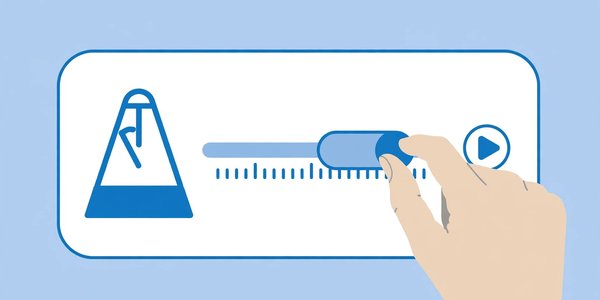
Chipmunk voices or deep movie trailer tones are one slider away. The Audio Pitch Changer shifts pitch up or down independently of speed, so you can transform voices and instruments creatively or correct off key recordings subtly.
Content creators make funny voice effects, musicians experiment with harmonies, and narrators adjust tone for character work. The shifter uses quality algorithms that minimize artifacts, with fine control in semitones for musical accuracy. Preview live to dial in the effect. It is a creative playground among audio tools that also serves serious correction needs. Try Audio Pitch Changer free
17. Silence Remover
Dead air wastes everyone’s time. The Silence Remover automatically detects and cuts silent or near silent sections from your recordings, tightening up the final product. Set the silence threshold and minimum duration, and watch gaps disappear.
Podcasters use it for first pass edits before fine tuning. Lecturers remove pauses from recordings. Interviewers clean up thinking pauses. The tool shows what will be removed before committing, with adjustable sensitivity so breaths and natural pauses can be preserved if you want them. It does in seconds what manual editing does in an hour, making it one of the highest leverage audio tools for spoken content. Try Silence Remover free
18. Vocal Remover (Karaoke Maker)
Sing your heart out. The Vocal Remover separates vocals from instrumentals using AI powered stem separation, producing karaoke tracks from your favorite songs. Upload a track and download the instrumental version.
Karaoke nights, cover artists, and practice sessions all benefit. The separation quality is impressive on well mixed tracks, handling centered vocals cleanly while preserving the backing instruments. Results vary with complex mixes, but for most pop songs it works remarkably well. You can also isolate the vocal stem for remixes. As AI audio tools go, this one feels like magic the first time you try it. Try Vocal Remover (Karaoke Maker) free
How to Choose the Right Audio Tools
Choosing among audio tools starts with your source material and your destination. Are you working with music, speech, or both? Music editing rewards tools with quality preservation and effects, while speech work prioritizes cleanup tools like noise reduction and silence removal. Know your material and half the decision is made.
Consider quality requirements honestly. A quick ringtone or social clip does not need studio grade processing, but a podcast episode or client deliverable does. Our audio tools offer quality settings on converters and processors, so match the settings to the stakes. When in doubt, preserve more quality than you think you need. Storage is cheap, rework is not.
Think about format compatibility early. Check what your publishing platform, editor, or device accepts before you start. Converting at the beginning avoids the frustration of finishing an edit only to discover the file will not import. The converters in this collection make format a non issue, but planning still saves time.
Privacy deserves attention with audio. Voice recordings, interviews, and unreleased music are sensitive. Because our audio tools process in your browser, files never upload to servers. If you evaluate other services, verify their privacy handling, especially for client or personal recordings.
Finally, build a simple repeatable workflow. A typical spoken word chain might be: record, trim silence, reduce noise, boost volume, merge segments, convert to MP3. Save this sequence somewhere. Consistent workflows produce consistent quality, and these free audio tools make professional results achievable without professional budgets. We are growing toward 50 audio tools, so revisit this list as new capabilities launch.
Frequently Asked Questions About Audio Tools
Are these audio tools really free?
Yes, completely. Every tool listed is free with no signup, no trial limits, and no watermarks. We believe basic audio tools should be available to everyone, from students to professionals.
Do I need to install software?
No. All of these audio tools run in your web browser on any operating system. This also means your files stay on your device, which is better for both speed and privacy.
Will converting reduce my audio quality?
It depends on the settings. Converting between lossless formats preserves quality perfectly. Converting to MP3 involves some compression, but at higher bitrates the difference is inaudible to most listeners. Our converters let you choose quality levels to match your needs.
What is the maximum file size?
Browser based audio tools comfortably handle typical files up to several hundred megabytes. Full length WAV masters and long recordings work fine. Extremely large multitrack sessions belong in desktop software.
Are my audio files kept private?
Yes. Processing happens locally in your browser, so files are never uploaded to our servers. This makes these audio tools appropriate for unreleased music, confidential interviews, and personal recordings.
Can I edit audio on my phone?
Yes, the tools work in mobile browsers. Trimming, converting, and recording are all comfortable on phones. Detailed waveform editing is easier on larger screens but entirely possible on mobile.
Which format should I use for podcasts?
MP3 remains the podcast standard for its universal compatibility and small size. Record or edit in WAV for maximum quality, then convert to MP3 at 128 kbps or higher for publishing. Our converter chain handles this perfectly.
Will more audio tools be added?
Yes. We currently offer 18 free audio tools and are building toward 50. New tools launch regularly, so bookmark this page and check back for additions like advanced equalizers, batch processors, and more AI powered features.
Conclusion
Good audio should not require expensive software or technical expertise. The 18 free audio tools in this guide cover recording, editing, converting, cleaning, and enhancing, all in your browser, all without signup, and all respecting your privacy by processing locally.
Whether you are launching a podcast, making music, or just trimming a voice memo, you now have a complete audio toolkit that costs nothing. As we grow toward 50 audio tools, this collection will only get more capable. Bookmark the page, try the tools that match your current project, and enjoy professional sounding results without the professional price tag.
Learn more about audio editing software, or explore how digital audio works to get the most out of these free audio tools.